Try with your file
Drop your bank statement (PDF)
1 file · 100 pages max · Free preview of 2 pages
1 file selected
Save hours every week
Turn your bank statements (PDF) into Excel, CSV or OFX, without manual retyping.
Drop a PDF statement and watch the extraction happen live. Instant preview, no signup required.
You closed the last matter of the quarter, the client invoices are settled, and now a folder of PDF bank statements is sitting on your desktop. The operating account records fee receipts and practice payments, but matter authorizations and client-account controls live elsewhere. Pasting the PDF into Excel turns three tidy columns into one unreadable smear. This guide shows a self-employed lawyer how to create reviewable Excel or CSV rows while keeping client money outside the income workbook and preserving the evidence needed for filing or adviser review.
For a legal practice, the essential bookkeeping boundary is not a clever formula: it is the line between the operating account and client money. The spreadsheet should make that boundary auditable for every earned-fee transfer.
The bookkeeping reality of a solo practitioner
Whether you are a US solo practitioner or 1099 of-counsel attorney, a self-employed barrister working out of chambers, or a sole-practitioner solicitor filing through Self Assessment, you are running a small business of one. That comes with a short but non-negotiable list of duties.
- Keep client money completely separate. This is the rule that sets legal practice apart from every other trade. In the US, client funds may require a trust account; whether an IOLTA or another arrangement is required depends on the adopted local rules and the funds involved. Solicitors in England and Wales follow the applicable SRA client-account rules; other UK jurisdictions have their own regulators. That money is not yours, and commingling it with your own funds is a serious disciplinary matter. The statement that matters for your practice’s books is your business operating account — not the trust or client account.
- Track operating receipts and cost evidence. Paid invoices and authorized earned-fee transfers share the operating account with dues, cover, training, chambers, and office payments; matter and contract records must explain them.
- Model tax cash separately from client money. Use an operating-account reserve view based on current dates and estimates, never a balance or transfer from the client-money ledger.
- Preserve the matter trail. Retain operating statements and exports with invoices, earned-fee authorizations, chambers agreements, and adopted client-account records for their respective periods.
Tax registration, digital-record requirements, and expense rules depend on your jurisdiction and practice structure. Regulatory client-account records may also follow a different timetable from tax records. Treat the spreadsheet as an operating-account review tool, then apply the current tax and professional-conduct rules that govern your practice.
The legal-practice challenge is control: a structured operating ledger must explain each receipt without weakening the separate accounting for client property.
Why the PDF statement is a dead end (and Excel/CSV changes everything)
An operating-account PDF is formatted for human review, not matter-level reconciliation. Its fee references and transfers are page coordinates rather than transaction cells, and it cannot carry an invoice authorization. That is why:
- Matter references detach. A copied earned-fee descriptor can separate from the transfer amount or date.
- You cannot sort or filter. You cannot pull “all subscription charges” or “everything above 500” out of a PDF.
- You cannot total anything. No SUM, no per-category subtotal, no year-to-date fee figure.
- The practice handoff needs rows. A reviewed file may be imported separately where supported, but the PDF is not a transaction dataset and BankStatementLab does not post to the destination.
Reviewed operating rows let you attach a matter, invoice, and authorization to each earned-fee transfer while keeping client-account data outside the workbook. Any later CSV or XLSX import occurs separately in the destination system after those controls are checked.
Here is the same information, before and after.
| Legal-practice review in the PDF | Legal-practice review in extracted rows |
|---|---|
| Operating and client-account PDFs can look similar | Keep an explicit account-purpose field and separate workbooks |
| An earned-fee transfer lacks matter context | Attach the invoice or authorization reference to the operating row |
| Chambers, clerks, and referral descriptors are scattered | Group payees while preserving the underlying agreement |
| Card deposits show a net amount | Reconcile the settlement and processing fee |
| Balance checks sit outside the matter schedule | Tie the extracted operating rows back to the bank’s closing balance |
The bank-statement PDF conversion guide covers extraction and file-format choices. For a law practice, its acceptance test should use an operating-account receipt, an authorized earned-fee transfer, and the closing balance—never a client-account total imported into the fee workbook.
The step-by-step method for a self-employed lawyer
Here is the workflow from operating-account PDFs to a reviewable handoff. Work in order and stop any unexplained client-account transfer from entering the fee total.
1. Gather the right statements
Download the reporting-period PDFs and be deliberate about which account enters this workbook. Start with the business operating account, where the practice’s own receipts and costs appear. Keep IOLTA or client-account statements in the separate process required by the rules adopted in your jurisdiction. Check the operating-account month sequence and balance continuity, and leave any missing period flagged until the source statement is obtained.
2. Convert the PDFs to Excel or CSV
Convert an operating-account statement on its own and label the source account before combining any months. Compare one paid invoice, one transfer carrying a matter reference, the debit/credit direction, and the closing balance with the PDF. If the source is a client or trust account, stop: extraction may structure its rows, but those rows belong in the regulator-led control process, not the practice income table.
BankStatementLab exports XLSX, JSON and CSV; eligible current/checking and savings-account workflows also offer OFX 1.6 SGML. It provides no direct bookkeeping or practice-management connector. Unlock protected PDFs first, then compare every extracted table with all operating-account pages before using the rows. Test OFX in the exact destination before importing a full period. Source and result retention vary by workflow and settings: keep your own originals and review the current plans and options.
3. Categorize: operating receipts and review candidates
Add a Category column and tag every row. For a self-employed lawyer the buckets usually look like this.
| Review label | Typical practice transactions | Control or evidence required |
|---|---|---|
| Operating receipts | Paid invoices, fixed fees, authorized earned-fee transfers | Matter, invoice, and authorization reference |
| Dues & licensing | State bar, law-society, practising-certificate charges | Renewal notice plus any excluded or personal component |
| Insurance | Malpractice or professional-indemnity cover | Insured entity, policy period, and reimbursement status |
| Training | CLE or CPD course fees | Course purpose and the current rule for existing versus new skills |
| Research & software | Legal research, practice management, billing tools | Subscription period and business-use allocation |
| Premises & admin | Chambers, office rent, clerks, phone, matter travel | Agreement, business purpose, and any mixed-use share |
Two legal-practice controls matter here. First, an earned-fee transfer into the operating account needs the invoice or authorization required under the rules adopted in your jurisdiction; the bank movement does not prove that the fee was properly earned or determine its tax timing. Second, expense tests differ across countries and years. Keep dues, clothing, training, chambers, and referral costs in separate review groups so the applicable rule can be applied rather than inferred from the payee.
Put a client-money firewall in the workbook
The ABA Model Rule 1.15 on safekeeping property sets the model principle that client or third-party property is kept separate and accounted for; your jurisdiction’s adopted rule controls. Build the tax workbook from the operating account only. If an earned-fee transfer arrives from a trust account, record a matter reference, transfer date, amount, and invoice or authorization reference next to that operating-account row. Do not import the trust-account statement into the income table merely to make totals reconcile.
UK lawyers with taxable client matters can keep the tax logic separate again by following the VAT-from-bank-statements workflow for legal practices.
Sort the operating-account descriptions to surface repeated chambers, research, regulator, and processor payees. Do not let a repeated descriptor erase matter context or client-money controls: batch a label only after the underlying transaction type is confirmed. The category review guide can group those rows without merging the separate client-account ledger.
4. Reconcile
Reconciling just means checking that your spreadsheet matches reality. Check opening balance plus signed movements against closing balance for each operating account and period. Compare all extracted tables and original pages as well: offsetting omissions can leave a balance unchanged. If you accept card payments from clients, match the payout deposits against the processing fees. Catching a mis-keyed amount now is far cheaper than explaining it under audit later — and if your practice also runs a client account, a clean operating-account reconciliation is your first line of defence in any bar or SRA compliance review.
5. File it yourself or hand it to an accountant
After the operating account reconciles, prepare schedules for supported fee receipts, practice costs, and transfers requiring review. Those schedules do not replace matter records, adopted client-account rules, VAT records, or local return instructions. Use them as the evidence index for your own filing process or as the operating-account handoff to an accountant.
DIY vs delegating — and how clean files cut your accountant’s bill
You do not have to choose all-or-nothing. Most self-employed lawyers land somewhere in the middle: they do the data prep themselves and let a professional handle the filing.
- Lawyer-led preparation may suit a small operating account when every receipt has a matter and invoice reference; the adopted client-money and tax rules still control.
- Accountant-led preparation can help with chambers arrangements, VAT, mixed-use costs, and timing questions. Agree whether the engagement covers only the operating account and what evidence is expected.
- Shared preparation keeps reconciliation and matter references with the lawyer while the adviser maps reviewed schedules to the return. It does not transfer the firm’s regulatory reconciliation duties.
A reviewed operating-account spreadsheet can make matter and earned-fee questions easier to locate, but any fee or time reduction depends on the accountant’s engagement. Ask which authorization, invoice, and VAT fields they expect. The guide to preparing bank statements for an accountant provides a handoff checklist.
A worked example: one month of a lawyer’s operating account
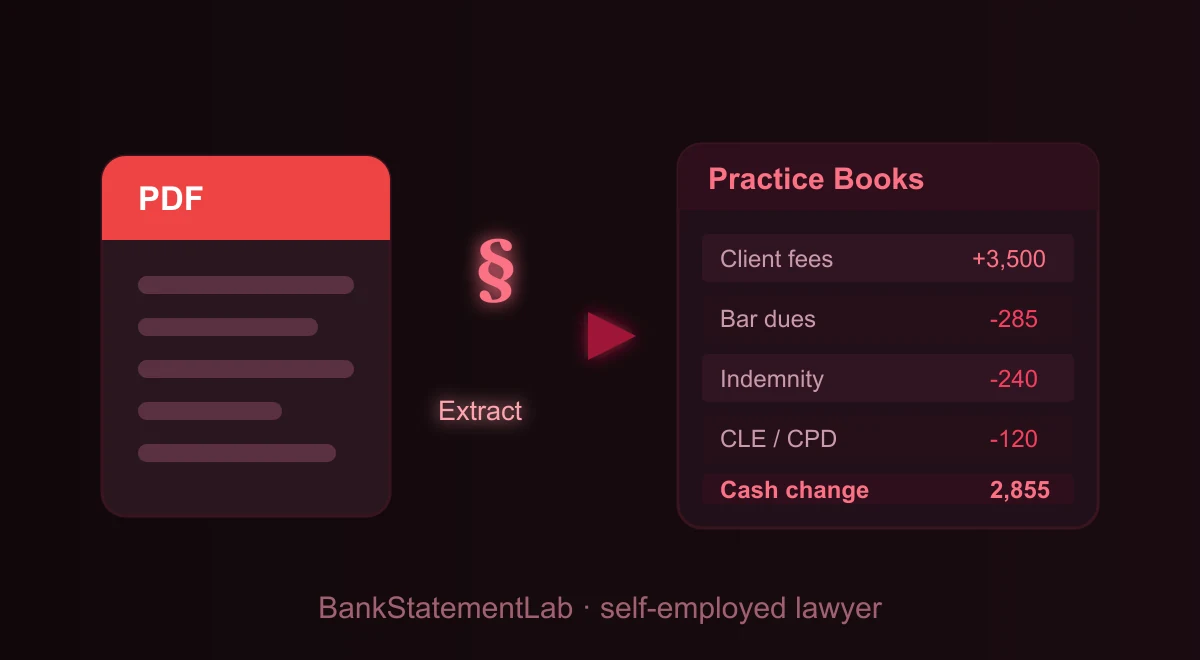
Theory is easier to trust when you see it applied. Below is a single month from a self-employed lawyer’s operating account (the trust/client account stays out of these books), converted from PDF and tagged with a Category column. The labels are generic on purpose — this is an illustrative working table after extraction and manual review, not a guaranteed export schema. Amounts are shown without a currency symbol so the example reads the same whether you bill in dollars or pounds.
| Date | Description | Amount | Category |
|---|---|---|---|
| Nov 03 | Client invoice paid — legal fees | +2,600.00 | Fee income |
| Nov 06 | Practising certificate / bar dues | -285.00 | Dues & licensing |
| Nov 09 | Professional indemnity premium | -240.00 | Insurance |
| Nov 12 | Legal research subscription | -68.00 | Research & software |
| Nov 15 | Earned fee transferred from client account | +900.00 | Fee income |
| Nov 18 | Transfer to personal account (owner’s draw) | -1,500.00 | Personal (exclude) |
| Nov 22 | CLE / CPD course | -120.00 | Training |
| Nov 27 | Office / chambers rent | -450.00 | Premises & admin |
In this illustrative operating-account ledger, the categories show fee income of 3,500.00 and candidate business costs of 1,163.00. The 1,500.00 transfer to the owner’s personal account is an internal transfer, so it stays outside the income-and-cost subtotal. The arithmetic difference is 2,337.00 before tax adjustments; the adopted client-money rules and current tax rules still control how every transfer and cost is treated.
Common mistakes and traps to avoid
Even careful lawyers trip on the same few things.
- Treating client-account money as income. The single biggest error unique to legal practice. Client money is not automatically practice revenue. The engagement, adopted professional rules and applicable tax rules determine earning and reporting; moving money alone does not establish either. Keep the two sets of statements strictly apart in your books.
- Treating manual entry as self-validating. A typed fee deposit is a second copy that still needs comparison with the operating-account statement.
- Mixing personal and business. If personal spending sits next to a practising-certificate renewal, every category needs more review. A dedicated operating account or practice card reduces that ambiguity. See how to separate personal and business expenses.
- Guessing at deductions. Claim what you can substantiate, and keep the statement that proves it. When unsure whether something meets the “ordinary and necessary” or “wholly and exclusively” test, check the current rules or ask your accountant rather than inventing one.
- Missing a displaced matter reference. Compare an authorized earned-fee transfer, a practice cost, amount signs, and the closing balance with the operating PDF.
- Ignoring retention of client-adjacent data. Check deletion controls for both the source and output before uploading a statement that reveals counterparties or matter-related transfers.
Going further: build a system, not a scramble
Close the operating ledger on the same cadence as matter billing and the firm’s separate client-account reconciliation.
- Close the operating account by matter. Review earned-fee transfers, attach the authorization or invoice reference, and keep client-account records in their separate control process.
- Maintain an operating-account workbook, not a combined-money file. The batch workflow can append reviewed operating statements while client-account records remain separate.
- Watch cash flow. A running total tells you whether the gap between a matter concluding and the next fee landing is survivable, and flags months where subscriptions crept up.
- Update the operating tax-reserve view. Use reviewed receipts and current estimates, keeping the reserve calculation distinct from client balances and checking deadlines for the relevant jurisdiction.
- Surface legal-practice cost candidates deliberately. Use the statement checklist to review dues, cover, research, chambers, and training, then apply the governing tax rule to each.
For a lean practice, operating-account rows can anchor the receipt ledger, but they do not replace invoices, matter authorizations, client-account controls, cash records, or tax documents. The bank-statement-only bookkeeping workflow shows how to flag missing evidence while preserving that boundary.
Three ways to convert a statement, compared
Judge the three routes against the law-practice controls: preserve the operating-account identity, keep an earned-fee reference on its row, and reconcile the closing balance without importing client money.
| Route | Law-practice workflow | Client-money safeguard | Result |
|---|---|---|---|
| Manual entry | Key the operating account into a workbook | Recheck every matter reference and transfer | A custom sheet with manual-entry risk |
| General table extraction | Recover a visible table and rebuild columns | Verify account identity and wrapped descriptions | A table that may require reshaping |
| Bank-statement extraction | Extract and review structured operating rows | Keep client-account output outside the income workbook | JSON, CSV, or XLSX; no direct system posting |
Whichever route you choose, compare the export with the operating-account statement before trusting totals. Sample an earned-fee transfer and its matter authorization, and make sure no client-account balance has entered the income table.
The bottom line
Your operating-account statements show fee receipts and practice payments, while matter records explain when a fee was earned. Convert and reconcile that account, keep client money outside the income workbook, and deliver the reviewed CSV or XLSX with its authorizations and invoices.
You trained to practise law, not to fight with PDFs. Let the software do the data entry.
Compare bank movements with your books
For office-account movements, BankStatementLab’s bank reconciliation report compares processed statements with an accounting export and proposes pairs to review and approve. Export Excel, CSV or PDF for the reviewer. This is not a three-way client trust reconciliation and does not authorize transfers of client funds.
Frequently Asked Questions
How long do I need to keep my bank statements as a self-employed lawyer?
Retention periods depend on the tax jurisdiction and the separate professional rules governing matter and client-account records. Check the current adopted rules for your practice and keep operating-account evidence separate from regulated client-account records until every applicable period has expired.
Do I include my IOLTA or client-account statements in my practice’s income and expenses?
Keep client or trust-account statements outside the operating income workbook and follow the rules adopted by the regulator governing that account. For each authorized earned-fee transfer, attach the matter, invoice, approval, date, and amount to the operating-account receipt. The adopted rule and tax law—not the bank transfer alone—determine when a fee is earned and reported.
Do I report the gross fee or what’s left after clerks’, chambers, or referral fees?
Do not infer gross receipts from the net bank deposit. Build a reconciliation showing the client fee, clerks’ or chambers charges, referral or platform amounts, taxes or adjustments, and the cash received, supported by invoices and agreements. Then apply the current rules for your jurisdiction and practice structure to decide how those components are reported.
Can I claim bar dues, my practising certificate, malpractice or indemnity cover, and CLE/CPD?
Record dues, practising certificates, professional cover, CLE, and CPD separately. Treatment can vary by jurisdiction, tax year, practice entity, reimbursement, lobbying or other excluded portions, and whether education maintains the current practice or creates a new qualification. Keep the invoice, renewal or course record, and bank line, then apply the current rule to each component.
Do I really need a separate bank account for my practice?
Client-money account requirements depend on the professional rules adopted where you practise, so check those rules before receiving or moving client funds. A separate operating account can simplify evidence, but its legal necessity also depends on entity, jurisdiction, and bank terms. If operating and personal activity are mixed, flag each row and keep the client-money process entirely separate.
My statements come from more than one account or bank — can I still build one clean file?
Yes. Extract and review every operating-account statement and table separately, then map differing source columns to your working fields. Preserve account, currency and source-file references before combining. Keep client-account records in their separate regulated process and outside operating-income totals; a uniform export schema is not guaranteed.
Related articles
- Build a VAT Review From Legal-Practice Bank Statements
- Prepare Operating-Account Evidence for an Accountant
- Separate Personal and Practice Transactions
Turn law-practice operating statements into reviewable CSV, XLSX, or JSON with BankStatementLab
Save hours every week
Go from PDF to an Excel file ready to use, with no manual data entry.