Save hours every week
Turn your bank statements (PDF) into Excel, CSV or OFX, without manual retyping.
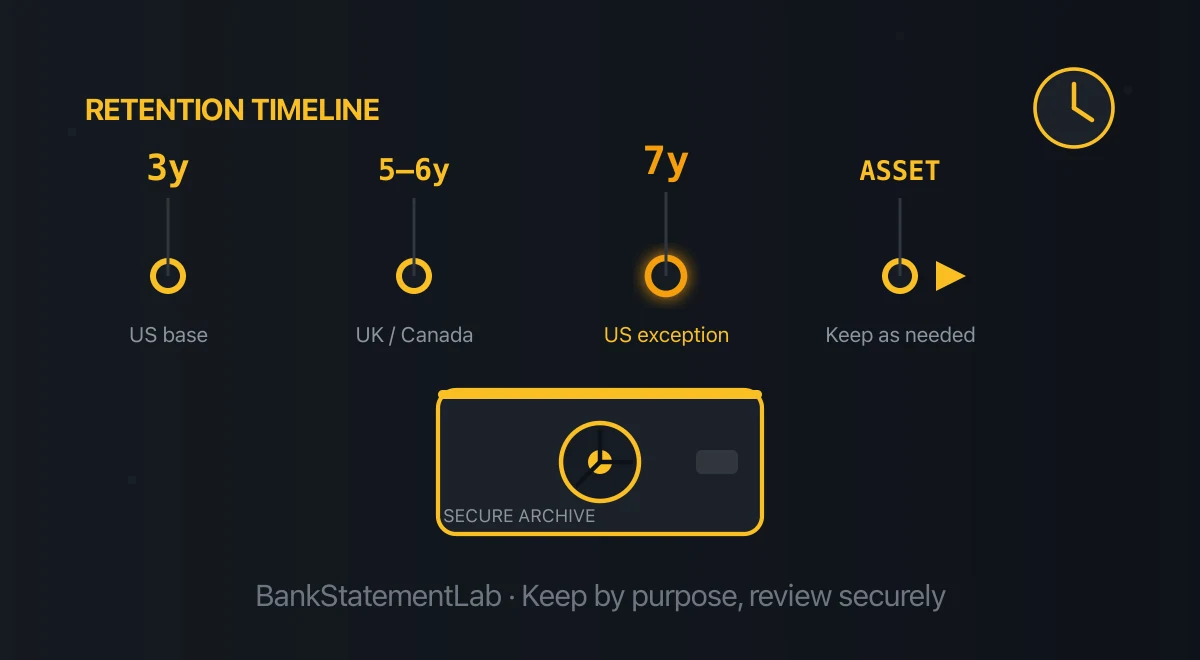
There is no universal period for keeping every bank statement. Keep a statement for as long as it supports a tax return, property basis, open dispute, loan, insurance claim, or other obligation—and apply the longest rule that covers that purpose. A blanket “seven years” can be too long for some records and too short for others.
This guide summarizes current tax-authority guidance for common cases. It is general information, not tax or legal advice. Rules can depend on your filing status, jurisdiction, type of record, and whether an enquiry is open, so confirm the current rule before destroying a document.
How Long Should You Keep Bank Statements? The Short Answer
For tax support, the right period is tied to the return or transaction the statement helps prove:
| Jurisdiction | Published baseline | Important exceptions |
|---|---|---|
| United States | The IRS says three years for ordinary income-tax records | Six years for substantial omitted income; seven years for a bad-debt deduction or worthless securities; indefinitely for an unfiled or fraudulent return; four years for employment-tax records |
| United Kingdom | A self-employed person generally keeps records for at least five years after the relevant 31 January filing deadline | Later returns and open enquiries can extend the period; company rules differ |
| Canada | The CRA generally says at least six years | Some property, corporate, trust, and other records have different rules |
| Australia | The ATO commonly requires tax and business records for five years | Some records, including those connected with assets and capital gains, must be kept longer |
Read the current primary guidance before acting: IRS record-retention periods, HMRC guidance for self-employed records, CRA guidance for individual tax records, and the ATO’s record-keeping guidance.
A bank statement is not automatically a tax record. It becomes relevant when it supports an amount, expense, payment, or event reported on a return. Keep the related invoice, receipt, contract, or other evidence too: a payment line often does not establish what was purchased or why it was deductible.
How Long Should You Keep Credit Card Statements and Receipts?
Keep credit card statements according to what they document. Reviewing and paying the bill is one step; tax evidence, an unresolved billing error, a warranty or another claim may require keeping it longer.
| Purpose | What to retain | Before deciding to delete |
|---|---|---|
| Routine spending review | Statement and receipts needed to identify purchases | Check charges, payments and refunds; confirm no unresolved issue or longer obligation remains |
| Tax support | Statement, itemized receipt and evidence of the expense’s purpose | Apply the retention period for the tax return or asset it supports |
| Billing error or refund dispute | Statement, receipt, correspondence and proof of notice | Keep the file through resolution and any applicable further claim period |
| Warranty or insurance claim | Purchase receipt, statement and relevant terms | Check the coverage and claim requirements |
For US federal tax records, the IRS bases retention on the transaction and applicable limitation period, with exceptions to its ordinary three-year rule. Paying by credit card does not create a separate universal retention period.
For US consumer credit-card billing errors, the CFPB explains the written-notice deadline of 60 days after the issuer sent the first statement showing the error. Contact the issuer promptly and follow its billing-dispute instructions. That notification deadline is not permission to destroy the statement after 60 days. Other countries, payment types and claims have different rules.
Retention Depends on Why You Need the Statement
Tax returns and business accounting
In the United States, the IRS generally counts its income-tax periods from filing; an early return is treated as filed on its due date. Refund claims can require three years from filing or two years from payment, whichever is later. Employment-tax records use a separate due-or-paid starting point. The IRS does not prescribe one seven-year period for all business records. Its ordinary period is three years, with the exceptions listed above. It also says to keep property records until the limitation period expires for the year in which the property is disposed of. That can make the practical retention period much longer than three years.
HMRC’s five-year rule cited above applies to self-employed records after the 31 January filing deadline. Different UK rules apply to limited companies and people outside Self Assessment. The CRA explicitly includes bank statements among the documents that may support deductions or credits and generally tells individuals to keep tax documents for at least six years.
For a business, also consider non-tax obligations: company law, payroll, sales tax, sector regulation, grant conditions, insurance, contracts, and litigation holds may all require longer retention. If an audit, enquiry, dispute, or investigation is open, do not destroy relevant records merely because the usual calendar period has elapsed.
Property and long-lived assets
Keep statements that prove an asset’s purchase price, improvements, financing costs, or sale expenses for as long as they affect the asset’s tax basis—then through the applicable review period after disposal. This applies to records connected with homes, rental property, investments, and business assets.
A statement alone may not identify the asset or the nature of the payment. Store it with completion statements, invoices, contracts, and tax calculations so the evidence remains understandable years later.
Loans, benefits, visas, and other applications
Lenders, landlords, public authorities, and visa offices usually specify which statement months they need. Their request is an application requirement, not a general retention law. Keep the submitted package and decision while the application, loan, tenancy, benefit claim, or appeal remains relevant, and follow any longer legal or contractual rule.
Do not rely on a generic claim that every lender needs the same number of months. Requirements vary by institution, product, country, and applicant.
If you are assembling records for employment or a move, use this financial-document checklist for a new job or relocation to separate onboarding, proof-of-income, rental and immigration requests before deciding what to retain.
Payment disputes, warranties, and insurance claims
Keep a statement until the deadline for raising or defending the relevant claim has passed. Card, transfer, and direct-debit dispute periods differ by payment method and jurisdiction, and a bank can impose prompt-notification duties. Check the terms for the account and contact the bank as soon as you notice a problem.
For a major purchase, retain the statement with the receipt and warranty for the life of the warranty or claim. For an insurance matter, keep the evidence until the claim and any appeal are conclusively closed.
Estates and deceased persons
An executor should retain relevant statements until the estate is settled, final returns have cleared their applicable review periods, and any accounting to beneficiaries or the court is complete. Probate and estate rules vary substantially. Confirm disposal with the lawyer, notary, accountant, or other professional handling the estate.
Should You Keep Bank Statements Forever?
Usually not by default. Permanent retention can preserve useful evidence, but it also preserves account numbers, addresses, income, counterparties, and spending history. More data means more material to expose through a compromised device, cloud account, backup, or shared folder.
A better approach is a written retention schedule:
- Identify the purpose of each group of statements.
- Record the date on which the longest relevant rule expires.
- Place a hold on anything connected with an open audit, claim, dispute, or asset.
- Review the archive annually.
- Securely dispose of records that no longer have a legal or practical purpose.
Some documents do merit very long retention—for example, records establishing the basis of an asset still owned. “Keep forever” should be a reasoned exception, not an automatic answer.
Paper or Digital?
Digital copies can be acceptable, but acceptance conditions differ. A reliable copy should be complete, legible, accessible for the whole retention period, and capable of being produced in the form the authority requires. Keep any original whose format, signature, or evidential status matters.
HMRC says an electronic copy of a paper record should be an exact replica in its guidance on preserving records. The CRA permits electronic records but holds the taxpayer responsible for their accessibility and integrity; see its record-keeping guidance. The IRS also publishes requirements for electronic recordkeeping systems.
Keep two complementary files when useful:
- The original PDF or verified scan preserves the statement’s presentation and context.
- A CSV, XLSX, or JSON working copy makes transactions easier to search, filter, reconcile, and analyze.
The structured copy does not replace the source document automatically. Extraction can misread a date, sign, amount, or column, so validate the output and retain the original when it supports an obligation.
How to Build a Defensible Digital Archive
1. Download statements regularly
Online availability is not the same as legal retention. A bank may retain records longer than it makes them available through its portal. Download the official statements you need while they remain easily accessible.
Use a consistent filename such as 2026-07_Bank_Checking_4521.pdf. Do not put a full account number in the filename.
2. Scan paper carefully
Scan every page in order at a resolution that keeps small text readable. Confirm that edges, totals, and page numbers are visible. If the statement is two-sided, scan both sides. Do not shred the paper until the copy has been verified and any original-document requirement has been checked.
3. Create a structured working copy when it helps
BankStatementLab can convert an unlocked bank-statement PDF to CSV, XLSX, JSON, or OFX 1.6 SGML for supported current/checking and savings-account workflows. It does not create QBO or QIF files and it does not connect directly to accounting platforms. Password-protected PDFs are rejected, so unlock a document locally before uploading it.
The upload screen accepts up to 15 files per submission, 50 MB per file and 100 pages in total. Source and result retention depend on the processing route and deletion settings; do not assume that a successful extraction immediately deletes the PDF. Check the current settings, download what you need, and compare every extracted table with the source. Matching balances alone do not rule out offsetting omissions.
Create an account if a searchable working copy would make review easier. New accounts include five credits; standard extraction uses one credit per page and advanced extraction uses two. Current details are on the pricing page.
4. Organize source and working files together
A simple structure is enough:
- Year
- Bank and account nickname
- Original monthly PDFs
- Annual or monthly CSV/XLSX/JSON working files
- Receipts, invoices, contracts, or tax schedules that explain important transactions
- Bank and account nickname
Add a retention date or category to an index rather than trying to encode every rule in filenames.
5. Back up and protect the archive
Use multiple copies on independent media, including an off-site copy. Encrypt devices and backups, use a unique password and multi-factor authentication for cloud storage, restrict shared-folder access, and test restoration periodically.
A synchronized folder is not automatically a backup: deletion or ransomware can synchronize too. Keep at least one versioned or offline copy.
6. Dispose of expired records deliberately
Cross-cut shred paper statements. For digital records, delete all copies that fall within your control—including exports, email attachments, shared folders, local downloads, and backups as they age out under the backup policy. Modern encrypted storage may rely on key destruction rather than file overwriting, so follow the device or service provider’s documented secure-erasure process.
What If an Old Statement Is Missing?
Start with the bank’s portal, then ask the bank how to request an archived statement and whether a fee applies. Availability and cost vary. Also check records held by your accountant or bookkeeper and search your own secure email and document archive.
If the record cannot be recovered, contact the authority, auditor, lender, or adviser handling the matter. Do not invent a transaction or assume that a spreadsheet reconstructed from memory has the same evidential value as the original statement.
Frequently Asked Questions
How long should I keep credit card statements and receipts?
Keep them for the longest applicable purpose: tax support, an unresolved billing error, warranty, insurance claim or another obligation. Retain the statement with itemized receipts where needed. There is no universal period for every card statement; a billing-error notification deadline is separate from the period for retaining evidence.
How long should I keep bank statements for tax purposes?
There is no single answer. In an ordinary US income-tax case, the IRS baseline is three years, with six-, seven-year, indefinite, property, and employment-tax exceptions. HMRC generally requires self-employed records for five years after the relevant 31 January deadline, while the CRA generally says at least six years. Apply the rule for your jurisdiction and situation.
Do I need to keep paper bank statements?
Not always. Many authorities accept properly maintained electronic records, but a copy must remain complete, legible, accessible, and reproducible. Check whether an original is required before shredding it.
Should I keep bank statements forever?
Only when there is a continuing reason. Long-lived asset records, unresolved disputes, and some estate or legal records can justify extended retention. Keeping every statement forever also creates avoidable privacy and security risk.
Can a bank statement prove a tax-deductible expense?
It can help prove payment, but it may not establish what was bought or why it qualifies. Keep the invoice, receipt, contract, mileage log, or other supporting record required for the claim.
Is a spreadsheet enough?
Use a spreadsheet as a working copy, not an automatic replacement for the source statement. Validate extracted transactions and retain the original PDF or verified scan when it supports a legal, tax, contractual, or audit obligation.
How long do banks keep statements?
It varies by institution, country, account type, and record. Ask your bank. The number of years visible online may be shorter than the bank’s internal retention period.
Conclusion
Treat retention as a schedule, not a slogan. Keep each statement until the longest tax, asset, claim, contractual, or legal reason has expired; preserve records under an active hold; and securely delete material that no longer serves a purpose.
A structured copy can make review and reconciliation easier, but the original statement remains important evidence. If you need CSV, XLSX, or JSON from an unlocked PDF, BankStatementLab can create the working file for you—after which you should verify it and apply your own retention policy.
Related Articles
Save hours every week
Turn your bank statements (PDF) into Excel, CSV or OFX, without manual retyping.