Save hours every week
Turn your bank statements (PDF) into Excel, CSV or OFX, without manual retyping.
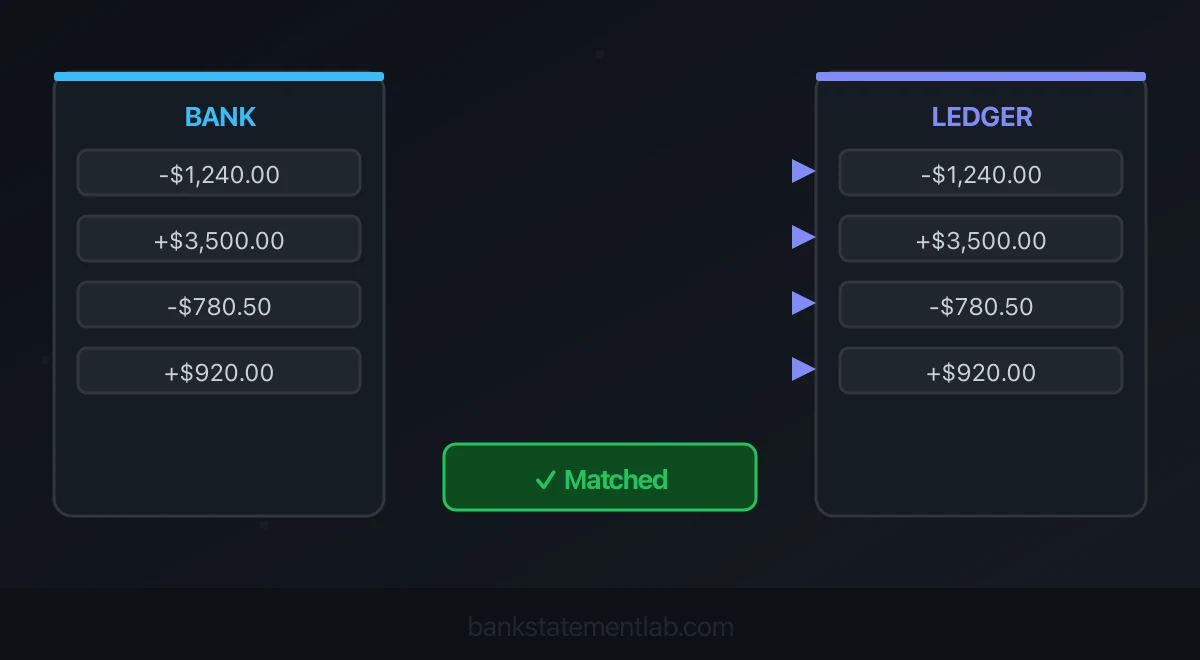
Automated bank reconciliation is a controlled matching process: ingest bank and ledger transactions, normalize them, propose matches, route ambiguity to review, post approved adjustments, and prove that the reconciled balance agrees with the statement.
BankStatementLab now compares your extracted statements with accounting entries inside the app. Upload a ledger export, select the bank statements, review proposed matches and export an Excel, CSV or PDF report. Individual validation and Validate all let you approve checked proposals while keeping unmatched items visible.
Create your bank reconciliation with BSL.
Start with the bank’s native feed or structured download when it is complete and suitable. Convert a PDF only when the statement is the available source—for example, a historical period, a client-supplied document, an unsupported institution, or a gap in a feed. PDF extraction enables automation, but it does not remove the need to validate the data or review exceptions.

Explore bank reconciliation in BankStatementLab: report preview, supported formats and review workflow.
What Bank Reconciliation Actually Confirms
Reconciliation compares the bank’s record with the cash account in the ledger for the same account and cutoff date. Differences can be legitimate or erroneous:
- deposits in transit and outstanding payments;
- bank fees or interest not yet recorded;
- duplicated, omitted, or misdated entries;
- transfers posted to the wrong account;
- card settlements grouped differently from invoices;
- foreign-exchange differences;
- unauthorized or unexpected transactions.
Automation should reduce repeated searches for candidate matches. It should not force a match merely to make the exception queue disappear.
A complete reconciliation leaves evidence of:
- the source statement or feed period;
- the ledger balance at the same cutoff;
- matched bank and ledger items;
- outstanding items and approved adjustments;
- the final reconciled balance;
- who prepared and reviewed the work.
Choose the Best Bank Data Source
Use this order of preference unless your control framework requires something else:
| Source | When it fits | Main control |
|---|---|---|
| Direct bank feed | Current recurring workflow with a supported, stable connection | Monitor disconnects, duplicates, and start dates |
| Native structured download | Bank offers CSV, OFX, QFX, QIF, CAMT, or another accepted format | Confirm period, fields, and import mapping |
| Official PDF statement | Historical, archived, client-supplied, or feed-gap workflow | Extract, validate, and retain the source as evidence |
| Manual entry | Exceptional unreadable or low-volume case | Independent review and control totals |
A PDF is not automatically the only or best source. Nor is a feed automatically complete. Reconcile source counts and periods before matching anything.
Match the bank and accounting rows in BankStatementLab
BankStatementLab now takes the workflow beyond extracting a PDF. Its Bank reconciliation feature compares your reviewed bank transactions with accounting entries, presents proposed matches and keeps unmatched items visible in a report.
- Extract and check the bank statements. Compare dates, signs, amounts and every extracted table with the originals.
- Open My Documents → Bank reconciliation. Upload the accounting export as XLSX, XLS or CSV; FEC/TXT and an accounting PDF are also supported. PDF extraction is a separate, credit-consuming step.
- In Review, check the preview and currency. Open Advanced configuration when you need to change the sheet, header, column mapping, date format, amount format or optional account filter.
- Use Choose statements to select the already extracted bank statements for the same account and currency. A report supports 1–50 statements and up to 10,000 rows on each side.
- Run the preview, correct any reported input problems, then create the report. Read Suggestions, Validated, Bank only and Accounting only separately.
- Review the proposals, approve them individually or choose Validate all and confirm. You can undo an individual validation later. Download the full report as Excel, CSV or PDF.
Every accounting row is included by default. If the export covers several ledger accounts, choose the relevant account in the optional filter or prepare a scoped export. All rows in the selected bank statements are included: the wizard does not apply a date-range filter.
Reading a structured accounting file and creating the reconciliation use no additional credits. Extracting a bank or accounting PDF uses the applicable extraction credits; the accounting-PDF step displays one credit per page using the standard model before you proceed. Review pricing and the privacy policy.
Have a statement and a ledger export ready? Create my bank reconciliation and review the proposed matches before exporting your report.
Know which matches the feature can propose
A proposal pairs one bank row with one accounting row, using the same currency and signed amount. Complete dates can match on the same date; a gap of up to three days also requires an identical normalized reference or description. A candidate must be unique in both directions.
| Case | Expected treatment | Review needed |
|---|---|---|
| Same signed amount and date, one candidate on both sides | Proposed match | Confirm the source evidence and account |
| Same reference and amount, two-day date gap | Possible proposed match | Check that the timing is plausible |
| Several equally eligible rows | Unmatched ambiguity | Identify the actual payments rather than deleting duplicates |
| Day and month without a year | Textual evidence and exact day/month required | Read the year-unverified warning |
| Several invoices behind one net payment | No automatic grouping | Prepare the settlement explanation separately |
No proposal is approved automatically. The report does not post corrections, convert currencies or certify an adjusted closing balance. It stores the selected data and your decisions; it does not continually synchronize changes from your books. Create a new report when you need to compare a corrected source export.
Prepare inputs that make the first comparison useful
Choose one bank account and currency. Gather the accounting export and all statements covering the activity you want to check, including adjacent statements if a payment crosses the cutoff. Keep the previous reconciliation and outstanding-item list beside them. The selected files define the scope: BankStatementLab does not trim bank rows to a date window.
Check the extracted statements
Inspect every table and compare dates, amounts, signs and descriptions with the original. Distinguish transaction dates from value dates and transaction amounts from running balances. A high-level balance check is useful, but two extraction mistakes could cancel each other out.
The application accepts bank PDFs and JPEG, PNG or WebP images for extraction. For the detailed preparation steps, use the bank statement PDF-to-Excel guide. You do not need to export and reimport bank rows to use them in the reconciliation feature: choose the existing extraction.
Export accounting values, not formulas
Prepare date, description, signed amount or debit/credit columns, and any usable reference. Include the account column if you intend to filter a multi-account ledger. Export values only: formula-containing spreadsheets are rejected. Structured files are limited to 10 MB, 20 sheets, 250 columns and 10,000 data rows per sheet; the selected data must also fit the report’s 10,000-row-per-side limit.
Check the sign convention and currency in Review. A debit in a bank statement and a debit in a bank-account ledger normally mean different directions. The advanced settings let you identify the convention rather than changing genuine payments to fit a match.
Keep the final accounting proof
Use the report’s unmatched views with the bank reconciliation error checklist. Assign unresolved items to a reviewer, retain evidence for timing differences and post only supported corrections in the books. Finish with the adjusted-balance proof below; a validated match is not a complete month-end sign-off.
Bank Reconciliation Example: Prove the Adjusted Balances
In this fictional example, all amounts are USD and the bank account has a positive balance. The statement closes at $8,450.00; the cash ledger closes at $8,820.00 before corrections. The review finds a $600.00 deposit in transit, a $250.00 outstanding payment, and a $20.00 bank fee missing from the books.
| Item | Bank side | Book side |
|---|---|---|
| Closing balance before reconciliation | 8,450.00 | 8,820.00 |
| Deposit recorded in books, not yet credited by bank | +600.00 | — |
| Payment recorded in books, not yet debited by bank | −250.00 | — |
| Bank fee not yet recorded in books | — | −20.00 |
| Adjusted balance | 8,800.00 | 8,800.00 |
Only the missing fee needs a new accounting entry in this example. The deposit and payment are already recorded; carry them as outstanding items and check that they clear on a later statement. Do not post them again.
The raw bank and ledger balances may differ while the adjusted balances agree. BSL separates unmatched bank and accounting entries to support this investigation. The adjusted-balance proof remains an accounting workpaper, not a calculation performed by the reconciliation report. Equal totals still do not prove that every individual match is correct.
Compare the bank and accounting rows for your next reconciliation and keep your review focused on the exceptions.
Reconciliation in Excel or Google Sheets
A spreadsheet can support a controlled low-volume or one-off process. Keep the bank and ledger tables separate and give each row a stable local ID.
Do not use a date-only VLOOKUP
Looking up the date and returning an amount will produce false matches when several transactions share a day. Even date plus amount can be ambiguous.
A safer spreadsheet workflow:
- standardize dates, signs, currencies, and account identifiers;
- create candidate keys from amount, direction, and date;
- count candidates on each side;
- auto-label only one-to-one exact candidates;
- send duplicates and near-date candidates to a review table;
- record the approved bank-row ID and ledger-row ID;
- prevent the same row from being used twice.
Excel Power Query can merge tables and produce left anti-joins for unmatched rows. Microsoft documents the current Merge queries workflow. Use an exact join for safe keys and a separate exception step for ambiguous cases. Check uniqueness on both sides before expanding joined rows: duplicate keys can multiply rows and create false matches.
For example, suppose the bank has two outgoing payments of 125.00 on the same day, while the ledger has two invoices for 125.00. Joining only on date and amount can produce four candidate pairs. That does not mean four transactions occurred. Keep all four as candidates until references establish two separate matches; do not expand the join and sum its amounts as reconciled cash.
Run the unmatched query in both directions: bank rows absent from the ledger candidates and ledger rows absent from the bank candidates. A left anti-join alone only answers the first question. Outstanding payments often appear on the other side.
Avoid formulas that scan whole columns inside every row in a large workbook; use Excel tables, Power Query, or bounded ranges. Protect source sheets and keep an approval log.
Use the reviewed report with your accounting software
Use the BSL report to document matches and remaining entries, then record approved fees, interest and corrections in your accounting software. Exporting a report does not create journal entries or synchronize an account.
If the destination also needs bank transactions, follow its separate import template and check for overlapping periods. Our manual bank-statement import guide explains that handoff. Do not upload the reconciliation report as though it were a bank-feed file.
Handle grouped settlements and other exceptions separately
Some genuine relationships do not fit a one-to-one match. A net card payout may contain many sales, processing fees and a reserve adjustment. Explain that bridge in a separate workpaper, then prepare one documented control row per expected payout when appropriate. BSL does not perform many-to-one grouping or offer a custom amount-tolerance rule.
Keep foreign-currency conversion calculations in the accounting workpaper. A report uses one currency; the feature does not turn two different-currency amounts into a match.
For payments to your own issuer, use the credit card payment reconciliation workflow. For merchant receipts, see how to reconcile card settlements with bank statements. Their supporting records explain the payment before the bank-to-accounting comparison begins.
Prevent Duplicate Imports
Duplicate prevention belongs before and after import:
- track source account and statement period;
- preserve bank references where available;
- flag repeated raw-field fingerprints for review, while retaining separate IDs for legitimate identical payments;
- compare the incoming range with already imported dates;
- inspect platform duplicate warnings;
- never rely on description alone;
- retain an import log with filename, checksum, date range, and row count.
A retry after a failed import can be more dangerous than the initial import if it inserts the successful subset twice.
Data Security and Retention
Bank statements contain personal and financial information. Restrict access to source and working files, use encrypted transfer and storage, document subprocessors, and delete temporary copies under a defined schedule.
Keep your own source statements and approved reconciliation records. Review BankStatementLab’s privacy policy and the deletion settings available for your workflow; source-file and extracted-result retention are separate. Do not use a conversion service as your only archive.
Review the complete security checklist for online statement converters. These controls do not replace your organization’s legal or client-data obligations.
Measure Automation Honestly
Measure a pilot against the existing process:
- preparation time;
- extraction and validation time;
- number of proposed matches confirmed in review;
- number and age of exceptions;
- false-match rate discovered in review;
- rework and duplicate imports;
- days to close;
- reviewer time.
Do not set a universal transaction threshold for “use Excel” versus “use accounting software.” Complexity, grouping, currencies, controls, staff skill, and audit needs matter more than row count alone.
Include the conversion cost in your pilot, using the current page-based charges on the pricing page.
Start with a report you can review
Choose one account, gather the bank PDFs and the accounting export, then use Bank reconciliation in My Documents. Check the suggestions, investigate the two unmatched views and export the full report for the reviewer. Keep the source documents and the final balance workpaper together.
See pricing for extraction costs and the privacy policy for data handling.
Frequently asked questions
Does BankStatementLab perform bank reconciliation?
Yes. BankStatementLab compares previously extracted bank statements with an accounting export, proposes one-to-one matches and shows unmatched rows. You review and validate proposals individually or in bulk, then export Excel, CSV or PDF. It does not change source entries or post accounting adjustments.
Can I use several statements and a CSV ledger?
Yes. Import an accounting XLSX, XLS or CSV file and select 1–50 already extracted statements for the same account and currency. Each side is limited to 10,000 rows. All accounting rows are included unless you apply the optional account filter.
Does reconciliation use extra credits?
Reading a structured accounting file and creating the reconciliation use no additional credits. Extracting a bank or accounting PDF uses the applicable extraction credits. The accounting-PDF step displays its cost before you proceed.
Does Validate all approve ambiguous rows?
No. After your review and confirmation, Validate all approves the existing proposed matches. Unmatched and ambiguous rows remain for investigation. Each validation can be undone individually.
Does the report prove the adjusted closing balance?
No. It records proposed and validated matches plus unmatched entries. You still explain timing differences, approve accounting corrections and prove adjusted balances in your accounting records.
Related Articles
Ready to simplify your accounting?
Eliminate manual entry and focus on analysis and advisory.