Save hours every week
Turn your bank statements (PDF) into Excel, CSV or OFX, without manual retyping.
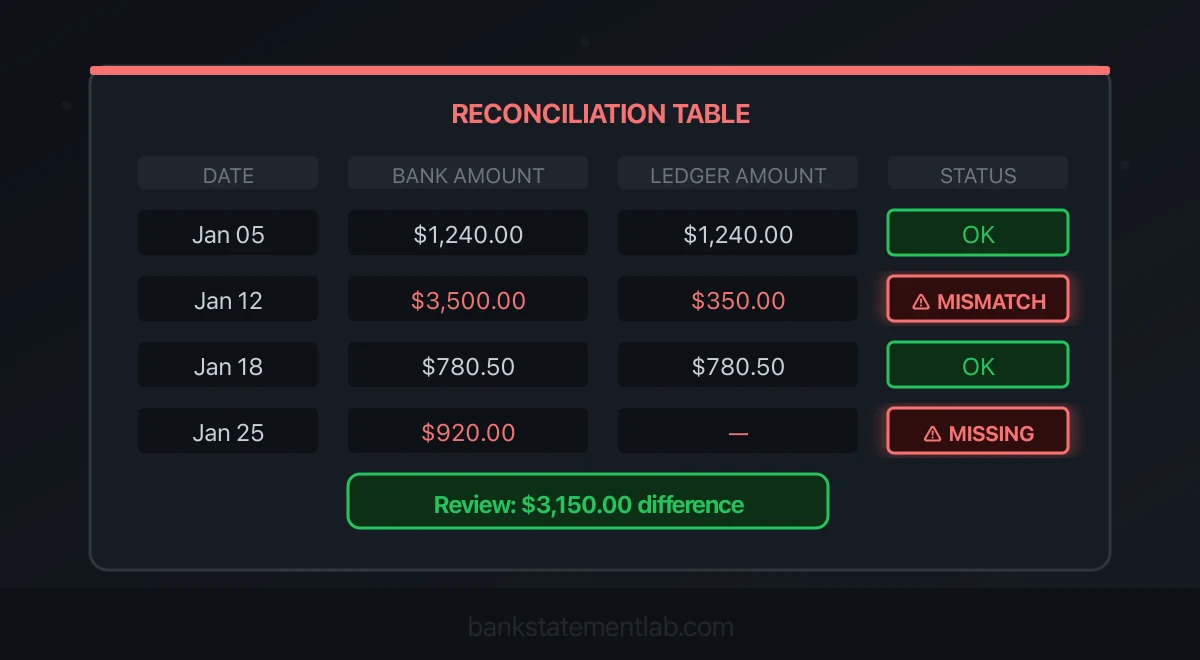
A bank reconciliation that does not balance needs a traceable explanation: a timing difference, missing entry, duplicate, wrong amount, wrong account or changed opening balance. Start with the account and period, then investigate the remaining difference. A balancing adjustment without evidence hides the problem.
BankStatementLab helps you locate the rows behind the difference. Compare extracted bank statements with an accounting export, inspect the Bank only and Accounting only views, then validate the checked proposals and export a complete report. Corrections still belong in your books, with supporting evidence.
Prepare your statement for an error check with BankStatementLab. See the current plans and pricing.

Explore bank reconciliation in BankStatementLab: report preview, supported formats and review workflow.
Bank reconciliation errors: a quick diagnostic table
Record the exact difference, its direction and the statement cutoff date. These symptoms narrow the search; none proves the cause on its own.
| Symptom | What to investigate | Evidence to check | Next step |
|---|---|---|---|
| Opening balance changed after the last reconciliation | Edited, deleted or unreconciled entry | Prior report and audit log | Identify the specific change |
| Difference equals one transaction | Missing entry, duplicate or incorrect cleared status | Statement, ledger and reference | Establish whether the item is absent, duplicated or outstanding |
| Difference is twice an entry’s amount | Debit entered as credit, or the reverse | Original amount and sign | Correct the sign with an audit trail |
| Difference in cents is divisible by nine | Possible digit transposition | Source and entered amounts | Check suspected digits; do not assume the diagnosis |
| Different row counts | Omission, duplicate, batch or split posting | References and group totals | Prove the grouping before correcting |
| Difference appears at month-end | Outstanding payment, deposit in transit or cutoff mismatch | Adjacent statements and confirmation | Carry a supported timing item forward |
| Opposite differences in two accounts | Transfer or wrong-account posting | Account identifiers and both ledgers | Correct the allocation |
| Balances agree but reports look wrong | Misclassification or offsetting errors | Categories and supporting records | Review the entries despite the zero difference |
For preparation and matching from start to finish, see our automated bank reconciliation guide.
The common errors and how to fix them
1. Transposed digits or an incorrect amount
Entering 4,839.00 instead of 4,893.00 creates a 54.00 difference. In cents, that is 5,400, divisible by nine. This is a search clue, not proof: unrelated errors can produce the same result.
Filter likely entries by reference, counterparty and date, then compare amounts with the original evidence. A lookup returning the first equal amount is insufficient when several transactions share that amount. Check decimal separators and currency too; an import-format issue needs a different correction from a transposition.
2. A debit recorded as a credit
A 150.00 payment reduces bank cash. If the books instead increase cash by 150.00, they are overstated by 300.00. Search for a transaction equal to half the unexplained difference and verify its direction.
Preserve the statement and correct the bookkeeping entry using the approved accounting workflow. Do not edit the bank amount to make it fit.
3. Duplicate entries or duplicate imports
The same payment can enter through a feed, a manual entry and a later file import. Overlapping periods or retries after a partly successful import can also create duplicates.
Two identical dates and amounts are only candidates: two real payments can be identical. Compare references, invoices, counterparties and import history. Once confirmed, use the correction appropriate to your software and period status, retaining the audit trail. Review any impact on completed or locked periods before correcting them.
4. Missing fees, interest or other activity
Fees, interest, direct debits and returned payments can appear on the statement before anyone records them in the books. Identify each unmatched bank row and record supported missing activity in the correct account and period.
A withdrawal is not automatically an expense: it could be a transfer, loan-principal repayment or card-liability payment. Our credit card reconciliation guide explains the last case.
5. Timing differences mistaken for errors
An outstanding payment is already recorded in the books but has not cleared the bank. A deposit in transit is already recorded and deposited but has not appeared on the statement. These can be valid reconciling items.
Keep an outstanding-item schedule with amount, reference, original date and next action. Check subsequent statements for clearing. Investigate items outside the expected window for the payment method and your policy; do not erase them merely because they are old.
6. A transaction posted to the wrong bank account
A payment from the operating account may have been recorded against savings, or a transfer may have only one side recorded. Total cash can look correct while each individual reconciliation fails.
Compare account identifiers and both ledgers. Check whether another account has the opposite difference, then correct the allocation with supporting evidence.
7. Grouped deposits and net settlements
One bank deposit may represent several customer payments. A processor may deposit a net amount after fees or refunds. Conversely, one ledger transaction may be split across several bank rows.
For example, receipts of 420.00 and 580.00 less a documented 15.00 fee produce a 985.00 bank deposit. Match the group and account for the fee; do not alter one receipt or invent a missing payment because row counts differ.
For a grouped settlement, keep its components in a separate control table. The bank-to-accounting comparison needs the documented net payment; it cannot identify the underlying invoices from an amount alone.
8. Previously reconciled entries have changed
If the opening balance no longer agrees with the last completed reconciliation, inspect the earlier period before checking every current transaction. Compare like with like: the preceding bank statement’s closing balance rolls into the next statement’s opening balance, while the reconciled book balance follows its own reconciliation and outstanding-item schedule. Those two raw amounts need not be identical.
For a first reconciliation after migration, check the date and amount of the opening-balance entry and whether earlier outstanding payments were carried over. Re-importing historical transactions on top of an opening balance that already includes them can count the same cash movement twice.
An entry may have been edited, deleted, moved between accounts or marked unreconciled. Review the prior report and audit log, and document which changes explain the difference.
9. Extraction or import mapping errors
An orderly spreadsheet can still contain a missed page, repeated header, sign inversion, ambiguous date or misplaced amount. These risks exist whether data was typed, extracted or imported.
Check page coverage, account, currency, date range, debit and credit columns, and opening-to-closing movement. Review every relevant table or block. Test a short import first and confirm that the destination reads dates and signs correctly.
10. Unexplained or unauthorized transactions
An unfamiliar debit needs investigation even when the arithmetic balances. Locate the authorization and supporting record, check with the appropriate owner, and contact the bank promptly when an item may be unauthorized.
Preserve the statement and correspondence. Escalate under your organization’s policy without waiting for the rest of the reconciliation to finish. Avoid accusing anyone before evidence has been reviewed.
Worked example: find a 300.00 difference
This fictional, simplified example uses one cash account and no outstanding items. Both records start at 5,000.00.
| Activity | Bank statement | Books before correction |
|---|---|---|
| Opening balance | 5,000.00 | 5,000.00 |
| Customer receipt | +1,200.00 | +1,200.00 |
| Supplier payment | −150.00 | +150.00 |
| Closing balance | 6,050.00 | 6,350.00 |
The books are 300.00 too high. Half the difference is 150.00, so inspect the supplier payment. The statement and payment confirmation show a debit; the books show a receipt.
Correcting +150.00 to −150.00 reduces the book balance by 300.00:
6,350.00 − 300.00 = 6,050.00
The corrected books agree with the bank. The correction follows evidence about one transaction; it is not an unexplained 300.00 expense. Record the reason, approval and accounting action. Where valid outstanding items exist, compare adjusted balances rather than expecting raw balances to be identical.
Investigate the difference step by step

- Fix the scope. Select one account, currency and cutoff. Retain the original statement and the ledger export.
- Verify the starting point. Compare the statement opening balance with the preceding statement, and check the previous reconciliation and outstanding items.
- Check the ending balance entered. A wrong statement date or mistyped closing balance can create a difference before matching starts.
- Validate bank rows. Confirm page coverage, signs and dates. Counts are a diagnostic, with allowance for grouped and split entries.
- Match supported transactions. Record the bank and ledger rows in each match. Prevent a row from being reused in another match.
- Classify remaining items. Separate timing, missing activity, duplicates, wrong amounts, grouping and unresolved questions. Assign owners and next actions.
- Approve corrections and prove the balance. Correct the accounting records, update outstanding items and retain the completed reconciliation for review.
An exception log should contain a local row ID, amount, reference, suspected cause, evidence checked, owner, action and status. Add these tracking fields to your working sheet rather than assuming an export already contains them.
Match the bank and accounting rows in BankStatementLab
BankStatementLab now takes the workflow beyond extracting a PDF. Its Bank reconciliation feature compares your reviewed bank transactions with accounting entries, presents proposed matches and keeps unmatched items visible in a report.
- Extract and check the bank statements. Compare dates, signs, amounts and every extracted table with the originals.
- Open My Documents → Bank reconciliation. Upload the accounting export as XLSX, XLS or CSV; FEC/TXT and an accounting PDF are also supported. PDF extraction is a separate, credit-consuming step.
- In Review, check the preview and currency. Open Advanced configuration when you need to change the sheet, header, column mapping, date format, amount format or optional account filter.
- Use Choose statements to select the already extracted bank statements for the same account and currency. A report supports 1–50 statements and up to 10,000 rows on each side.
- Run the preview, correct any reported input problems, then create the report. Read Suggestions, Validated, Bank only and Accounting only separately.
- Review the proposals, approve them individually or choose Validate all and confirm. You can undo an individual validation later. Download the full report as Excel, CSV or PDF.
Every accounting row is included by default. If the export covers several ledger accounts, choose the relevant account in the optional filter or prepare a scoped export. All rows in the selected bank statements are included: the wizard does not apply a date-range filter.
Reading a structured accounting file and creating the reconciliation use no additional credits. Extracting a bank or accounting PDF uses the applicable extraction credits; the accounting-PDF step displays one credit per page using the standard model before you proceed. Review pricing and the privacy policy.
Have a statement and a ledger export ready? Create my bank reconciliation and review the proposed matches before exporting your report.
Use the two unmatched views as an investigation list
Bank only can reveal a fee missing from the books, but also an ambiguous candidate or a date outside the matching rules. Accounting only can contain an outstanding payment, the wrong account, or an entry whose bank reference differs. Neither label diagnoses the cause on its own.
An invalid date or amount must be corrected before report creation. A valid row without a unique match stays visible. If a source export is corrected, create a new report from the corrected data; the existing report preserves its snapshot and decisions.
For full-file preparation, use the PDF-to-Excel guide. The report supports review; it does not certify error-free extraction or post a balancing entry.
Prevent the same errors next month
Keep an import log with account, filename, period and row count. Check overlapping ranges before another import and verify the outcome before retrying a failed one.
Set a reconciliation schedule appropriate to activity, risk and the close process. Separate preparation and review where practical. Protect completed periods from casual edits while maintaining a documented correction process.
Validate more than the final number. A category error can leave cash correct, and opposite mistakes can cancel out. The objective is an explained, supported reconciliation.
Keep supporting records beside the exception list. The IRS recordkeeping guidance illustrates why account statements may need invoices, receipts and other evidence to substantiate the underlying transaction.
Create my reconciliation and review the unmatched entries, then export the checked report for your accountant.
Frequently asked questions
Why does my bank reconciliation not balance?
Common causes include timing differences, missing entries, wrong signs, duplicate imports, incorrect amounts and prior-period changes. First check the opening balance and source coverage, then investigate individual bank-only and accounting-only entries.
Can a reconciliation balance and still contain errors?
Yes. Two errors can offset each other, or a genuine transaction can be paired with the wrong entry of the same amount. Check references, accounts and one-to-one use of rows, as well as the final totals.
Can BankStatementLab fix bank reconciliation errors?
BankStatementLab compares bank and accounting rows, proposes matches and separates unmatched items so you can investigate. It does not edit your books or invent balancing entries. Validate checked suggestions and make supported corrections in the accounting system.
Should I validate every proposed match at once?
Use Validate all only after reviewing the proposals and supporting evidence. It approves the existing suggestions after confirmation; it does not resolve unmatched rows or prove that the account is fully reconciled.
Related guides
Ready to simplify your accounting?
Eliminate manual entry and focus on analysis and advisory.