Try with your file
Drop your bank statement (PDF)
1 file · 100 pages max · Free preview of 2 pages
1 file selected
Save hours every week
Turn your bank statements (PDF) into Excel, CSV or OFX, without manual retyping.
Drop a PDF statement and watch the extraction happen live. Instant preview, no signup required.
You want to categorize bank transactions automatically. Maybe you have three months of statements to prepare for tax season, or you need to build a profit-and-loss report for your small business, or you are simply tired of scrolling through rows of data and typing “Groceries” for the fortieth time this month.
If your source is a PDF, categorization starts with reliable extraction. When the bank already offers a suitable CSV or accounting export for the period, use that structured data first. For PDF-only records, the workflow is PDF to reviewed rows to category suggestions. BankStatementLab can perform both steps in the same extraction on plans that include automatic categories; the Excel methods below remain useful when you want custom rules.
This guide covers the complete process from extraction to a reviewed category column. Processing and review time vary with page count, statement quality, ambiguous descriptions and the number of rules or exceptions.
Why Categorize Your Bank Transactions?
Before diving into the how, it is worth understanding why automatic categorization matters for freelancers, small business owners, and bookkeepers alike.
Budget tracking and financial planning
When every transaction carries a category, you can instantly see where your money goes. Instead of guessing that “you probably spend too much on software subscriptions,” you have actual numbers. Categorized transactions reveal spending patterns that are invisible in a raw list of debits and credits. Over time, they become the backbone of a realistic budget. Once the data is sorted, it also becomes trivial to identify unknown descriptors and recurring subscription charges, since identical merchant strings stack together and their billing rhythm becomes obvious.
Tax preparation and deductions
Tax season becomes easier when your transactions are already sorted. Deductible business expenses — office supplies, travel, professional services, software — stand out clearly from personal spending. For freelancers and self-employed professionals, categorization also makes the review trail easier to follow. The IRS recordkeeping guidance explains that records must clearly show income and expenses and support items reported on a return; a category label helps organize that evidence, but does not replace the underlying statement or receipt.
Business reporting
Whether you are applying for a loan, meeting with an investor, or simply reviewing your quarterly performance, categorized transactions feed directly into meaningful financial reports. Profit-and-loss statements, expense breakdowns by department, cash flow analyses — all of these depend on transactions being sorted into the right buckets. Without categorization, your financial data is noise. With it, the data becomes insight.
Step 1 — Extract Your Data from the PDF
This is where most people get stuck, and it is the step that determines whether everything downstream works or falls apart.
The problem: your data is locked in a PDF
Banks deliver statements as PDF files. That format is great for reading and printing, but terrible for analysis. A native PDF can contain selectable text; a scan contains page images. Neither guarantees a usable spreadsheet table. You cannot sort it, filter it, or run formulas on it. Copying from a PDF into Excel can misalign columns, split descriptions or lose signs. Check the pasted result before relying on it.
Some banks offer CSV or OFX downloads through online banking portals, but the available period and account coverage depend on the bank. If you have statements from multiple banks, different time periods, or archived PDFs from your accountant, you are back to square one: a stack of PDFs and no clean data.
Solution: extract with BankStatementLab
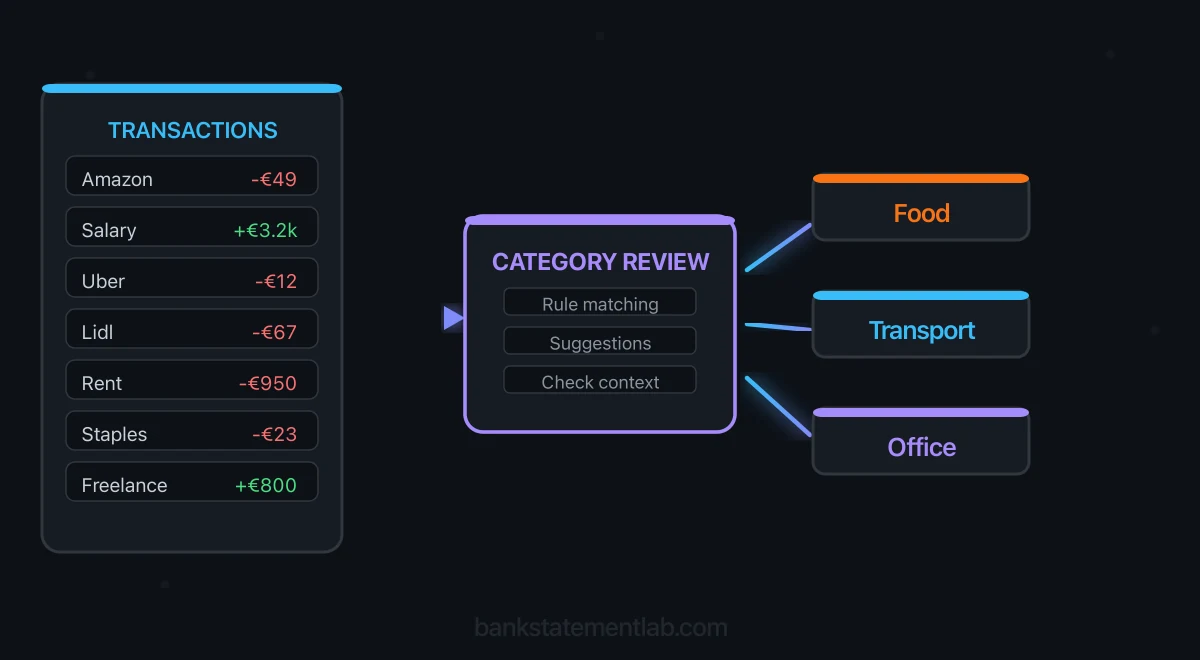
BankStatementLab is purpose-built for this exact problem. You upload your PDF bank statement, and the platform uses OCR and intelligent parsing to extract transactions into a structured table — with dates, descriptions, and amounts in separate columns, ready for review. On Pro and Business plans, automatic categorization adds suggestions from 17 broad categories during the same workflow. These are not a tax chart of accounts or a conclusion about deductibility.
Here is how it works in practice:
- Upload your unlocked PDF — remove password protection locally before dragging the statement into BankStatementLab. The extraction is designed to interpret different bank layouts and date, debit, and credit formats.
- Review the extracted data and categories — compare every extracted table with all original pages, checking dates, descriptions and signed amounts. A matching balance alone does not prove completeness. Review categories against receipts and business purpose; the statement may not contain enough context. Keep uncertain or mixed-use expenses in a review category rather than accepting them blindly.
- Export to Excel, CSV, or JSON — download the structured data in the format you need. Excel and CSV are ready for spreadsheet analysis or a file import into compatible accounting software.
This removes the manual copy-paste step while keeping a review stage before export. That review matters: categorization is a useful starting point, not a substitute for checking tax-sensitive or ambiguous transactions.
This step matters more than any categorization trick. If your extracted data has merged columns, missing transactions, or garbled descriptions, every formula and rule you apply afterward will produce garbage. Clean extraction is the foundation.
If several PDF statements are in scope, process and verify each account and period before combining rows. Eligible plans add categories in the extraction workflow; the pricing page lists current access and credit limits.
Step 2 — Review Categories or Build Your Own Excel Rules
If your BankStatementLab plan includes automatic categorization, start by reviewing the exported Category column and adjust only the exceptions. If you prefer a custom chart of accounts — or you are using an export without categories — Excel can apply your own rules to the Date, Description, and Amount columns.
Keyword rules: descriptions to categories
A keyword lookup is the simplest rule-based approach. You create a small reference table that maps merchant fragments to categories, then use a formula to scan each transaction description and assign the matching category. A plain VLOOKUP only works reliably when the lookup value has first been normalized to an exact merchant key; raw bank descriptions usually need partial-text matching.
Set up your reference table on a separate sheet (call it “Categories”):
| Keyword | Category |
|---|---|
| UBER EATS | Food & Drink |
| UBER TRIP | Transport |
| AMAZON | Shopping / review |
| STARBUCKS | Food & Drink |
| ADOBE | Software |
| SHELL | Fuel |
| WALMART | Mixed purchase / review |
In your main transaction sheet, use INDEX-MATCH with SEARCH to scan for partial keyword matches:
=IFERROR(INDEX(Categories!$B$2:$B$100, MATCH(1, (Categories!$A$2:$A$100<>"")*ISNUMBER(SEARCH(Categories!$A$2:$A$100, B2)), 0)), "Uncategorized")
This bounded formula ignores blank keywords, which SEARCH would otherwise match to every description. In modern Excel, confirm it with Enter; older versions may require Ctrl+Shift+Enter. Adapt function names and comma/semicolon separators to your locale. SEARCH is case-insensitive and treats * and ? as wildcards (escape them with ~ when literal). The formula checks whether a keyword appears anywhere in the description. If several match, it returns the first category, so put specific patterns above broad ones. If nothing matches, it labels the transaction “Uncategorized” so you can review it manually.
Tips for better results:
- Start with the merchants that recur most often in your own data, then expand the table from the unmatched rows.
- Use patterns found in your own statements. A broad AMZN or AMAZON match still needs receipt review because the merchant sells many kinds of goods.
- Sort your keyword table by specificity. Put “UBER EATS” before “UBER” so food deliveries do not get categorized as transport.
Pivot table method: analyze by category
Once your transactions have categories, Pivot Tables turn raw data into instant reports. Format the reviewed rows as an Excel Table, insert a PivotTable, and put Category in Rows and Amount in Values. Confirm Values uses Sum rather than Count; convert text amounts using the correct decimal locale first. Refresh the PivotTable after adding data, and filter transfers and unreviewed items out of expense totals.
This is where categorization pays off. Instead of scanning hundreds of rows, you see a clean summary: an illustrative report might show $1,240 on groceries, $380 on transport and $2,100 on rent. You can add Date to the Columns area to see monthly trends, or filter by date range to isolate a specific quarter for tax purposes.
Pivot Tables also expose categorization gaps. If your “Uncategorized” row is large, you know your keyword table needs more entries. If a category total looks unexpectedly high, you can double-click it to drill down into the individual transactions and spot any misclassified items.
Retain account and currency columns in the working table. Group dates by year and month, and report each currency separately unless you apply a documented conversion method.
Power Query for advanced users
For bookkeepers handling multiple clients or processing statements from several banks each month, Power Query takes the automation a step further. Power Query is built into supported Excel versions and lets you build repeatable data transformation workflows. Microsoft’s official guide documents how to combine files with the same schema from a folder.
What Power Query adds:
- Merge multiple statement files automatically. Map the exports to one schema first and keep source, account and currency identifiers. Combine only the intended compatible files from the folder.
- Apply categorization rules as a transformation step. Create a conditional column that assigns categories based on description keywords, amount ranges, or any combination of fields.
- Refresh with new data. When next month’s statement arrives, extract it with BankStatementLab, drop the CSV into your folder, and hit Refresh. Power Query re-runs the merge, cleanup and categorization steps. Review new exceptions and refresh dependent reports afterward.
Power Query is especially powerful for recurring workflows. You set it up once, and it handles the repetitive work every month going forward.
How to Tag Discretionary and Essential Expenses
A merchant category tells you where money went; a separate Budget priority tag records whether the purchase was essential, discretionary or mixed for your situation. The CFPB’s spending-tracker guidance distinguishes needs and obligations from wants. A merchant name alone cannot make that decision for you.
In your working spreadsheet, retain the original description, category, signed amount and source account. Add Budget priority and Review status columns, then use receipts to resolve mixed purchases. These are your own spreadsheet tags, not additional categories promised by the extraction tool.
Illustrative example only — the amounts and classifications below are invented for this exercise:
| Transaction | Signed amount | Category | Budget priority | Review action |
|---|---|---|---|---|
| Basic groceries | -$60 | Groceries | Essential | Confirm the receipt contains household essentials |
| Optional streaming subscription | -$15 | Entertainment | Discretionary | Confirm it is a personal optional service |
| Supermarket purchase with groceries and a gift | -$90 | Shopping | Mixed / review | Allocate from the receipt; do not guess the split |
| Transfer to your own savings account | -$200 | Own-account transfer | Not an expense | Exclude from spending totals; retain for cash-flow tracking |
| Refund for the streaming subscription | +$15 | Refund | Linked adjustment | Link to the original charge instead of treating it as new income or spending |
Summarize reviewed purchases by month and Budget priority. Keep refunds visible as offsets to their linked purchases, and exclude own-account transfers from expense totals. When combining bank and credit-card statements, avoid counting both the card purchases and the repayment as spending. An essential/discretionary tag is a budgeting choice, not a tax-deductibility decision.
Step 3 — Alternatives with Accounting Software
Excel is flexible and accessible, but if you are already using accounting software, you can skip the spreadsheet entirely and import your extracted data straight into your platform of choice.
Import into QuickBooks or Xero
Both provide CSV bank-statement import paths; do not assume an XLSX workbook can be uploaded unchanged. Intuit also documents a PDF/image statement-upload route for English statements where available in your account. Check the current QuickBooks instructions and Xero’s CSV template. Xero also documents PDF statement imports in supported regions; check availability before choosing an external conversion step. After extracting your data with BankStatementLab:
- Format the file to match your software’s import template. QuickBooks documents three-column (Date, Description, Amount) and four-column credit/debit CSV layouts. Xero requires Date and Amount fields, with positive receipts and negative payments in its template; verify your destination’s current mapping.
- Upload the file through the bank transactions import feature.
- Map and review a small test before the full upload, then check duplicates, match existing entries and reconcile to the source.
Once imported, both platforms apply their built-in categorization rules. QuickBooks learns from your past categorization decisions and suggests categories for new transactions. Xero uses bank rules that you define once and apply going forward.
This approach is ideal when your bank does not offer a direct feed to your accounting software, when you are working with older archived statements, or when you manage accounts at multiple banks and want everything in one place.
Some banks need a little more care at the formatting stage. Chase, for example, splits its transactions across labeled sections with their own subtotal lines, so preparing a Chase statement before the QuickBooks import has a few extra checks worth knowing about.
AI-powered categorization
Accounting products vary: some apply fixed bank rules, some offer learned suggestions, and some combine both. Check the particular product’s documentation rather than assuming it trains on your history or exposes a confidence score.
BankStatementLab’s categories are broad suggestions from the statement context. A descriptor such as Amazon, a supermarket or a payment processor can cover several purposes. Keep your reviewed category and evidence reference in the working sheet, and send ambiguous or mixed-use entries to manual review.
AI can propose a label for an unfamiliar descriptor, but that flexibility is not a measured accuracy advantage. Compare errors and review effort on representative transactions before choosing between a rule table, model suggestions or both.
How Do You Turn Categorized Transactions into a Quick Profit and Loss?
Once every row is reviewed, a provisional cash-based summary can be built with a PivotTable: put Category in Rows and Amount in Values, keep income categories separate from expense categories, and subtract total expenses from total income for the period. Because the source is your bank statement, the result reflects money that actually moved, not invoices you hope to be paid for.
Several adjustments determine whether that summary is usable. First, give internal movements between your own accounts a dedicated “Transfer” category and exclude it from the report — otherwise the same money is counted once as income and once as an expense, and receipts and payments are overstated even when their net effect cancels out. Second, do not rely on the sign of the amount to decide what is revenue: refunds, reversals and loan proceeds all arrive as credits without being sales, so they need their own categories.
A complete P&L may also require unpaid invoices, cash activity, asset treatment, loan principal, owner movements and gross-to-net platform reconciliation according to your accounting basis. For a line-by-line build, including how to lay out the report itself, follow the walkthrough on generating a profit and loss statement from your bank statement.
How Do You Sort Bank Statements for 1099 Tax Deductions?
When your income arrives on 1099 forms, no employer tracks your deductible expenses for you: the payer reports what it paid you, and substantiating the expenses you deduct against that income is entirely on you. The practical move is to name your categories after the expense lines of the return you actually file, rather than after generic budgeting labels — then apply the relevant limits and adjustments before transferring any total to the return.
Here is the sorting sequence that works on a full tax year:
- Collect complete records for the tax year. Include every relevant account and period, plus cash, card and processor records. One spreadsheet is optional; traceability, currency separation and complete coverage matter more than the number of sheets.
- Mirror your return’s expense lines. In the United States, self-employed people reporting 1099 income on Schedule C work from the expense lines in the current IRS Instructions for Schedule C — advertising, insurance, legal and professional services, office expense, supplies, travel, utilities, and so on. Using those names as your categories reduces the translation work, but each expense still has to satisfy the applicable tax rules.
- Make “Personal” and “Mixed-use” explicit categories. Anything personal must be visibly excluded rather than silently dropped, and anything part-business, part-personal — a phone bill, a car, a home internet line — belongs in a review pile, not in a guess.
- Keep the extracted spreadsheet next to the statements it came from. The category column is only credible if a reader can trace any row back to the statement line that produced it. Add receipts, invoices and business-purpose evidence to complete the supporting trail.
Tax rules differ by country and change over time. Treat this as a way to organise the evidence, and confirm what is genuinely deductible in your situation with a tax professional or your tax authority — the sorting method is stable, the rules are not.
Can Your Bank Categorize Transactions Automatically?
Some banking apps provide category tags for budgeting. Check whether your bank includes them in downloads, supports your other accounts and preserves historical categories. Coverage and portability vary by product.
If the export already includes useful categories, review and reuse them. If it does not, keep your own category and evidence columns beside the reviewed transactions so the work remains portable across banks and years.
When should you use the categorize option in a bank feed?
In accounting software, a bank feed proposes an action for each incoming transaction. Use categorize when the transaction is a plain income or expense line that is not already recorded in the ledger — for example, an unrecorded bank fee. A receipt may still be required to support an expense. Use match instead when an invoice, bill or receipt already exists in the software, so the transaction is linked to that document rather than creating a second entry; categorizing something that should have been matched is a common way to end up with duplicated figures. If your bank has no feed at all, the import route is covered in importing a bank statement into accounting software without a bank feed.
Compare bank movements with your books
Categorization does not establish that a transaction is recorded in the books. Use BankStatementLab’s bank reconciliation report to compare processed statements with an accounting export, approve reviewed pairs and investigate entries found on only one side. Keep that Excel, CSV or PDF report alongside the category review.
Frequently Asked Questions
How can I categorize discretionary expenses using transaction tags?
Keep the merchant category and add a separate Budget priority column in your spreadsheet with Essential, Discretionary and Mixed / review tags. Use receipts to check mixed purchases before totaling reviewed rows by month. Exclude own-account transfers from expense totals and link refunds to the original purchase so neither becomes new spending.
What is the fastest way to categorize bank transactions automatically?
Use BankStatementLab automatic categorization on a Pro or Business plan to extract the statement and add a Category column in the same workflow, then review ambiguous rows before exporting. If you need your own chart of accounts, export to Excel and apply keyword rules to override or refine those categories.
Can I categorize bank transactions automatically in Excel without add-ins?
Yes. Excel’s built-in functions are sufficient for effective categorization. Use exact-match VLOOKUP for normalized merchant keys, or INDEX-MATCH with SEARCH and a nonblank-keyword guard for partial matching. For recurring monthly workflows, Power Query lets you automate the entire pipeline — merging files, cleaning data, and applying categorization rules — without any third-party add-ins.
How do I handle transactions that do not match any category?
Label them “Uncategorized” using the IFERROR wrapper in your formula. At the end of each month, review those transactions, assign them manually, and add only unambiguous merchant patterns to your reference table. Over time, your keyword list grows and recurring descriptions require less manual work.
Is AI categorization more accurate than rule-based methods?
It depends on your setup. Rule-based methods are predictable for known merchant patterns but fail on new or ambiguous descriptions. AI may suggest a category for unfamiliar descriptions, but it can still assign a plausible yet wrong category; there is no universal accuracy advantage. The strongest workflow combines automation with a review queue for uncertain, personal, and mixed-use transactions.
How often should I categorize my bank transactions?
For most small businesses and freelancers, a monthly cadence works well. Categorize each month’s transactions shortly after the statement period ends, while the spending is still fresh in your memory. Use a shorter cadence when volume, missing receipts or reporting deadlines make monthly review difficult.
Do I need separate categories for personal and business transactions?
If you use a single bank account for both personal and business expenses, yes — create an explicit “Personal” category to separate non-business transactions. However, a better long-term practice is to maintain separate bank accounts. This makes categorization cleaner, tax preparation simpler, and financial reporting more accurate.
How do I sort bank statements for 1099 tax deductions?
Collect all relevant records for the tax year, preserving account and currency, then name your categories after the expense lines of the return you file rather than after generic budgeting labels. In the United States, self-employed people reporting 1099 income on Schedule C work from a fixed list of expense lines — advertising, insurance, legal and professional services, office expense, supplies, travel — and reusing those names helps organization, but receipts, business purpose, limits and adjustments still determine the return amounts. Add explicit “Personal” and “Mixed-use” categories so nothing is deducted by accident, and confirm what is genuinely deductible in your situation with a tax professional or your tax authority.
Can my bank categorize transactions automatically?
Some banking apps categorize transactions. Check your bank’s export fields, historical coverage and multi-account support. Reuse reviewed categories when available; otherwise keep your own category and evidence columns with the extracted data.
Conclusion
Automatic categorization can reduce repeated tagging, but the actual benefit depends on volume and exception rate. The workflow starts by getting the data out of the PDF into rows that can be checked.
The complete pipeline is straightforward:
- Extract your PDF bank statements into structured data with BankStatementLab.
- Categorize during extraction on an eligible BankStatementLab plan, refine the result with Excel rules, or use the categorization workflow in your accounting software.
- Refine your rules and keyword lists over time to push your auto-categorization rate higher each month.
Without clean extraction, categorization is guesswork on broken data. With it, you have a reliable, repeatable system that turns a stack of PDF statements into actionable financial insight — every single month.
For expense reporting, add policy rules, receipts, business-purpose notes and approvals to the reviewed transaction data.
Ready to start? Upload your first bank statement to BankStatementLab, review the structured result, and export it when it is ready. Automatic categories are listed in the current plans and pricing.
Ready to simplify your accounting?
Eliminate manual entry and focus on analysis and advisory.