Accountants and finance professionals handle dozens, sometimes hundreds, of bank statements every month. When those statements arrive as scanned documents, photographed pages, or legacy PDFs, extracting the data locked inside them becomes a real challenge. This is where OCR bank statement processing comes in. Optical Character Recognition, or OCR, is the technology that converts images of text into machine-readable data. It bridges the gap between a flat image and structured, usable financial information. But how does OCR actually work for bank statements? How accurate is it? And when should you use it instead of other methods?
This article breaks down the entire OCR pipeline as it applies to bank statement processing, explores the factors that influence accuracy, compares OCR to alternative extraction methods, and provides practical tips for getting the best results.

What Is OCR and How Does It Work?
OCR stands for Optical Character Recognition. At its core, it is a technology that identifies characters, words, and numbers within an image and converts them into editable, searchable text. While the concept sounds straightforward, the process behind modern OCR engines is multi-layered and involves several distinct stages.
When applied to financial documents like bank statements, OCR must do more than simply read text. It needs to understand table structures, distinguish between dates, descriptions, and amounts, and handle the wide variety of layouts that different financial institutions use.
The OCR Pipeline: Step by Step
Here is what happens when a bank statement goes through an OCR engine:
| Stage | What Happens | Why It Matters |
|---|---|---|
| 1. Image Acquisition | The scanned or photographed document is loaded as a digital image (TIFF, PNG, JPEG, PDF). | The quality of the source image directly determines downstream accuracy. |
| 2. Preprocessing | The image is cleaned: noise removal, deskewing (straightening tilted scans), contrast enhancement, binarization (converting to black and white). | Removes artifacts that confuse character recognition. Crucial for scanned documents. |
| 3. Layout Analysis | The engine identifies text regions, columns, tables, headers, and footers on the page. | Bank statements rely on table structures. Misidentifying columns leads to misaligned data. |
| 4. Character Recognition | Individual characters are identified using pattern matching, feature extraction, or neural network models. Modern engines use deep learning to recognize characters with high accuracy. | This is the core OCR step. Accuracy here determines whether “5” is read as “5” or “S”. |
| 5. Post-Processing | Recognized text is refined using dictionaries, language models, and contextual rules. Spell-checking and format validation clean up errors. | Catches recognition mistakes. For financial data, this means validating number formats and date patterns. |
| 6. Structured Output | The cleaned text is mapped into a structured format: rows, columns, fields. Transaction dates, descriptions, debits, credits, and balances are assigned to their proper positions. | Without this step, you just have raw text. Structure is what makes the data usable in spreadsheets or accounting software. |
Each stage builds on the previous one. A failure or weakness at any point, whether a blurry source image, a misidentified column, or a character recognition error, cascades through the pipeline and affects the final output.
Traditional OCR vs. Modern AI-Enhanced OCR
It is worth distinguishing between traditional OCR and modern approaches. Traditional OCR engines rely on pattern matching: they compare detected shapes against a library of known character templates. This works well for clean, standard fonts printed on white backgrounds.
Modern OCR engines, however, use convolutional neural networks (CNNs) and transformer-based models. These AI-enhanced systems can:
- Recognize characters in degraded or noisy images with far greater accuracy
- Understand context (for example, knowing that a column of numbers should contain amounts, not arbitrary text)
- Adapt to different languages, fonts, and layouts without being explicitly programmed for each one
- Learn from corrections and improve over time
For bank statement processing specifically, this evolution matters because financial documents come in an enormous variety of formats, and AI-enhanced OCR handles that variability far better than traditional template-based approaches.
Types of Bank Statement PDFs
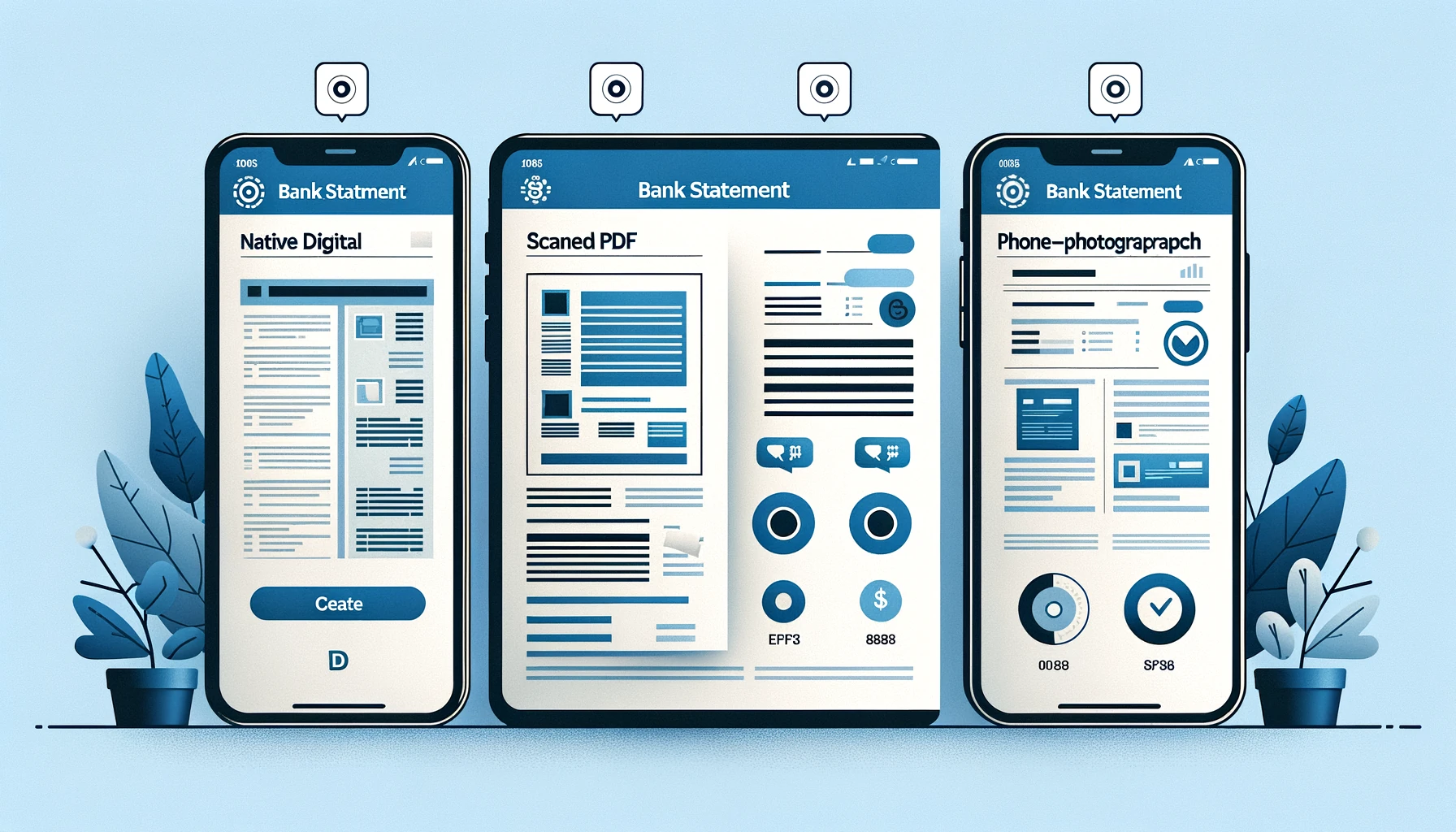
Not all bank statements require OCR. Understanding the type of PDF you are working with is the first step toward choosing the right extraction approach. There are three main categories, and OCR plays a very different role for each.
Native Digital PDFs
These are PDFs generated electronically by your banking platform when you download a statement from online banking. The text is already embedded as a data layer. You can select it, copy it, and search within it.
For native digital PDFs, OCR is technically unnecessary. The text is already machine-readable. However, extracting structured data from these files still requires tools that understand table layouts, because the PDF format stores text as positioned fragments, not as rows and columns.
Scanned PDFs
Scanned PDFs are created when someone takes a paper statement and runs it through a scanner. The result is essentially a photograph wrapped in a PDF container. There is no text layer. If you try to select or search text, nothing happens.
This is where OCR is essential. Without it, the data on a scanned bank statement is completely inaccessible to any automated tool. The OCR engine must analyze the image, recognize every character, and reconstruct the document’s structure from scratch.
Photographed Documents
Photographed bank statements are increasingly common, especially in mobile-first workflows. A user takes a photo of a paper statement with their phone and uploads it. These images tend to have perspective distortion, uneven lighting, shadows, and lower resolution compared to flat-bed scans.
Photographed documents are the hardest for OCR to process accurately. They require aggressive preprocessing (perspective correction, lighting normalization, sharpening) before character recognition can even begin.
Comparison Table
| PDF Type | OCR Required? | Typical Accuracy | Processing Speed | Common Source |
|---|---|---|---|---|
| Native Digital | No (text layer exists) | Very high with proper parsing | Fast | Online banking downloads |
| Scanned | Yes | High with good scan quality | Moderate | Paper statements via scanner |
| Photographed | Yes | Variable (depends on image quality) | Slower (more preprocessing) | Mobile phone captures |
The key takeaway is that OCR bank statement processing is primarily needed for scanned and photographed documents. For native digital PDFs, the challenge is not character recognition but rather structural parsing, which is a related but distinct problem.
Factors That Affect OCR Accuracy
OCR is not a magic wand. Its accuracy depends on a range of factors, some of which you can control and others you cannot. Understanding these factors helps you set realistic expectations and take steps to maximize the quality of your results.
Image Quality and Resolution
This is the single most important factor. A high-resolution, clean scan produces dramatically better OCR results than a low-resolution, blurry photograph. The generally recommended minimum resolution for OCR is 300 DPI (dots per inch). Below that, smaller characters, especially numbers with similar shapes like 3, 8, and 0, become difficult to distinguish.
- Best: 300 DPI or higher, flat-bed scan, black text on white background
- Acceptable: 200 DPI, minor noise or slight skew
- Poor: Below 150 DPI, heavy noise, shadows, or significant skew
Font and Print Quality
OCR engines perform best with standard, widely-used fonts. Bank statements typically use clean, sans-serif fonts, which is favorable. However, problems arise when:
- The print is faded or partially missing (common in dot-matrix printed or faxed statements)
- The font is very small (below 8pt)
- The document uses decorative or unusual fonts for headers and labels
- Ink has bled or smudged on the original paper
Layout Complexity
Bank statements vary widely in their layout complexity. Some use simple, single-table formats with clear column headers. Others have multi-column layouts, nested sections, summary blocks, and promotional content interspersed between transaction data.
Complex layouts challenge the OCR engine’s ability to correctly identify table boundaries and assign data to the right columns. A misidentified column boundary can shift all amounts one column to the right, turning debits into credits.
Multi-Page Continuity
Long bank statements span multiple pages. Tables often break across pages, and the continuation of a transaction list on page two may not have the same column headers as page one. OCR engines need to stitch these fragments together correctly, which adds another layer of potential error.
Handwritten Annotations
If someone has written notes, checkmarks, or corrections on a paper statement before scanning it, those annotations can interfere with OCR. Handwritten text near or overlapping printed text is a known source of errors. The OCR engine may try to read the annotation as part of the statement data, producing garbled output.
Language and Character Sets
Bank statements in different countries may use different character sets, number formats (commas vs. periods as decimal separators), and date formats. An OCR engine optimized for English may struggle with statements in other languages, particularly those using non-Latin scripts.
Need reliable data from scanned bank statements? BankStatementLab uses advanced OCR and AI to extract your bank statement data with high accuracy — even from scanned documents. Try it free →
OCR vs Other Extraction Methods
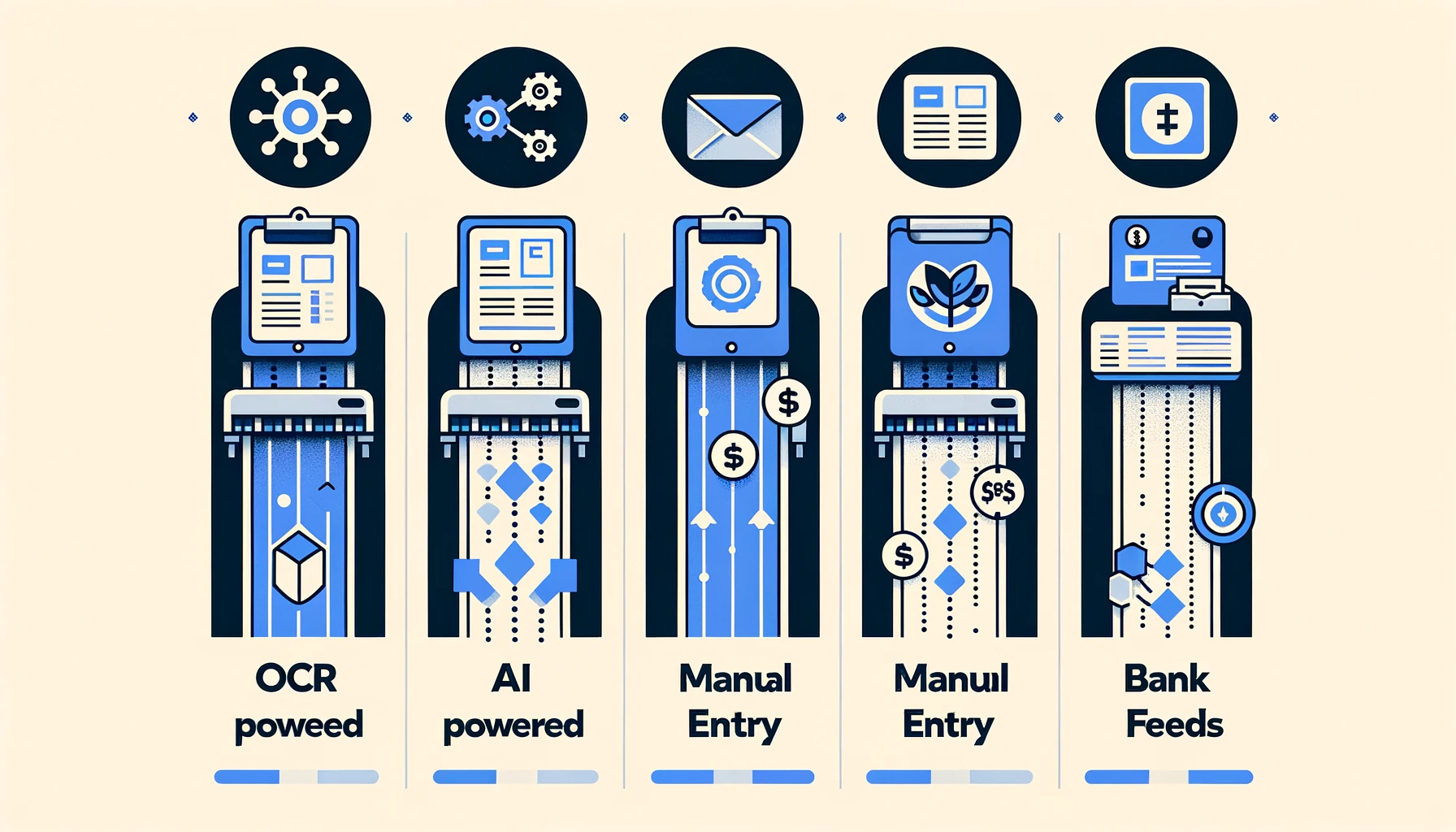
OCR is one piece of the puzzle, but it is not the only way to get data out of bank statements. Depending on your situation, other methods may be more appropriate, more accurate, or more efficient. Here is how OCR-only extraction compares to the alternatives.
OCR-Only Extraction
With a pure OCR approach, the engine reads the document, outputs raw text, and you (or a simple script) parse that text into structured data. This is the most basic automated approach. It works, but it requires significant manual cleanup for anything beyond simple, well-formatted statements.
AI-Powered Extraction
Modern extraction tools combine OCR with artificial intelligence. The AI component understands the semantic meaning of the document. It knows that the first column is probably a date, the large text block is a description, and the numbers at the end are amounts. AI-powered tools can handle layout variations, reconcile multi-page tables, and flag anomalies that pure OCR would miss.
This is the approach used by tools like BankStatementLab, which layers AI on top of OCR to deliver structured, validated output rather than raw text.
Manual Data Entry
For small volumes of very messy documents, manual data entry by a human operator sometimes remains the most accurate option. A skilled data entry clerk can interpret context, handle ambiguous characters, and ask clarifying questions. However, this approach is slow, expensive, and does not scale.
Bank Data Feeds (OFX, CSV, API)
If you can get data directly from the banking institution in a structured format like OFX, QIF, CSV, or via an API, you bypass the need for OCR entirely. This is the gold standard for accuracy because you are working with the source data, not a visual representation of it. However, bank data feeds are not always available, especially for historical statements, third-party documents, or institutions that do not offer digital exports. For more on these formats, see our guide on bank statement formats: OFX, QIF, and CSV.
Comparison Table
| Method | Accuracy | Speed | Cost | Best For |
|---|---|---|---|---|
| OCR-Only | Moderate (requires cleanup) | Fast | Low | Simple, clean documents with standard layouts |
| AI-Powered Extraction | High | Fast | Moderate | Varied layouts, scanned documents, batch processing |
| Manual Data Entry | Very high (human judgment) | Very slow | High | Low volume, extremely messy documents |
| Bank Data Feeds | Near-perfect | Instant | Free/Low | When direct digital exports are available |
For most finance professionals, the sweet spot is AI-powered extraction. It combines the automation of OCR with the intelligence needed to handle real-world document variability. If you are processing more than a handful of statements per month, the time savings over manual entry are substantial. And when bank data feeds are not available, it is the next best thing.
Best Practices for OCR Bank Statement Processing
Whether you are using a standalone OCR tool or an AI-powered platform, following these best practices will significantly improve the quality and reliability of your extracted data.
Optimize Your Scans
The single biggest improvement you can make is to start with better source material.
- Use a flat-bed scanner rather than a phone camera whenever possible. Flat-bed scanners produce consistent, high-resolution images without perspective distortion.
- Scan at 300 DPI or higher. This is the sweet spot where text is sharp enough for accurate recognition without producing unnecessarily large files.
- Use grayscale or black-and-white mode. Color scans add file size without improving OCR accuracy for text-based documents. Grayscale is usually sufficient.
- Ensure the paper is flat and aligned. Creased, folded, or skewed pages produce worse results.
Clean Up Before Processing
If you are working with images that are not ideal, basic preprocessing can help:
- Deskew tilted images using image editing software before running OCR
- Crop out extraneous content (envelopes, desk surfaces, fingers holding the paper)
- Adjust contrast so that text is clearly dark against a light background
Validate Your Output
Never trust OCR output blindly, especially for financial data where a single misread digit can have significant consequences.
- Check totals: If the statement includes a running balance or summary total, verify that your extracted transactions sum to the same amount. This is the fastest way to catch OCR errors.
- Spot-check individual transactions: Randomly verify several transactions against the source document.
- Look for common OCR mistakes: The digit “1” misread as “l” or “I”, “0” misread as “O”, “5” misread as “S”, and “8” misread as “3” are classic OCR error patterns.
Use Batch Processing Wisely
When processing multiple statements at once, organize your workflow:
- Group similar statements together. Statements from the same institution tend to have the same layout, which helps AI-powered tools optimize their extraction patterns.
- Name files consistently. Include the account identifier and statement period in the filename for easy tracking.
- Process in manageable batches. Running hundreds of statements at once can make it harder to identify and correct errors. Start with smaller batches and increase as you gain confidence in the tool’s accuracy.
Choose the Right Tool for the Job
Not every statement needs the same approach:
- For native digital PDFs, you may not need OCR at all. A good PDF-to-Excel converter that understands table structure may be sufficient.
- For clean scanned documents, standard OCR combined with AI parsing delivers excellent results.
- For poor-quality scans or photographs, invest time in preprocessing or consider manual entry for the most critical data points.
- For high-volume, recurring processing, an AI-powered platform with batch capabilities and automatic validation will save the most time. Tools like BankStatementLab are designed specifically for this use case.
Conclusion
OCR bank statement processing has evolved far beyond simple character recognition. Modern OCR, especially when enhanced with artificial intelligence, can transform scanned and photographed bank statements into clean, structured data that is ready for accounting software, reconciliation, or financial analysis.
The key to success lies in understanding where OCR excels and where it has limitations. High-quality source images, realistic accuracy expectations, proper validation workflows, and choosing the right tool for each document type will collectively ensure reliable results.
For finance professionals handling recurring bank statement processing, the combination of OCR and AI-powered extraction offers the best balance of speed, accuracy, and cost. It eliminates hours of manual data entry while maintaining the precision that financial work demands.
Ready to automate your bank statement processing? BankStatementLab combines advanced OCR with AI-powered parsing to deliver accurate, structured data from any bank statement, even scanned ones. Start extracting for free →
Related Articles
Ready to Automate your accounting?
Join thousands of professionals who save hours every month.