If you have ever tried to import transaction data into accounting software, you have probably run into the wall of incompatible file types. Understanding the bank statement format OFX QIF CSV difference is not just a technical curiosity. It is a practical necessity for anyone who regularly moves financial data between systems. Choose the wrong format and you face hours of manual cleanup, misaligned columns, and broken imports. Choose the right one and the data flows in cleanly, ready to reconcile.
This guide breaks down the five most common bank statement formats, shows you what each one looks like under the hood, and helps you pick the right one for your specific use case.
Overview of Bank Statement Formats
Bank statement data can be exported or converted into several standardized formats. Some date back to the early days of personal finance software. Others were designed for enterprise-level interbank communication. Here is a quick look at the main contenders before we go deeper.
- CSV (Comma-Separated Values): The universal plain-text format. Simple, flexible, and supported everywhere, but with zero standardization for financial data.
- OFX (Open Financial Exchange): An XML-based format purpose-built for exchanging financial data between institutions and software.
- QIF (Quicken Interchange Format): One of the oldest electronic financial formats, originally created by Intuit for Quicken.
- MT940 (SWIFT Message Type 940): The banking industry standard for electronic account statements, used heavily in corporate and European banking.
- CAMT.053 (ISO 20022): The modern XML replacement for MT940, part of the global ISO 20022 messaging standard.
Master Comparison Table
| Format | Year Created | Structure Type | Human Readable | Primary Use Case |
|---|---|---|---|---|
| CSV | ~1970s | Plain text, delimited | Yes | General-purpose data exchange |
| QIF | 1988 | Plain text, tagged | Yes | Personal finance software |
| OFX | 1997 | XML (SGML in v1) | Partially | Bank-to-software communication |
| MT940 | 1970s (SWIFT) | Fixed-field plain text | No (coded) | Corporate/interbank statements |
| CAMT.053 | 2004 (ISO 20022) | XML | Partially | Modern corporate banking |
Each format has its strengths. The right choice depends on your software stack, the volume of data you process, and whether you are working in a personal, SMB, or enterprise context.
Format Deep Dive
CSV (Comma-Separated Values)
CSV is the lowest common denominator of data formats. It is nothing more than a text file where each line is a row and each value is separated by a delimiter, typically a comma or semicolon. There is no formal specification that governs how financial data should be structured in CSV, which means every bank and every software product implements it differently.
Structure example:
Date,Description,Amount,Balance
2026-01-15,"Direct Deposit - Payroll",3200.00,8450.25
2026-01-16,"Wire Transfer Out",-1500.00,6950.25
2026-01-17,"POS Purchase - Office Supplies",-89.99,6860.26
2026-01-18,"ACH Credit - Client Payment",750.00,7610.26
Pros:
- Universally supported by every spreadsheet and accounting tool
- Extremely lightweight file size
- Easy to edit with any text editor or script
- Simple to parse programmatically (Python, JavaScript, etc.)
- No proprietary dependencies
Cons:
- No standardized column order, date format, or delimiter
- No built-in data typing (everything is a string)
- Encoding issues are common (UTF-8 vs Latin-1 vs Windows-1252)
- No metadata (account number, bank info, currency, statement period)
- Requires manual column mapping on import in most accounting tools
Best software compatibility: Excel, Google Sheets, LibreOffice Calc, QuickBooks (with mapping), Xero, Wave, virtually any tool that accepts imports.
CSV is the format you reach for when you need maximum flexibility or when your target software does not support anything more structured.
OFX (Open Financial Exchange)
OFX was created in 1997 through a collaboration between Microsoft, Intuit, and CheckFree. It was specifically designed to solve the problem CSV could not: providing a standardized, self-describing format for exchanging financial data between banks and personal finance software. Version 1.x used SGML syntax, while version 2.x moved to standard XML.
Structure example:
<?xml version="1.0" encoding="UTF-8"?>
<?OFX OFXHEADER="200" VERSION="220"?>
<OFX>
  <BANKMSGSRSV1>
    <STMTTRNRS>
      <STMTRS>
        <CURDEF>USD</CURDEF>
        <BANKACCTFROM>
          <BANKID>123456789</BANKID>
          <ACCTID>9876543210</ACCTID>
          <ACCTTYPE>CHECKING</ACCTTYPE>
        </BANKACCTFROM>
        <BANKTRANLIST>
          <DTSTART>20260101</DTSTART>
          <DTEND>20260131</DTEND>
          <STMTTRN>
            <TRNTYPE>CREDIT</TRNTYPE>
            <DTPOSTED>20260115</DTPOSTED>
            <TRNAMT>3200.00</TRNAMT>
            <FITID>20260115001</FITID>
            <NAME>Direct Deposit - Payroll</NAME>
          </STMTTRN>
          <STMTTRN>
            <TRNTYPE>DEBIT</TRNTYPE>
            <DTPOSTED>20260116</DTPOSTED>
            <TRNAMT>-1500.00</TRNAMT>
            <FITID>20260116001</FITID>
            <NAME>Wire Transfer Out</NAME>
          </STMTTRN>
        </BANKTRANLIST>
        <LEDGERBAL>
          <BALAMT>7610.26</BALAMT>
          <DTASOF>20260131</DTASOF>
        </LEDGERBAL>
      </STMTRS>
    </STMTTRNRS>
  </BANKMSGSRSV1>
</OFX>
Pros:
- Standardized schema for financial data (account info, transaction types, balances)
- Self-describing format with built-in metadata
- Unique transaction IDs (
FITID) enable deduplication on import - Supported natively by most accounting software
- Handles multi-currency and multiple account types
Cons:
- Verbose file structure (much larger than CSV for the same data)
- XML parsing can be tricky, especially with SGML-based v1 files
- Not easily human-editable
- Some banks generate non-standard OFX that breaks imports
- Limited adoption outside North America
Best software compatibility: QuickBooks, Quicken, Mint, GnuCash, Microsoft Money (legacy), Moneydance, YNAB (via import), most North American accounting platforms.
OFX is the gold standard for personal and small business finance software. If your accounting tool supports it, OFX should be your first choice over CSV because it eliminates mapping guesswork and prevents duplicate imports.
QIF (Quicken Interchange Format)
QIF was created by Intuit in 1988 as the native export format for Quicken. For over a decade, it was the de facto standard for moving personal financial data between applications. Intuit officially deprecated QIF in favor of OFX in 2005, but the format persists in legacy systems and older tools.
Structure example:
!Type:Bank
D01/15/2026
T3200.00
PDirect Deposit - Payroll
LIncome:Salary
^
D01/16/2026
T-1500.00
PWire Transfer Out
LTransfer:Savings
^
D01/17/2026
T-89.99
PPOS Purchase - Office Supplies
LExpenses:Office
^
Pros:
- Very compact file format
- Human-readable tagged structure
- Supports category/classification data (the
Lfield) - Still widely supported for backward compatibility
- Simple to generate programmatically
Cons:
- No unique transaction IDs (duplicates are common on reimport)
- Officially deprecated since 2005
- No account identification metadata
- Date format ambiguity (MM/DD vs DD/MM)
- Limited transaction type granularity compared to OFX
- No support for multi-currency
Best software compatibility: Quicken (legacy versions), GnuCash, MoneyDance, some older accounting tools. QuickBooks dropped QIF import support in recent versions.
QIF is a legacy format. If you are maintaining an older system or need to work with historical data exports, you may encounter it. For new workflows, OFX or CSV are better choices. The lack of transaction IDs is a serious drawback for any automated reconciliation process.
MT940 (SWIFT Message Type 940)
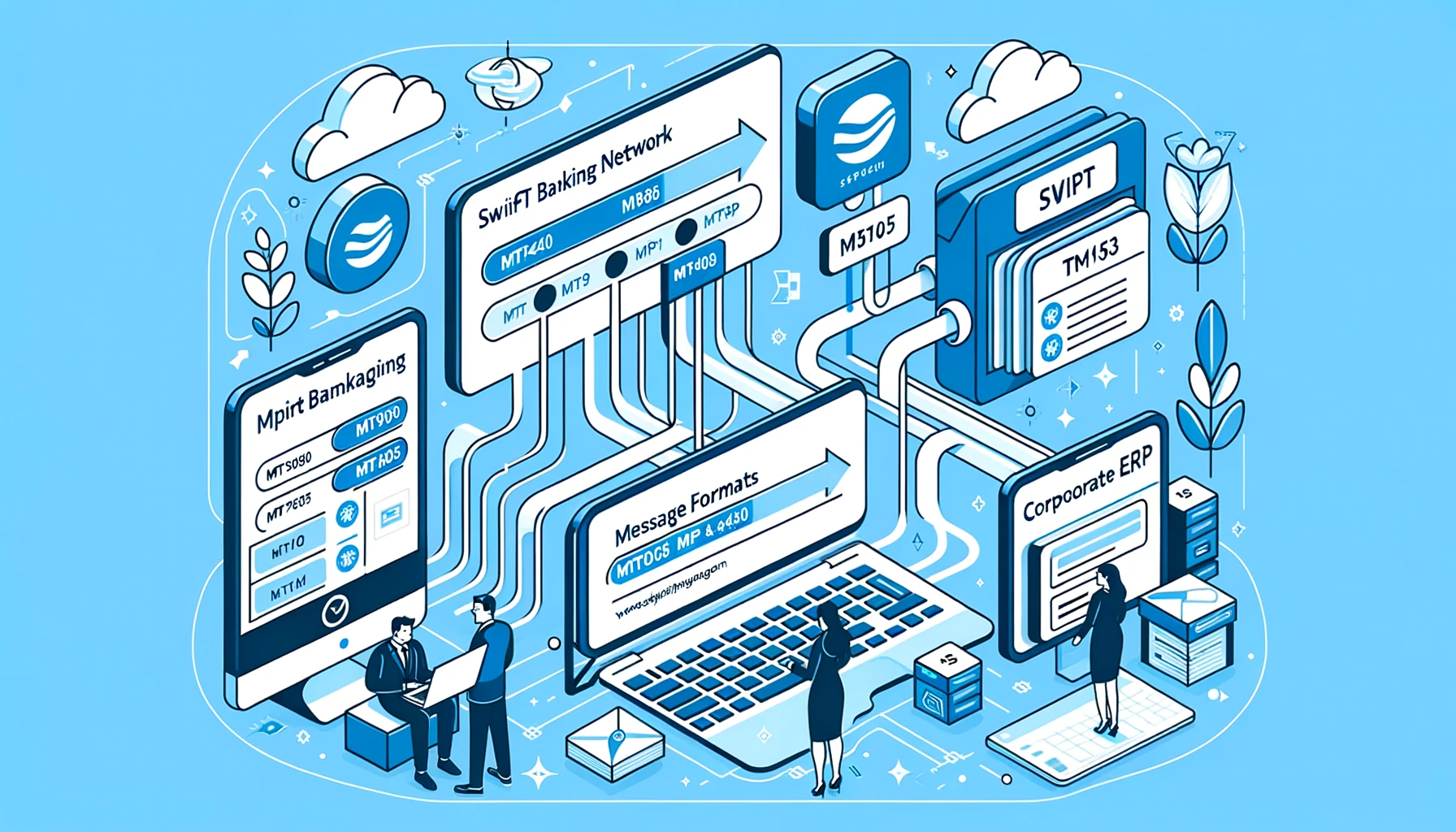
MT940 is a SWIFT messaging standard used by banks worldwide to deliver end-of-day account statements to corporate clients. It is the backbone of corporate cash management in Europe and much of the banking world outside North America. The format uses fixed-field codes (tagged with :XX: identifiers) and follows strict SWIFT messaging conventions.
Structure example:
{1:F01BANKUS33XXXX0000000000}
{2:O940BANKUS33XXXX}
{4:
:20:STMT20260131
:25:US123456789/9876543210
:28C:00001/001
:60F:C260101USD8450,25
:61:2601150115C3200,00FTRFNONREF//PAYROLL
:86:Direct Deposit - Payroll
:61:2601160116D1500,00FTRFNONREF//WIRE
:86:Wire Transfer Out
:62F:C260131USD7610,26
:64:C260131USD7610,26
-}
Pros:
- Global banking standard with decades of proven reliability
- Rich transaction coding via structured
:86:fields - Precise balance reporting (opening, closing, available)
- Supported by virtually all ERP and treasury management systems
- Well-documented specification maintained by SWIFT
Cons:
- Cryptic syntax that requires specialized parsing knowledge
- Character set limitations (SWIFT character set, no Unicode)
- Fixed line length restrictions (65 characters for some fields)
- Limited space for transaction descriptions
- Being phased out in favor of CAMT.053 (ISO 20022 migration)
Best software compatibility: SAP, Oracle Financials, Microsoft Dynamics, Sage, most ERP systems, treasury management platforms, corporate banking portals.
MT940 is a corporate format. If you are dealing with it, you are likely working in treasury or corporate accounting. Developers should be aware that parsing MT940 requires handling its unique field structure, which is neither XML nor delimited text.
CAMT.053 (ISO 20022 Bank-to-Customer Statement)
CAMT.053 is the modern XML replacement for MT940, defined under the ISO 20022 financial messaging standard. It stands for “Cash Management” and the .053 denotes the specific message type for end-of-day bank-to-customer account statements. The global banking industry is in the middle of a multi-year migration from MT messages to ISO 20022, making CAMT.053 increasingly important.
Structure example:
<?xml version="1.0" encoding="UTF-8"?>
<Document xmlns="urn:iso:std:iso:20022:tech:xsd:camt.053.001.08">
  <BkToCstmrStmt>
    <Stmt>
      <Id>STMT20260131</Id>
      <Acct>
        <Id><IBAN>US12345678901234567890</IBAN></Id>
        <Ccy>USD</Ccy>
      </Acct>
      <Ntry>
        <Amt Ccy="USD">3200.00</Amt>
        <CdtDbtInd>CRDT</CdtDbtInd>
        <BookgDt><Dt>2026-01-15</Dt></BookgDt>
        <NtryDtls>
          <TxDtls>
            <RmtInf><Ustrd>Direct Deposit - Payroll</Ustrd></RmtInf>
          </TxDtls>
        </NtryDtls>
      </Ntry>
    </Stmt>
  </BkToCstmrStmt>
</Document>
Pros:
- Richest data model of any bank statement format
- Full Unicode support and no character set restrictions
- Structured remittance information for payment matching
- Extensible schema with room for regulatory and regional data
- Future-proof as the global standard replacing MT messages
- Supports batch entries with individual transaction details
Cons:
- Extremely verbose XML (files can be very large)
- Complex schema that requires XML expertise to parse
- Not yet universally supported by smaller accounting tools
- Multiple schema versions in circulation (001.02 through 001.08)
- Overkill for simple personal finance use cases
Best software compatibility: SAP S/4HANA, Oracle Cash Management, Kyriba, FIS, modern ERP platforms, European banking portals, Open Banking integrations.
CAMT.053 is where the banking industry is headed. If you are building new integrations or choosing a format for a corporate cash management system, investing in CAMT.053 parsing now will pay dividends as the ISO 20022 migration completes over the coming years.
How to Choose the Right Format
With five formats to consider, the decision comes down to three factors: what software you are importing into, how much metadata you need, and whether you are operating in a personal, SMB, or enterprise context.
Decision Matrix by Use Case
| Use Case | Recommended Format | Runner-Up | Why |
|---|---|---|---|
| Import into QuickBooks | OFX | CSV | OFX carries account metadata and prevents duplicates |
| Import into Excel for analysis | CSV | N/A | Native support, easy to manipulate with formulas |
| Personal budgeting app | OFX | CSV | Structured data with transaction types |
| Corporate ERP integration | CAMT.053 | MT940 | ISO 20022 is the future standard |
| Treasury management | MT940 | CAMT.053 | Still the dominant corporate standard today |
| Custom developer integration | CSV or JSON | OFX | Easiest to parse programmatically |
| Legacy system migration | QIF | CSV | Backward compatibility with older tools |
| Multi-currency reconciliation | OFX or CAMT.053 | MT940 | Built-in currency support |
| Audit trail / compliance | CAMT.053 | MT940 | Richest metadata for regulatory needs |
Quick Decision Checklist
If you are still unsure, ask yourself these questions:
- Does my software support OFX? If yes, use OFX. It is the best balance of structure and compatibility for non-enterprise use.
- Do I need to edit the data before import? Use CSV. Nothing beats a spreadsheet for manual adjustments.
- Am I working with a corporate ERP? Check if your system supports CAMT.053. If not yet, use MT940.
- Am I building a custom integration? CSV or JSON for simplicity. OFX if you need financial metadata. CAMT.053 if you need the richest data model.
- Am I dealing with legacy data? QIF if the source system only exports QIF. Otherwise, convert to CSV or OFX.
Need your bank statement in any format? BankStatementLab converts bank statement PDFs to CSV, Excel, JSON, or OFX — pick the format that fits your workflow. Try it free →
Common Format Conversion Issues
Converting between bank statement formats is rarely as smooth as it should be. Here are the most frequent pitfalls developers and accountants encounter, along with how to handle them.
Date Format Mismatches
This is the single most common issue. A date field reading 01/02/2026 could mean January 2nd (US) or February 1st (Europe). Each format handles dates differently:
| Format | Date Representation | Ambiguity Risk |
|---|---|---|
| CSV | Varies (MM/DD/YYYY, DD/MM/YYYY, YYYY-MM-DD) | High |
| OFX | YYYYMMDD (e.g., 20260115) | Low |
| QIF | MM/DD/YYYY or DD/MM/YYYY | High |
| MT940 | YYMMDD (e.g., 260115) | Medium (2-digit year) |
| CAMT.053 | YYYY-MM-DD (ISO 8601) | None |
When converting between formats, always normalize dates to ISO 8601 (YYYY-MM-DD) as an intermediate step. This eliminates ambiguity entirely.
Encoding and Character Set Problems
CSV files are notorious for encoding issues. A file created on a Windows machine in Western Europe might use Windows-1252 encoding, while the importing application expects UTF-8. The result: accented characters and special symbols turn into garbled text.
Solution for developers: Always detect encoding before parsing. Libraries like chardet (Python) or iconv can identify and convert encodings. When generating CSV for export, always use UTF-8 with a BOM (Byte Order Mark) for maximum compatibility with Excel.
Delimiter and Decimal Confusion
CSV is not really standardized, and this shows in delimiter choices:
- US/UK standard: Comma delimiter, period for decimals (
1,234.56) - European standard: Semicolon delimiter, comma for decimals (
1.234,56) - Tab-delimited: Sometimes labeled as CSV but uses tabs instead
When converting from a structured format like OFX to CSV, always document which delimiter and decimal convention you are using. Better yet, provide a configuration option for the end user.
Missing Metadata on Conversion
Converting from a rich format (OFX, CAMT.053) to CSV inevitably loses metadata. Account numbers, bank identifiers, and transaction IDs all disappear when you flatten to plain text. Preserve them in additional CSV columns or keep a copy in the original format.
Transaction ID and Deduplication
OFX and CAMT.053 include unique transaction identifiers (FITID in OFX, entry references in CAMT.053) that prevent duplicate imports. CSV and QIF lack this feature, so your import logic must handle deduplication through date, amount, and description matching.
Future of Bank Statement Formats
The landscape of financial data exchange is shifting. Three major trends are reshaping how bank statement data moves between systems.

Open Banking APIs
Open Banking regulations (PSD2 in Europe, similar frameworks emerging globally) are making real-time, API-based access to bank data the norm. Instead of downloading a file, accounting software can pull transaction data directly from the bank through a secure API. This does not eliminate file-based formats overnight, but the trend is clear: direct API integration is becoming the primary channel, with file-based formats serving as a fallback.
ISO 20022 Global Migration
SWIFT has mandated a global migration from MT message types (including MT940) to ISO 20022 (including CAMT.053). The implications are significant: richer structured data, better interoperability through a single global standard, and regulatory alignment as authorities increasingly require ISO 20022 for reporting. For developers building financial integrations, supporting CAMT.053 parsing is no longer optional for corporate use cases.
JSON as a Modern Alternative
JSON is rapidly becoming the preferred format for fintech and API-driven workflows. It is natively supported by every modern programming language, easy to validate with schemas, and works seamlessly with REST APIs. As the line between “file export” and “API response” continues to blur, JSON may become the default format for developers working with bank statement data.
Conclusion
Choosing the right bank statement format is not a trivial decision. It affects import reliability, data integrity, automation potential, and how much time you spend cleaning up after a bad import. Here is the summary:
- CSV is your go-to for flexibility, manual editing, and universal compatibility, but lacks structure and metadata.
- OFX is the best choice for personal and small business accounting software, especially in North America.
- QIF is a legacy format you should only use when nothing else is available.
- MT940 remains the corporate standard but is being replaced by CAMT.053.
- CAMT.053 is the future of structured bank statement data for enterprise and regulatory use.
For most users, the practical path forward is to extract bank statement data from PDF into the format your target software handles best. If you work across multiple tools, having the ability to export in several formats simultaneously saves significant time.
Ready to convert your bank statements to the format you need? BankStatementLab extracts data from bank statement PDFs and exports to CSV, Excel, JSON, and OFX, so you can work with the format that fits your workflow. Get started for free →
Related Articles
Ready to Automate your CSV exports?
Create structured CSV files compatible with all your accounting tools.