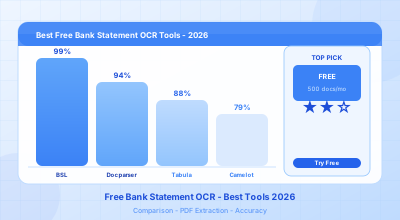
Free Bank Statement OCR: What Actually Works (And What Doesn’t)
Every month, millions of small business owners, freelancers, and accountants face the same problem: a PDF bank statement sitting on their desktop, and no easy way to get the data out of it. Copy-pasting is slow and error-prone. Manual data entry is worse. And most of the “free” OCR tools out there either watermark your output, cut you off after a few pages, or require a credit card just to get started.
Here is the honest truth: truly free bank statement OCR does exist. But not all tools are created equal, and the word “free” gets stretched in some very misleading directions. This guide cuts through the noise.
Why Most “Free” OCR Tools Fail on Bank Statements
Generic PDF-to-text tools vs. specialized bank statement OCR
A generic OCR engine — the kind built into Adobe Acrobat, or available via random online PDF converters — treats a bank statement like any other document. It tries to extract whatever text it can find and dump it into a file. The result is technically “extracted,” but it is usually unusable: merged columns, broken transaction rows, missing decimal points, or dates formatted as meaningless strings.
Bank statements have a specific structure: tabular data with dates, descriptions, debit/credit amounts, and running balances. Getting that structure right requires an OCR layer specifically trained on financial documents. Generic tools are not built for this. They were built to convert scanned letters and contracts — not multi-column transaction tables from 200 different banks.
The practical consequence: you spend more time cleaning the output than you would have spent entering data manually in the first place.
The template problem: why most OCR tools aren’t actually free to use
A second category of tools uses template-based OCR. The approach works like this: a human operator builds a template for Bank of America, another for Chase, another for Barclays. The tool then uses those templates to extract data from matching documents. This works reasonably well — until your bank updates its statement layout, or until you need to process a statement from a bank that hasn’t been templated yet.
The deeper issue is what “free” means for these tools. Most template-based platforms offer a free trial — 14 days, 50 pages, or 10 documents. After that, you pay. The trial is designed to get you hooked, not to give you a sustainable free option. If you only need to process one or two statements a month, you are constantly stuck hunting for a new trial account or paying for a plan you barely use.
What to Look for in a Free Bank Statement OCR Tool
Before comparing specific tools, here is a practical checklist. Not every feature is equally important depending on your use case, but the “Critical” items are non-negotiable if you want reliable results.
| Feature | Required? | Why it matters |
|---|---|---|
| AI-powered extraction (no templates) | Critical | Without it, you need to configure one template per bank — time-consuming and brittle |
| Multi-bank support | Critical | Most users have accounts at more than one bank |
| Excel / CSV export | Required | Output must be importable into accounting software like QuickBooks, Xero, or a spreadsheet |
| Actually free (not just a trial) | Critical | Trials end; you need a plan that is sustainable for low-volume use |
| Scanned PDF support | Important | Many older statements and paper scans are not digitally encoded |
| Confidence scores on extracted data | Useful | Tells you which transactions need manual review — saves time and prevents errors |
| No credit card required | Useful | If a free tier requires payment details, it is not truly commitment-free |
The Best Free Bank Statement OCR Tools Compared
The table below reflects current pricing and capabilities as of early 2026.
| Tool | Free Plan | OCR Tech | Banks Supported | Export Formats | Configuration Required |
|---|---|---|---|---|---|
| BankStatementLab | 10 extractions/month, forever | AI OCR (no templates) | 1,000+ | Excel, CSV, JSON | None |
| DocuClipper | 14-day trial only | Partial OCR | Limited set | Excel, CSV | Some |
| Docparser | 21-day trial only | Template OCR | Requires setup per bank | Excel, CSV, JSON | High |
| PDFtoExcel.com | Free (basic, generic) | Basic OCR | Any (generic, no structure) | Excel | N/A |
BankStatementLab is the only tool in this list that offers a genuinely free plan with no time limit and no credit card requirement. The free tier gives you 10 extractions per month — enough to cover most freelancers and small business owners who process a handful of statements each month. The AI handles layout differences automatically, so you get clean, structured output regardless of which bank issued the statement.
DocuClipper is a well-regarded tool aimed at accounting firms, but its free access is limited to a 14-day trial (capped at 200 pages and 10 transaction exports). Paid plans start at around $29–$39/month. It is a solid choice if you have volume, but not viable as a free option long-term.
Docparser is powerful for document parsing workflows in general, but it is template-driven. You or your team must configure parsing rules for each bank format. It offers a 21-day free trial, and paid plans start at approximately $39/month. The configuration overhead makes it a poor fit for occasional users.
PDFtoExcel.com and similar generic converters will extract text from a bank statement, but they do not understand financial structure. Output typically requires significant manual cleanup and is not reliable for scanned documents.
Honest note about BankStatementLab: The free plan is real and permanent, but it is limited to 10 documents per month. If your volume exceeds that, you will need to upgrade. Paid plans start at $5/month. For most solo users, the free tier is genuinely sufficient.
Try BankStatementLab free — 10 extractions/month, no credit card required. Start for free at bankstatementlab.com/signup
How to Use Free OCR for Bank Statements: Step-by-Step (BankStatementLab)
If you have never used an AI-powered bank statement OCR tool before, the process is simpler than you might expect. Here is how it works with BankStatementLab.
Step 1: Prepare your PDF
Make sure you have the bank statement as a PDF file. Both digital PDFs (downloaded from online banking) and scanned paper statements work. If your statement is password-protected, you will need to remove the password first — most banks allow you to download an unprotected copy directly from your online banking portal.
There is no need to crop, resize, or pre-process the file. Upload it as-is.
Step 2: Upload and extract with AI OCR
Drag and drop your PDF into the BankStatementLab dashboard. The AI engine analyzes the document structure automatically — it identifies the table layout, locates date/description/amount columns, and handles multi-page statements as a single coherent document.
Processing typically takes a few seconds for a standard monthly statement. You do not select a bank template or configure any rules. The AI figures it out.
Step 3: Review confidence scores and export
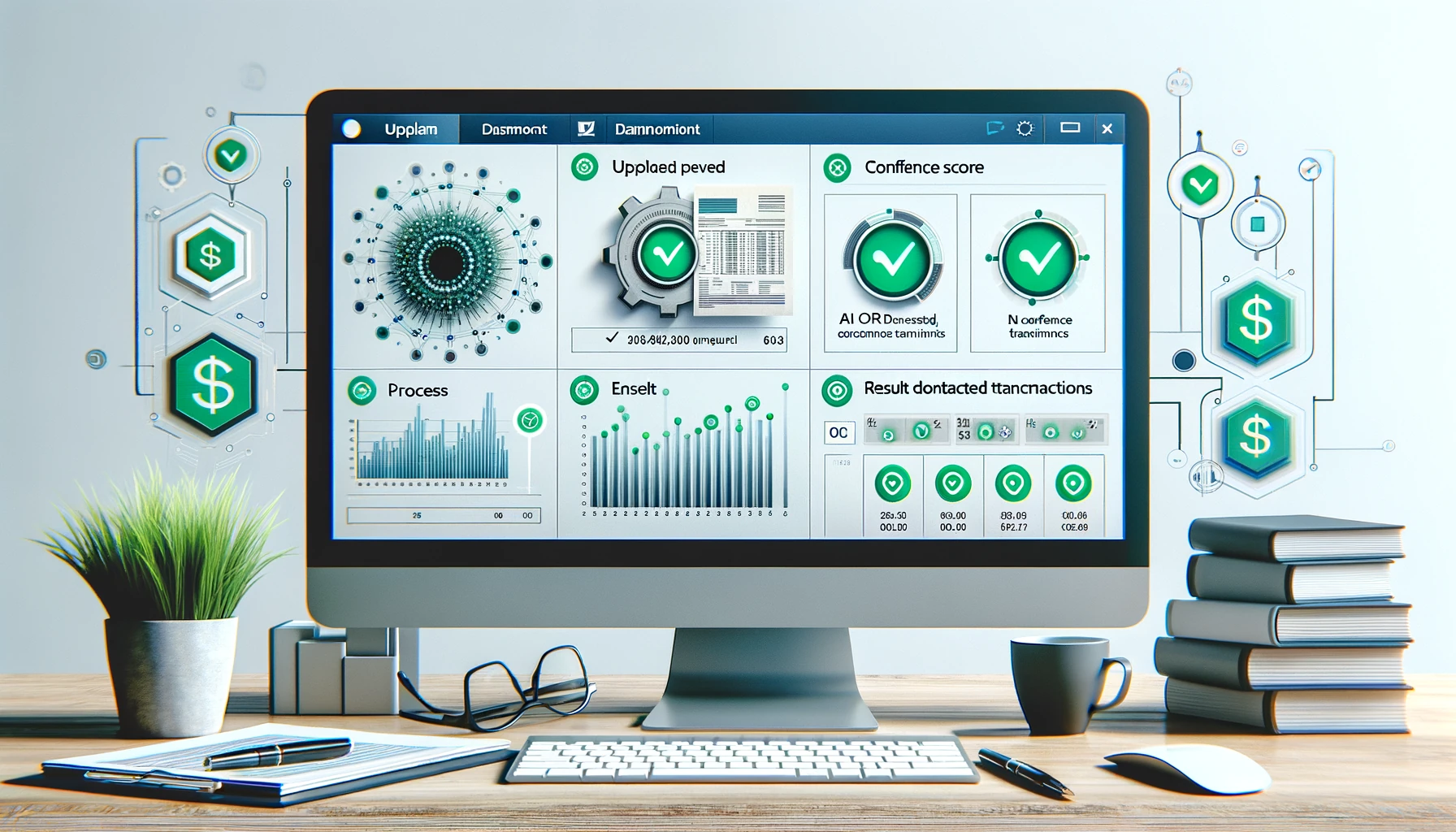
Once extraction is complete, the dashboard displays your transactions with confidence scores. A green score on a transaction means the AI is highly confident in the extracted value. A yellow or red score flags a transaction that may need a quick manual check — useful for scanned statements with lower image quality or unusual formatting.
You can correct any flagged transactions directly in the interface, then export to Excel, CSV, or JSON. The output is clean, column-aligned, and ready to import into any accounting software.
Free vs. Paid OCR for Bank Statements: When to Upgrade
The free plan covers a lot of ground. Here is a practical guide to knowing when it is enough — and when it is not.
| Use case | Free plan sufficient? | Recommended plan |
|---|---|---|
| Personal finances, 1–2 statements/month | Yes | Free (forever) |
| Freelancer with 2–4 bank accounts | Yes | Free (forever) |
| Small business owner, 5–10 statements/month | Borderline | Free or Starter ($5/mo) |
| Bookkeeper or small accounting firm (10–20 clients/month) | No | Starter ($5/mo) |
| Multi-client accounting firm (50+ statements/month) | No | Pro or Business |
The Starter plan at $5/month is priced to be accessible for independent bookkeepers and small firms. At that price point, it costs less than ten minutes of manual data entry. The upgrade decision is straightforward once you exceed the free tier’s ten monthly extractions.
FAQ: Free Bank Statement OCR
Q: Is truly free bank statement OCR possible?
Yes. BankStatementLab offers 10 free extractions per month with no credit card and no time limit. Most other tools use the word “free” to mean a time-limited trial that expires after 14–21 days.
Q: How accurate is free OCR for bank statements?
Accuracy depends heavily on the OCR technology. AI-powered tools like BankStatementLab achieve high accuracy on digital PDFs (typically 98–99%+). Scanned documents are slightly lower depending on scan quality, which is why confidence scores are useful — they surface the rows that need a second look rather than making you check everything manually.
Q: Does free OCR work on scanned statements?
Yes, BankStatementLab supports scanned PDFs. Older paper statements that have been scanned to PDF are handled by the same AI engine. Image quality affects accuracy, so a 300 DPI scan will produce better results than a low-quality mobile photo.
Q: Is my bank statement data safe with free OCR tools?
This is a valid concern. Before using any online tool, check their privacy and data retention policy. BankStatementLab processes documents securely and does not use your financial data to train models or share it with third parties. Always avoid uploading sensitive documents to unknown or unverified tools.
Q: Can I use free OCR for multiple banks?
Yes. BankStatementLab’s AI handles over 1,000 bank formats without any configuration. You can upload a Chase statement one day and a Revolut statement the next — the tool adapts automatically. Template-based tools, by contrast, require you to configure or request a template for each new bank.
Q: What is the difference between free OCR and a free trial?
A free trial gives you temporary access to a paid product, usually for 14–21 days. After that, you must pay or lose access. A free plan is a permanent tier with limited monthly usage — you keep access indefinitely as long as you stay within the limits. BankStatementLab offers a free plan, not a free trial.
Conclusion
If you have been putting off extracting your bank statement data because every tool you found either cost money or gave up after a trial, the situation has changed. AI-powered OCR for bank statements is now accessible at zero cost — with real, permanent free tiers rather than trial-period tricks.
For the vast majority of freelancers, small business owners, and independent accountants processing fewer than ten statements a month, BankStatementLab’s free plan covers everything you need: AI OCR, multi-bank support, confidence scores, and clean Excel/CSV export.
If you need more volume, the paid plans are priced honestly. But start free. No credit card, no expiry date, no cleanup work required.
Start extracting for free — bankstatementlab.com/signup
Related Articles
- OCR for Bank Statements: How It Works and When to Use It — A deeper technical look at how OCR processes financial documents and what affects accuracy.
- How to Convert a Bank Statement PDF to Excel — Step-by-step comparison of manual, OCR, and automated conversion methods.
- How to Categorize Bank Transactions Automatically — Once you have extracted your data, categorization is the next time-saver.
- Import Bank Statements Without a Bank Feed — How to get your extracted CSV into QuickBooks, Xero, or any accounting software.
- Generate a Profit & Loss Statement from Your Bank Statement — Turn raw extracted transactions into a P&L with this step-by-step guide.
Ready to simplify your accounting?
Eliminate manual entry and focus on analysis and advisory.