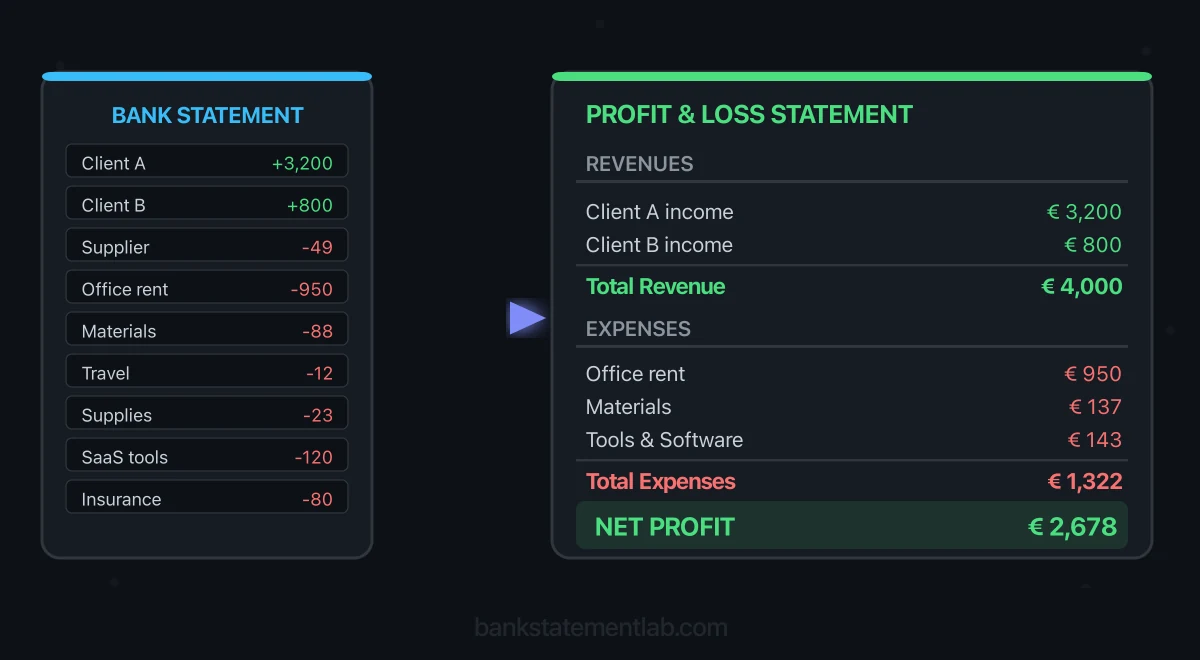
Save hours every week
Turn your bank statements (PDF) into Excel, CSV or OFX, without manual retyping.
If you run a small business or work for yourself, a bank statement is a useful starting dataset for a cash-basis management P&L. It shows cleared movements in the account, but it does not explain every movement or replace invoices, receipts, settlement reports, payroll records, inventory records or the general ledger.
This guide shows how to turn statement rows into a reviewable draft, reconcile them to supporting evidence and identify the adjustments that cannot come from the bank. If the statement will support a tax filing, loan or other formal decision, confirm the required period, accounting basis and level of assurance with the recipient or an accountant.

What a P&L Statement Actually Shows
A profit and loss statement — also called an income statement — summarizes recognized revenue, costs and resulting profit or loss over a given period. The timing depends on the accounting method and jurisdiction.
It is not the same as a cash flow statement. A P&L reports performance; a cash flow statement explains cash movements, including financing and investing flows that do not belong in profit. Under the cash method, income is generally recorded when received and expenses when paid; under the accrual method, timing follows when income is earned and expenses incurred. The IRS overview of accounting methods is a useful US reference, but local rules and the method used by your business govern.
Here are the three core sections every P&L contains:
| P&L Section | What Goes Here | Examples |
|---|---|---|
| Revenue | Business income recognized under the accounting method | Client sales supported by invoices, receipts or processor reports |
| Expenses | Business costs recognized under the accounting method | Supported rent, payroll, software, materials, insurance and marketing |
| Net Profit / Loss | Revenue minus total expenses | Positive = profit, Negative = loss |
Some P&L statements also separate Cost of Goods Sold (COGS) from operating expenses. Inventory, direct-labour and subcontractor treatment depend on the business and its accounting policy; a payee name alone is not enough to decide the category.
The period can be monthly, quarterly or annual. The intended recipient decides what it needs: a lender may request a specific period and supporting records, while a tax return follows its tax year and accounting rules.
How to Extract the Data You Need from Your Bank Statement
Your bank statement is a chronological record of cleared account movements. To build a draft P&L, transform those rows into reviewable data and connect each material item to evidence.
Use the bank’s native CSV/XLSX export when it covers the full period. If the bank only provides PDF, BankStatementLab can extract an unlocked PDF or image to XLSX, CSV, JSON or OFX 1.6 SGML for supported current/checking and savings-account workflows. It does not produce QBO or QIF. In either case, compare row count, dates, signs, balances and period boundaries with the source before categorizing.
Create a working spreadsheet with review fields:
| Date | Description | Amount | Evidence / source | Proposed treatment | Review status |
|---|---|---|---|---|---|
| 2026-03-03 | Client payment — Project A | +4,200.00 | Invoice A-104 | Revenue candidate | Matched |
| 2026-03-05 | Monthly office rent | -1,100.00 | Lease + invoice | Rent candidate | Matched |
| 2026-03-07 | Design software | -49.00 | Supplier invoice | Software candidate | Matched |
| 2026-03-10 | Processor payout | +2,850.00 | Settlement report | Clearing; rebuild gross sales and fees | Review |
| 2026-03-14 | Owner contribution | +75.00 | Owner record | Equity, not revenue | Matched |
| 2026-03-18 | Subcontractor | -600.00 | Supplier invoice | Direct cost or expense per policy | Review |
| 2026-03-22 | Business insurance | -210.00 | Policy + invoice | Insurance candidate | Matched |
| 2026-03-28 | Transfer to savings | -500.00 | Other account statement | Internal transfer, exclude | Matched |
Transactions between your own accounts are not income or expenses. Owner contributions and drawings, loan proceeds and principal, credit-card settlements, tax payments and asset purchases also need separate treatment rather than being forced into ordinary revenue or expense. Personal items mixed into the account must be identified and excluded from the business draft.
The IRS recordkeeping guide makes the evidence boundary explicit for US businesses: financial account statements can show payment, but proof of payment alone does not establish entitlement to a deduction. The same practical principle applies to this workflow even where local documentation rules differ.
Building Your P&L Step by Step
Once the rows have been verified, build the draft in five controlled steps.
Step 1 — Define scope and basis. Record the reporting period, accounts included, currency and whether the draft follows cash or accrual accounting. List missing accounts, cards, cash, processors and periods before calculating anything.
Step 2 — Reconcile receipts. Match customer deposits to invoices, receipt records or processor settlements. A processor payout may combine multiple sales, fees, reserves and reversals; the net deposit is not automatically gross revenue. Loans, transfers and owner contributions are not sales.
Step 3 — Identify direct costs under your policy. Match materials, inventory movements and subcontractor bills to their supporting records. Classify them as COGS only when that treatment fits the business and accounting method; otherwise keep them as operating-expense candidates for review.
Step 4 — Review operating expenses and exclusions. Match each payment to a receipt, invoice, contract or payroll record and confirm its business purpose. Separate capital assets, loan principal, owner drawings, sales-tax/VAT movements and credit-card payments from ordinary expenses. The underlying card purchases, not the later bank settlement, carry the expense detail.
Here is a mapping table to help you assign transactions to the right P&L category:
| Bank Statement Description | P&L Category | Type |
|---|---|---|
| Processor payout | Clearing item | Reconcile to settlement report; record gross sales, fees and other adjustments separately |
| Direct bank transfer from client | Revenue candidate | Match invoice/receipt and accounting period |
| Invoice payment received | Revenue candidate | Cash-basis income when received; accrual timing may differ |
| Hosting / cloud infrastructure | Operating-expense candidate | Match invoice and business purpose |
| Software subscription | Operating-expense candidate | Review business use and period |
| Subcontractor payment | Direct-cost or expense candidate | Match supplier invoice; apply documented policy |
| Advertising spend | Marketing-expense candidate | Match platform invoice and taxes |
| Professional fees | Professional-services candidate | Match invoice and engagement |
| Office rent or coworking | Rent candidate | Match lease/invoice and period |
| Business insurance | Insurance candidate | Match policy/invoice and period |
| Bank charges and interest | Finance-cost candidate | Separate service charge, interest and loan principal |
| Sales-tax/VAT remittance | Balance-sheet/tax item | Do not assume it is a P&L expense |
| Loan proceeds or principal | Liability movement | Exclude from revenue/expense; interest may be separate |
| Equipment purchase | Asset candidate | Review capitalization and depreciation |
| Credit-card payment | Transfer/settlement | Reconcile to the card statement; avoid counting both sides |
| Transfer between own accounts | Internal transfer | Exclude from the P&L |
| Personal purchase | Owner/personal item | Exclude from business profit |
Step 5 — Calculate and reconcile the draft. Sum only reviewed categories, then calculate:
Operating Profit = Revenue − COGS − Operating Expenses
Include other income, finance costs and applicable tax expense separately when calculating the final net profit under your reporting basis. Label an operating subtotal accordingly.
Reconcile the cash rows back to the statement and keep a separate list of unresolved items. Label the output cash-basis management draft unless it has been completed under the applicable accounting rules. A positive result means the reviewed revenue exceeded reviewed costs in this draft; it is not by itself a tax result, cash forecast or complete balance sheet.
If the bank only provides a PDF, BankStatementLab can extract an unlocked statement to XLSX, CSV or JSON. Review the rows against the PDF, then add the evidence and accounting columns described above.
Worked example: why the bank deposit is not gross revenue
This fictional example uses one currency and a cash-basis management view, with no inventory, tax, refund or period-cutoff adjustments. The processor report shows customer receipts of 3,000.00 and fees of 150.00, producing the 2,850.00 bank payout in the working sheet above.
| Reviewed item | P&L amount | Evidence |
|---|---|---|
| Direct customer receipts | 4,200.00 | Invoice and bank receipt |
| Gross processor receipts | 3,000.00 | Settlement report |
| Total revenue | 7,200.00 | Both receipt sources |
| Rent, software, subcontractor and insurance | −1,959.00 | 1,100 + 49 + 600 + 210 |
| Processor fees | −150.00 | Settlement report |
| Profit in this simplified draft | 5,091.00 | 7,200 − 1,959 − 150 |
The bank’s net movement is 4,666.00: deposits of 4,200 + 2,850 + 75, less payments of 1,100 + 49 + 600 + 210 + 500. Remove the 75.00 owner contribution and add back the 500.00 transfer to savings to bridge that movement to 5,091.00. Neither belongs in profit.
Recording only the net payout as revenue would hide both 150.00 of gross receipts and 150.00 of fees, even though this example’s final profit would coincidentally stay the same. A correct bottom line does not prove the revenue and expense presentation is correct.
Common Mistakes to Avoid
The arithmetic is simple; classification and completeness are where errors enter.
Counting transfers, financing or owner movements as trading activity. Match both sides of internal transfers. Separate loan proceeds and principal, capital contributions and drawings from revenue and operating expenses.
Mixing personal and business transactions. Flag personal rows and document mixed-use allocations. A dedicated business account makes the control easier, but still does not prove that every deposit is revenue or every payment is deductible.
Confusing a management allocation with accrual accounting. A cash-basis draft normally shows a payment when paid. Spreading an annual charge across monthly management reports may help comparison, but formal accrual treatment follows the accounting policy and supporting period—not an arbitrary division by twelve.
Treating net processor deposits as gross sales. Use the settlement report and sales records to separate gross transactions, fees, reserves, taxes and reversals. Do not reconstruct the gross figure by guesswork.
Using the wrong period cutoff. A payment that clears in January for December work belongs to different periods under cash and accrual methods. Use the method already adopted by the business and obtain advice before changing it.
Treating payment as sufficient evidence. A bank row can show who was paid, when and how much; it may not show the business purpose, tax treatment, item purchased or invoice detail. Keep the supporting document and review exceptions rather than inferring from the merchant name.
When Your Bank Statement Isn’t Enough
Even a cash-basis business needs more than a bank statement when money moves outside the account or the row lacks the information required to classify it. The IRS describes statements as one category of supporting document within a broader recordkeeping system—not the system by itself.
Credit sales and unpaid bills. Accrual reporting needs receivables and payables that have not cleared the bank. Cash reporting still needs invoices and receipt records to identify the source and gross amount of deposits.
Inventory and cost of sales. Stock on hand, purchases and production records determine COGS; the period’s supplier payments do not.
Assets and non-cash entries. Depreciation, amortization, prepayments, accruals and other adjustments do not appear as ordinary statement rows. An equipment payment also does not automatically become a full current-period expense.
Cards, cash, payroll and multiple entities. Include each relevant account and the underlying card purchases, cash book and payroll records. Do not merge businesses or legal entities merely because the same owner controls them.
External use. A lender, investor, tax authority or buyer may require a ledger export, tax return, accountant-prepared statement or specific certification. Ask before submitting a spreadsheet labelled as a P&L.
Compare bank movements with your books
To check the bank movements underlying the draft, BankStatementLab can compare processed statements with your accounting export in a separate bank reconciliation report. Approve reviewed matches and export the exceptions in Excel, CSV or PDF. This checks transaction correspondence; it does not add accruals, depreciation or missing non-bank activity to the P&L.
Frequently Asked Questions
Can I produce a profit and loss statement from bank statement activity alone?
You can build a cash-basis management draft if every relevant receipt and payment passed through the accounts included. Reconcile deposits to invoices and settlement reports, payments to supporting documents, and separate loans, owner movements, transfers, taxes and assets. Accruals, inventory, payroll, cash activity and depreciation require other records.
How do I create a P&L in Excel from bank transactions?
Use a native bank export where possible, or convert the PDF and verify every row. Add account, evidence, category and review-status columns. Reconcile the items, then use SUMIFS or a pivot table to total only reviewed P&L categories. Keep unresolved and balance-sheet items outside those totals.
What is the difference between a P&L and a cash flow statement?
A P&L reports recognized revenue and expenses for a period. Cash flow explains cash movements, including borrowing, capital contributions and asset purchases that do not belong in profit. Transfers between accounts included in the same cash total cancel out. A bank statement can support the cash rows but cannot turn the two statements into the same thing.
How many months of bank statements do I need for a P&L?
Cover the full reporting period for every business account, card, cash book and processor balance in scope. Twelve monthly files cover one annual bank account, not missing accounts, outstanding invoices, inventory or non-cash adjustments. Ask the recipient which period and accounting basis it requires.
Conclusion
A bank statement can seed a useful management P&L, but it does not decide the accounting treatment. Define the scope and basis, verify the rows, reconcile receipts and payments to evidence, separate balance-sheet movements, then calculate and label the result honestly. Keep an exception list for anything unresolved.
If the bank only supplies PDF or images, BankStatementLab can extract the statement to XLSX, CSV or JSON for review. The export is the beginning of the accounting workflow—not a completed set of accounts or a substitute for professional review when the result will be used formally.
Related Articles
Ready to simplify your accounting?
Eliminate manual entry and focus on analysis and advisory.