Try with your file
Drop your bank statement (PDF)
1 file · 100 pages max · Free preview of 2 pages
1 file selected
Save hours every week
Turn your bank statements (PDF) into Excel, CSV or OFX, without manual retyping.
Drop a PDF statement and watch the extraction happen live. Instant preview, no signup required.
The last patient of the day has left, the practice manager has sent through your monthly fee remittance, and now a folder of PDF bank statements is waiting on your screen. Those pages contain bank-side evidence for fee receipts, lab payments, indemnity, and registration, but not the contracts and invoices needed to explain every item. Copy-pasting the PDF into Excel turns three tidy columns into one unreadable smear. If you are a self-employed dentist doing your own bookkeeping, this guide shows you how to turn the statement rows into a reviewable Excel or CSV file, reconcile them, and identify the evidence still missing before filing or handoff.
Dentists are clinicians, not bookkeepers. The practical goal is a reviewable trail that connects fee remittances, private-treatment receipts, lab invoices, and professional renewals without treating every bank line as a tax conclusion.
The bookkeeping reality of a self-employed dentist
Whether you are a UK associate dentist paid a percentage of your fees, a US dentist in private practice filing Schedule C, or a 1099 associate covering shifts across several practices, you are effectively a small business of one. An associate may receive a share of practice fees, but tax and employment status depend on the actual engagement. Check the contract and working arrangements against HMRC employment-status guidance rather than assuming the title establishes self-employment. That independence comes with a short but non-negotiable list of duties.
- Separate business and personal money. Even a single dedicated bank account or card for practice income and work spending makes every later step dramatically easier. Mixed accounts are the number one reason a dentist’s bookkeeping swallows a whole weekend.
- Track receipts and cost evidence. Fee remittances and private-treatment deposits appear beside lab, materials, indemnity, registration, and staffing payments; the supporting agreement or invoice determines what each row means.
- Track tax obligations separately. Payment dates and calculations depend on where and how you practise, so keep a tax-reserve line in your cash-flow view and confirm the current schedule with the relevant authority.
- Retain the dental evidence chain. Store each statement and reviewed export with its practice remittance, lab invoices, renewal records, and associate agreement for the periods that apply to them.
Tax registration, filing dates, digital-record requirements, and the treatment of an associate agreement depend on your jurisdiction and engagement status. Use the spreadsheet as a working ledger, then check the current tax-authority guidance or ask your accountant which fee share and lab costs belong on your return. A bank category is a review label, not proof that an item is deductible.
The recurring work is matching payments, not choosing a clever spreadsheet colour. Structured rows make it possible to trace a practice receipt or lab cost without rereading every PDF page.
Why the PDF statement is a dead end (and Excel/CSV changes everything)
The bank’s dental-account PDF is designed for viewing, not for tracing a remittance through lab and practice evidence. Dates, descriptions, and amounts are positioned on a page rather than exposed as reusable transaction cells. That is why:
- Dental descriptors split. A long lab or practice reference can detach from its amount when pasted.
- You cannot sort or filter. You cannot pull “all lab payments” or “everything above 500” out of a PDF.
- Fee and lab checks remain manual. The PDF cannot subtotal by remittance source or lab without re-entry.
- A later import needs a file. The reviewed CSV or XLSX can be imported separately where supported; BankStatementLab itself does not connect to the accounting package.
After extraction, a dentist can filter practice remittances, group lab counterparties, and attach renewal evidence to specific rows. CSV or XLSX can then be imported separately if the destination supports it; the important change is that every dental total can be traced back to a reviewed statement line.
Here is the same information, before and after.
| Dental review in the PDF | Dental review after extraction |
|---|---|
| A practice remittance is trapped beside unrelated rows | Filter the payee, date, and amount for that remittance |
| A lab name may wrap onto a second visual line | Keep the full description on one transaction row |
| Registration, indemnity, and CPD charges are scattered | Group renewal evidence without assigning tax treatment |
| Card settlements are hard to compare in bulk | Match each settlement to the terminal report |
| Closing balances require page-by-page checking | Reconcile the extracted run back to each statement balance |
The general PDF-bank-statement conversion guide explains the extraction methods and file formats. For a dental account, add three acceptance checks before using its workflow: confirm one practice remittance, one wrapped lab description, and the closing balance against the PDF.
The step-by-step method for a dentist
Here is the workflow from a folder of PDFs to a reviewable handoff. Work through the steps in order so each fee and lab-cost check has a source.
1. Gather every statement
Download the PDF statements covering the relevant reporting period, ideally from the account used for practice receipts. If personal and dental transactions are mixed, include the affected statements and mark the personal rows during review. Check the month sequence and opening-to-closing balances; where a statement is missing, obtain it or record the gap instead of presenting the fee schedule as complete.
2. Convert the PDFs to Excel or CSV
Convert one dental statement first, then inspect the row containing the practice remittance and any lab description that wraps in the PDF. Check debit and credit signs, transaction dates, and the closing balance before processing the remaining months; a plausible category total does not prove that extraction preserved each row.
BankStatementLab exports XLSX, CSV and JSON from supported statements. OFX 1.6 SGML is available in eligible current/checking and savings-account workflows; test it in the exact destination before a full-period import. Unlock protected PDFs before upload. Review every extracted table and preserve bank, account and currency boundaries before combining months. Source retention varies by workflow and settings, so keep your own originals and check the current plans and options. For dental books, compare the reviewed rows with fee remittances and lab invoices before importing them elsewhere.
3. Categorize: fee receipts and cost candidates
Add a Category column and tag every row. For a self-employed dentist the buckets usually look like this.
| Review label | Typical dentist transactions | Evidence to attach or check |
|---|---|---|
| Fee receipts | Practice remittances, private-treatment payments, per-session pay | Remittance advice, settlement report, or invoice |
| Lab costs | Crowns, dentures, bridges, orthodontic appliances from the lab | Lab invoice plus the associate agreement’s allocation |
| Materials & equipment | Consumables, instruments, small equipment, handpieces | Supplier invoice and note of any mixed or capital use |
| Registration & CPD | GDC or licensing-body registration, courses, professional subscriptions | Renewal notice, course record, and current local tax test |
| Indemnity & insurance | Professional indemnity cover, other practice cover | Policy period, named insured, and proof of payment |
| Staff & room costs | Nurse or assistant hours, room rental, practice charges | Contract, timesheet, or practice statement showing who bore the cost |
A word on lab fees: for many dentists this is the largest and most variable line on the whole statement, and depending on your associate agreement it may be split with the practice — so tag exactly what you pay, not the gross lab bill. And on the practice’s cut: where you are paid a percentage and the practice retains a share for the room, chair, and support, the way that share is treated depends on your contract, so record what actually leaves your account and confirm the correct treatment with your accountant rather than assuming.
Build a dental renewal evidence view
Do not bury every professional charge under a generic “fees” label. For UK dentists, the General Dental Council’s annual renewal process brings together the retention fee, the CPD update, and the indemnity declaration. Give those payments a small evidence register with renewal item, payee, statement date, amount, and supporting document columns. That lets you find the matching bank line when renewing registration without assuming that every item receives the same tax treatment.
Keep dental-lab counterparties separate from that register: a lab invoice may be allocated differently under an associate agreement. The dedicated workflow for tracking dental lab costs from bank statements shows how to reconcile the practice remittance, lab invoice, and amount actually borne by you.
Sort the description column so each dental lab, practice, insurer, and regulator appears together. Batch-label only the rows with the same commercial meaning: a payment to the practice may be a room charge, a fee adjustment, or a transfer. The category review workflow is useful after those distinctions have been checked.
4. Reconcile
Reconciling just means checking that your spreadsheet matches reality. Check opening balance plus signed movements against the closing balance for each account and period, then compare every table and page with the original. Matching balances alone cannot prove that nothing is missing or duplicated: offsetting errors can cancel out. If you also take card payments for private treatment, match the payout deposits against the fees. Catching a mis-keyed amount now is far cheaper than explaining it under audit later.
5. File it yourself or hand it to an accountant
Once fee receipts, lab costs, and internal transfers reconcile, the spreadsheet becomes a review schedule rather than a tax answer. A dentist filing personally can map confirmed figures to the current return instructions; an accountant may instead request the workbook with remittance advice, lab invoices, and the associate agreement before deciding which amounts belong on the return.
DIY vs delegating — and how clean files cut your accountant’s bill
You do not have to choose all-or-nothing. Most self-employed dentists land somewhere in the middle: they do the data prep themselves and let a professional handle the filing.
- Dentist-led preparation can suit one practice and a clearly documented remittance cycle, provided you still apply the rules for your jurisdiction and contract.
- Accountant-led preparation may be preferable when lab costs are netted, several practices pay you, or equipment and mixed-use costs need judgment; agree the requested evidence and fee first.
- Shared preparation means you reconcile the bank-side ledger and the adviser resolves fee-share, capital, and tax-treatment questions. Whether it saves time or cost depends on the engagement.
A reviewed spreadsheet can make fee remittances and lab-cost questions easier to locate, but any fee or time reduction depends on the accountant’s engagement. Ask which columns and evidence they want before categorizing. The guide to preparing bank statements for an accountant provides a handoff checklist.
A worked example: one month of a dentist’s statement
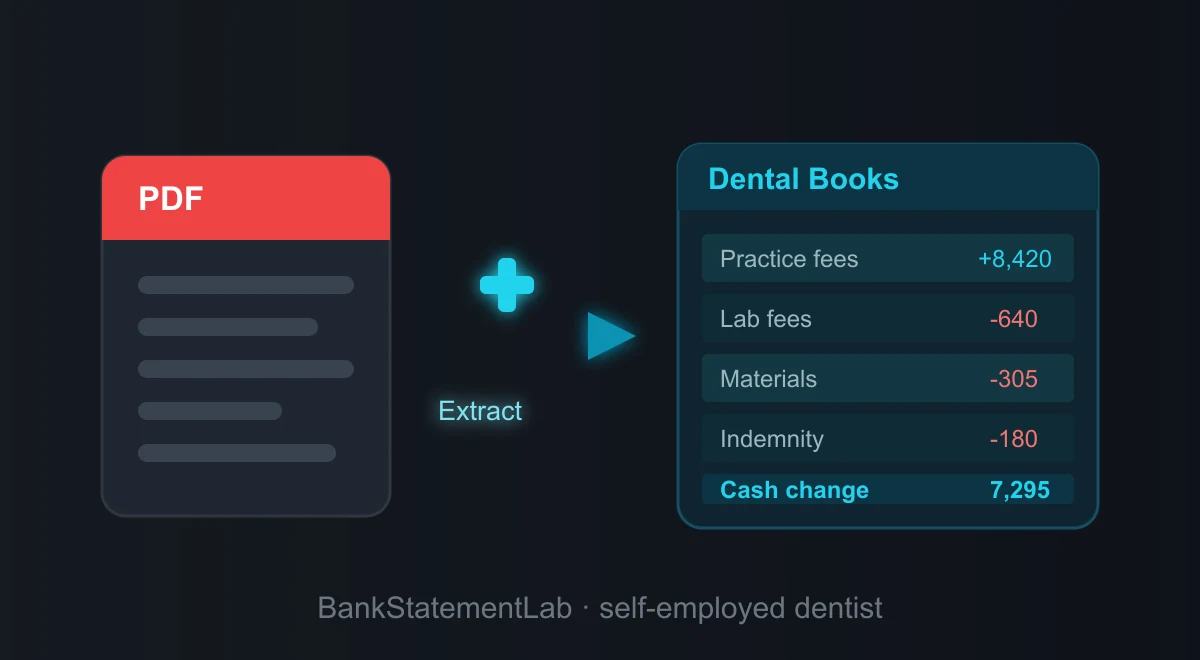
Theory is easier to trust when you see it applied. Below is a single month from a self-employed dentist’s account, converted from PDF and tagged with a Category column. The labels are generic on purpose — this is an illustrative working table after extraction and manual category review, not a guaranteed export schema. Amounts are shown without a currency symbol so the example reads the same whether you bill in dollars or pounds.
| Date | Description | Amount | Category |
|---|---|---|---|
| Mar 03 | Practice fee remittance | +8,420.00 | Income |
| Mar 06 | Dental lab — crowns & dentures | -640.00 | Lab fees |
| Mar 10 | Payment app payout — private treatment | +1,150.00 | Income |
| Mar 12 | Dental materials & consumables | -305.00 | Materials & equipment |
| Mar 15 | Indemnity cover — monthly | -180.00 | Indemnity & insurance |
| Mar 18 | Transfer to personal savings | -1,500.00 | Personal (exclude) |
| Mar 21 | CPD course fee | -220.00 | Registration & CPD |
| Mar 26 | Nurse / assistant hours | -960.00 | Staff & room costs |
In this illustrative ledger, the categories show income of 9,570.00 and candidate business costs of 2,305.00. The 1,500.00 transfer to personal savings is an internal transfer, so it stays outside the income-and-cost subtotal. The arithmetic difference is 7,265.00 before tax adjustments; an accountant or the current official rules still need to confirm which lab, training, equipment, and mixed-use items are allowable.
Common mistakes and traps to avoid
Even careful dentists trip on the same few things.
- Treating manual entry as self-validating. A typed remittance is a second copy that still needs comparison with the source statement.
- Mixing personal and business. If your weekly shop sits next to your lab bill, every category needs more review. A separate account or dedicated card reduces that ambiguity. See how to separate personal and business expenses.
- Forgetting private and card-app income. Fee remittances are the easy part; make sure private-treatment payments through payment apps or card terminals are captured too. Undeclared income is what audits are built to find.
- Guessing at deductions. Claim what you can substantiate, and keep the statement that proves it. Some costs that feel work-related — like commuting from home to your regular practice — are typically not allowable, so check the current rules or ask your accountant rather than inventing one.
- Accepting a tidy dental total without sampling rows. Compare a fee remittance, wrapped lab descriptor, debit sign, and closing balance to the PDF before relying on the workbook.
- Ignoring statement retention controls. Dental accounts expose patient-payment patterns and practice details. Confirm what happens to both the source and generated result before upload.
Going further: build a system, not a scramble
Close the dental payment ledger after each remittance cycle, while lab invoices and practice adjustments are still easy to identify.
- Review each remittance cycle. Convert the statement, match the practice remittance, and update lab-cost evidence before the next cycle adds another batch.
- Maintain one controlled dental workbook. Append reviewed months with a source-statement field and use the batch-conversion workflow without erasing practice or lab provenance.
- Watch cash flow. A running total shows whether lab bills and quiet weeks are eating your margin, and flags months where costs crept up.
- Estimate taxes as you go. With categorized income visible month by month, setting aside the right amount for quarterly estimates or the Self Assessment bill stops being guesswork.
- Review overlooked dental cost candidates. Use the bank-statement deduction checklist to prompt questions about lab, registration, cover, and equipment, then confirm each item under the current rules.
If an associate is paid only through remittances, the bank feed can seed the payment ledger, but it cannot explain lab allocations, practice deductions, cash receipts, or the contractual fee split by itself. The guide to bookkeeping from bank statements when invoices are unavailable shows how to mark those evidence gaps instead of treating deposits as a complete set of books.
Three ways to convert a statement, compared
For the illustrative dental month, compare each route by how well it preserves a practice remittance, a wrapped lab line, and the closing balance—not by how polished the first spreadsheet looks.
| Route | Dental-account workflow | Dentist-specific control | Result |
|---|---|---|---|
| Manual entry | Key the statement into a workbook | Recheck every remittance, lab line, sign, and balance | A custom sheet whose accuracy depends on the recheck |
| General table extraction | Extract visible tables, then reshape columns | Inspect wrapped lab names and multi-line remittance text | A table that may need structural cleanup |
| Bank-statement extraction | Extract statement rows, then review the file | Tie a practice receipt, lab payment, and closing balance to the PDF | XLSX, CSV, or JSON rows; no direct software posting |
Whichever route you choose, compare the export with the statement before trusting totals. For a dentist, sample the practice remittance, at least one lab payment, and the closing balance; those checks catch errors that a tidy-looking total can hide.
The bottom line
Your statements are the payment layer of the dental ledger, not the whole tax file. Convert them, connect remittances to lab and practice evidence, reconcile the account, and hand the reviewed CSV or XLSX plus supporting records to whoever applies the tax rules.
Spend the review time on remittances and lab evidence, not on retyping coordinates from a dental-account PDF.
Compare bank movements with your books
For the practice bank account, BankStatementLab can compare processed statements with an accounting export and propose pairs for approval. Its bank reconciliation report exports Excel, CSV or PDF with unresolved items. Use the practice remittance and lab invoices to explain grouped payments; the report does not allocate a payment across treatments.
Frequently Asked Questions
How long do I need to keep my bank statements as a self-employed dentist?
Retention periods depend on the country, tax return, and any professional or contractual record rules that apply to the practice. Check the current tax-authority guidance for the relevant year and keep the original statement, the reviewed export, and supporting invoices together until every applicable period has expired.
Do I legally need a separate bank account for my dental practice income?
It depends on your legal form, jurisdiction and the bank’s account terms. A separate account can simplify records, but do not assume a personal account permits business use. If the activity is already mixed, flag personal rows, document mixed-use allocations and reconcile practice rows to fee records, lab invoices and receipts.
As an associate paid a percentage of fees, do I report the gross fees or what lands in my account?
There is no jurisdiction-independent gross-versus-net answer for an associate arrangement. Build a bridge from fees shown on the practice remittance to the practice share, lab allocations, other adjustments, and the deposit received. Keep the agreement and invoices with that reconciliation, then apply the current rules or ask an accountant which figures and costs belong on the return.
Can I claim my GDC or licensing registration, indemnity cover, and CPD?
Keep registration or retention fees, professional cover, memberships, and CPD in separate review categories. Their treatment can vary with jurisdiction, tax year, practice entity, reimbursement, course purpose, and whether a payment is a renewal, first registration, or restoration. Retain the bank line, invoice, policy, and course evidence, then apply the current official rules rather than treating the whole renewal bundle alike.
Do I have to report money patients pay me directly through a payment app or card terminal?
Do not omit a patient receipt merely because it arrived through an app, terminal, transfer, or cash. Reconcile each payment channel to the bank and a separate cash record, preserve gross, fee, and net components from the processor report, and apply the reporting rules for your jurisdiction and practice structure.
My statements come from two different banks — can I still build one clean file?
Yes. Extract each statement separately and review every table. Column layouts follow the source and may differ, so map them to your working columns before combining. Add bank, account, currency and source-file fields and exclude internal transfers only from consolidated operating totals, keeping them for account reconciliation.
Related articles
- Track Dental Lab Costs From Bank Statements
- Prepare Fee Remittances and Statements for an Accountant
- Separate Practice and Personal Spending in a Mixed Account
- Batch Several Statement PDFs Into One Workbook
Convert dental statement PDFs into reviewable XLSX, CSV, or JSON with BankStatementLab
Save hours every week
Go from PDF to an Excel file ready to use, with no manual data entry.