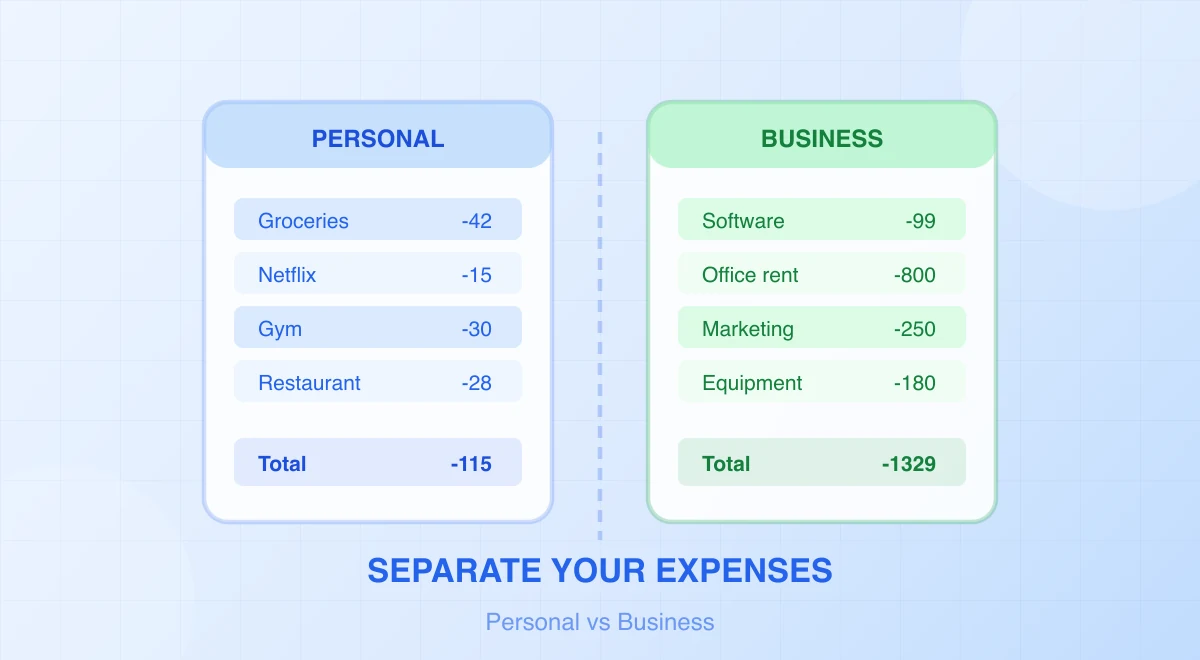
Save hours every week
Turn your bank statements (PDF) into Excel, CSV or OFX, without manual retyping.
A mixed bank account can be untangled, but the statement is only the starting list. A payee name and amount rarely prove what was purchased, why it was business-related, or how a mixed-use cost should be allocated.
The goal is to preserve every transaction, classify it with evidence, and leave uncertain rows visible for review. The tax and legal consequences depend on your entity and jurisdiction, so use this workflow as record preparation—not as a substitute for professional advice.

First, define the six labels
Add these labels before assigning detailed expense categories:
| Label | Meaning | Typical examples |
|---|---|---|
| Business | wholly supported business receipt or cost | client receipt, business software |
| Personal | no business treatment | household spending, private transfer |
| Mixed | both business and personal use | phone, vehicle, home internet |
| Owner/financing | equity, drawings, loan, capital movement | owner contribution, loan proceeds |
| Transfer | movement between accounts you control | current account to savings |
| Unknown | evidence or explanation still missing | unclear merchant, unidentified deposit |
Why separate owner and transfer movements? They can move cash without being revenue or operating expense. Labelling every deposit “income” and every withdrawal “expense” distorts the books.
Step 1: gather all relevant records
Collect the statements for every account used during the review period, including cards and payment processors. Use the bank’s native CSV or spreadsheet export when available, and retain the original statements.
If a statement is available only as a supported PDF or image, convert it into structured rows and verify:
- account and statement period;
- first and last transaction;
- transaction count;
- dates, signs, and currencies;
- opening-to-closing balance movement;
- descriptions attached to the correct amount.
Do not delete personal rows from the source table. Add a classification column so the audit trail remains intact.
Step 2: create a review table
A useful working sheet looks like this:
| Date | Description | Amount | Primary label | Category | Business % | Evidence | Note |
|---|---|---|---|---|---|---|---|
| 2026-01-05 | ACME SOFTWARE | (89.00) | Business | Software | 100% | Invoice 105 | |
| 2026-01-07 | MOBILE PROVIDER | (60.00) | Mixed | Phone | Open | Usage record | Allocate |
| 2026-01-09 | OWN SAVINGS | (500.00) | Transfer | Internal transfer | 0% | Other statement | Matched |
| 2026-01-12 | MARKET | (74.00) | Personal | Personal | 0% |
Keep the original description and amount untouched. If you need a normalized merchant name, add a separate column.
Step 3: classify obvious rows, then stop guessing
Start with transactions supported by clear evidence:
- client invoices and processor settlements;
- supplier invoices;
- dedicated business subscriptions;
- payroll reports;
- documented owner contributions or drawings;
- matched transfers between owned accounts.
For ambiguous entries, look for the invoice, receipt, contract, calendar entry, or explanation from the person who made the purchase. A merchant may sell both business and personal items; a recognizable brand is not enough.
The IRS says supporting documents should identify payee, amount, proof of payment, date, and the item or service showing that it was a business expense. Its recordkeeping guidance also warns that a combination of documents may be required.
Step 4: allocate mixed-use expenses with a documented method
Do not assign an arbitrary percentage because it feels reasonable. Choose a method that reflects actual use and is permitted in your jurisdiction.
Examples of evidence include:
- itemized call or usage records for a phone;
- a mileage or trip log for a vehicle;
- time and area records for home use;
- user or device records for an internet service;
- an invoice split between identifiable business and personal items.
Record:
Business amount = transaction amount × supported business-use percentage
Keep both the calculation and its evidence. Some expense types have special tests or simplified methods, so confirm the current rules before using a generic allocation.
For a US sole proprietor, the IRS states that personal, living, and family expenses are generally not deductible and that mixed expenses must be divided. See its income and expense FAQ.
For a UK sole trader, HMRC says only the business part of a mixed cost may be claimed and gives examples in its self-employed expense guidance.
Step 5: match transfers and card payments
A transfer between your own accounts creates two rows but no new income or expense. Match both sides using amount, date, account, and reference.
A credit-card payment from the bank is normally a liability settlement. The individual purchases belong in the card account; recording the payment as another expense duplicates them. Use the credit-card reconciliation guide for that workflow.
Also separate:
- loan proceeds from sales;
- loan principal from interest;
- owner contributions from revenue;
- owner withdrawals from operating costs;
- sales-tax or VAT settlements from ordinary purchases.
Your accountant should confirm the ledger treatment.
Step 6: build an exception list
Filter Primary label = Unknown or Business % = Open. Give every exception an owner and next action:
| Transaction | Question | Evidence needed | Owner | Status |
|---|---|---|---|---|
| MARKETPLACE 214.00 | What was purchased? | Invoice and business purpose | Owner | Open |
| CASH DEPOSIT 600.00 | Source of cash? | Sales record or owner confirmation | Bookkeeper | Open |
Never manufacture a category to clear the list. An unresolved item is better than a confident but unsupported claim.
Step 7: summarize without losing the source trail
After review, use a pivot table to summarize:
- supported business costs by category;
- personal and owner movements;
- transfers excluded from operating totals;
- mixed costs and business portions;
- unknown count and value.
Reconcile the summarized table back to the complete source rows. Then hand the accountant:
- original statements;
- the reviewed transaction table;
- supporting documents;
- the allocation schedule;
- transfer and financing matches;
- the open-item list.
A statement is proof of payment activity, not a complete set of books. For the broader deliverable, see how to prepare bank statements for your accountant.
Prevent the problem from recurring
A dedicated business account and card can make the next period easier, but select the account that fits your entity, regulation, and bank contract.
The US Small Business Administration recommends opening a business bank account when accepting or spending money as a business and explains the practical benefits in its business-account guide. HMRC says a UK self-employed person should check with the bank which account type may be used for business transactions.
Do not assume that a second consumer account permits commercial activity. Read the provider’s current terms and ask the institution if needed.
Then establish these controls:
- route business receipts to the approved business account;
- use the business card for supported business purchases;
- reimburse personal payment methods through a documented process;
- review mixed and unknown rows monthly;
- retain receipts and business-purpose notes as transactions occur;
- reconcile all accounts before producing reports.
A short monthly checklist
- All in-scope accounts imported.
- Source statements retained.
- Business, personal, mixed, owner, financing, and transfer labels applied.
- Transfer pairs matched.
- Card payments not duplicated as expenses.
- Mixed-use percentages supported.
- Unknown items assigned for follow-up.
- Totals reconciled to the statements.
- A human reviewer signs off the period.
BankStatementLab can convert supported bank-statement PDFs and images into CSV, XLSX, or JSON when a native export is unavailable. It provides rows for review; it does not decide business purpose, deduction eligibility, or mixed-use percentages.
Compare bank movements with your books
After classifying mixed activity, compare the processed bank statements with your accounting export using BankStatementLab reconciliation. Approve the reviewed pairs and retain one-sided entries in Excel, CSV or PDF. Matching confirms correspondence; it does not establish that an expense is business-related or deductible.
Related articles
- Categorize Bank Transactions in Excel with Pivot Tables
- Audit Recurring Charges on a Bank Statement
- How to Track Cash Flow from Bank Statements
- Bookkeeping When Invoices Are Missing
Turn supported mixed-account statements into reviewable rows for classification
Save hours every week
Turn your bank statements (PDF) into Excel, CSV or OFX, without manual retyping.