Try with your file
Drop your bank statement (PDF)
1 file · 100 pages max · Free preview of 2 pages
1 file selected
Save hours every week
Turn your bank statements (PDF) into Excel, CSV or OFX, without manual retyping.
Drop a PDF statement and watch the extraction happen live. Instant preview, no signup required.
The locum contract wrapped up Friday, the private consultations for the month are settled, and now a folder of PDF bank statements is sitting on your desktop. It records locum and consultation deposits, travel payments, indemnity, and board renewals, but it does not contain the contracts or remittance detail that determine their meaning. Copy-pasting the PDF into Excel turns three tidy columns into one unreadable smear. This guide shows a self-employed doctor how to extract reviewable Excel or CSV rows, link payer evidence, and prepare a supported handoff rather than treating the bank feed as the tax return.
Medical training does not make opaque payer deposits easier to reconcile. The practical goal is a ledger that separates contracts and private receipts, then links insurer EFT deposits to their remittance evidence.
The bookkeeping reality of a self-employed doctor
Whether you are a US 1099 locum tenens physician, a UK locum GP invoicing your own sessions, a private-practice doctor, or a consultant with income outside a salaried post, you are effectively a small business of one. That comes with a short but non-negotiable list of duties.
- Separate business and personal money. Even a single dedicated bank account or card for practice income and practice spending makes every later step dramatically easier. Mixed accounts are the number one reason a doctor’s bookkeeping eats the whole weekend.
- Track receipts and review candidates. Locum, per-diem, private, and per-visit deposits share the account with travel, indemnity, licensing, CME or CPD, equipment, and subscription payments whose treatment still needs evidence.
- Track tax obligations separately. Payment dates and calculations depend on the jurisdiction and whether each role is employed or self-employed, so confirm the current schedule rather than inferring it from deposits.
- Keep payer evidence beside the ledger. Retain the statement and reviewed export with locum contracts, invoices, EFT or ERA records, and policy or licence documents for every applicable period.
Tax registration, payment timing, digital-record requirements, and deductible costs depend on both jurisdiction and engagement status. Keep employed salary, locum work, and private-practice receipts as separate sources in the workbook, then apply the current tax-authority rules to each. A bank category helps review the payment; it does not decide its tax treatment.
The difficult part is explaining opaque payer deposits across engagements. Structured bank rows create the index; contracts and remittances provide the medical-practice meaning.
Why the PDF statement is a dead end (and Excel/CSV changes everything)
A physician’s bank PDF is a visual statement, not a payer ledger. It positions an EFT reference and amount on a page but exposes no transaction cells or link to the remittance that explains an adjustment. That is why:
- Payer descriptions lose their structure. A copied EFT reference can detach from its amount or merge with the next row.
- Contract income cannot be isolated reliably. Locum agencies, private patients, and insurer deposits remain mixed in the page view.
- A bank total does not explain adjustments. The PDF cannot group payments by contract or connect an insurer deposit to its remittance advice.
- Downstream review needs rows. Accounting tools may accept a file import, but a PDF alone is not a transaction dataset.
With reviewed rows, you can separate locum contracts, private receipts, and insurer deposits, then add the remittance reference missing from the bank. A later CSV or XLSX import is a separate step supported by the destination, not a live connection from BankStatementLab.
Here is the same information, before and after.
| Physician review in a PDF | Physician review in extracted rows |
|---|---|
| EFT reference and amount are read visually | Filter payer references and amounts together |
| Locum and private receipts share the same page | Add a contract or payer review column |
| Adjustments are invisible behind a net deposit | Attach the ERA, remittance, or invoice reference |
| Duplicate-looking deposits need manual comparison | Sort by date, amount, and payer before investigating |
| The closing balance is separate from the work ledger | Reconcile the transaction run to the bank balance |
Use the broader bank-statement PDF conversion walkthrough for extraction mechanics. A physician should extend its validation checklist by matching an insurer or agency deposit to the right remittance, then checking one private-payment row and the closing balance.
The step-by-step method for a doctor
Here is the workflow from a folder of PDFs to a reviewable handoff. Work in order and leave unmatched payer deposits open until the corresponding remittance explains them.
1. Gather every statement
Download statements for the reporting period from each account that received locum, insurer, or private-practice money. Include mixed accounts where necessary, then label personal rows rather than silently omitting pages. Verify the month sequence and balance continuity; an unresolved gap should remain visible in the payer schedule until the statement is recovered.
2. Convert the PDFs to Excel or CSV
Start with a statement containing a known locum, insurer, or private-patient receipt. After extraction, compare the full payer reference, amount sign, posting date, and closing balance with the PDF. Keep any unmatched insurer deposit open until the remittance advice explains it; the bank description alone should not be used to infer the consultation or adjustment.
BankStatementLab exports CSV, XLSX and JSON; eligible current/checking and savings-account workflows also offer OFX 1.6 SGML. It does not post into practice or accounting software. Unlock protected PDFs before upload and review every extracted table against all source pages, including payer references, dates and signs. Test OFX in the exact destination before importing a full period. Source and result retention depend on the workflow and settings, so retain your own originals and check the current plans and options. Match each physician payment to its remittance evidence before using the export elsewhere.
3. Categorize: practice receipts and cost candidates
Add a Category column and tag every row. For a self-employed doctor the buckets usually look like this.
| Review label | Typical physician transactions | Evidence or decision still needed |
|---|---|---|
| Practice receipts | Locum sessions, per-diem cover, private consultations, per-visit fees | Contract, invoice, settlement, or payer remittance |
| Travel candidates | Fuel, parking, tolls, mileage-log entries | Journey purpose, work status, and the method allowed locally |
| Indemnity & insurance | Malpractice cover or medical-defence subscriptions | Policyholder, cover period, reimbursement, and local tax treatment |
| Licensing & registration | Board or state licence, GMC registration, specialty dues | Renewal notice and any non-business or excluded component |
| CME / CPD | Courses, conferences, exams, journals, learning materials | Existing-practice purpose versus a new qualification |
| Equipment & subscriptions | Medical equipment, phone, EHR or dictation software | Invoice, useful life, reimbursement, and business-use allocation |
Do not decide travel from the bank row. Record the journey, contract, work location, reimbursement, and vehicle method required by the rules for your country and year; some regimes make methods mutually exclusive or restrict commuting. Treat malpractice or medical-defence payments as review candidates too: preserve the policyholder, cover period, engagement, and reimbursement evidence before determining their tax treatment.
Group recurring agency names, insurers, licence bodies, and medical-defence providers by description, but do not batch-confirm their tax status. An insurer can issue several payment types under the same descriptor. Use the category review method to surface those groups, then reconcile each payment type to its contract or remittance.
Match insurer deposits to remittance advice
An insurer deposit is not enough detail for a clinic ledger. In the US workflow, CMS distinguishes the EFT that moves money from the health plan from the ERA that explains the associated claim payment and adjustments; its official EFT and ERA guidance lists the payment and payer details carried by those records. Add payer, EFT date, EFT amount, ERA or trace reference, and reconciliation status columns beside the extracted bank row. Then investigate unmatched deposits instead of guessing which consultation produced them.
For a complete payer-by-payer method, use the guide to reconciling insurance payments against a doctor’s bank statements.
4. Reconcile
Reconciling just means checking that your spreadsheet matches reality. For each account and period, check opening balance plus signed movements against closing balance, then compare all source pages and extracted tables. A matching balance cannot rule out missing or duplicated transactions whose amounts offset. If you also take card payments from private patients, match the payout deposits against the processor fees. Catching a mis-keyed amount now is far cheaper than explaining it under audit later.
5. File it yourself or hand it to an accountant
After the closing balance and payer records agree, produce subtotals by engagement: employed pay, locum contracts, private work, and insurer receipts should not be collapsed into one unexplained income bucket. Use those reviewed schedules with the current filing instructions or send them, with contracts and remittances, to the adviser who determines the applicable treatment.
DIY vs delegating — and how clean files cut your accountant’s bill
You do not have to choose all-or-nothing. Most self-employed doctors land somewhere in the middle: they do the data prep themselves and let a professional handle the filing.
- Physician-led preparation may fit a single, clearly documented locum contract, but engagement status and current filing rules still need to be resolved.
- Accountant-led preparation can help when employed, locum, private, and insurer receipts overlap or when reimbursements and equipment require judgment; confirm the evidence and fee before handoff.
- Shared preparation lets you reconcile EFTs and remittances while the adviser reviews status, adjustments, and tax mapping. Any time or cost effect depends on the agreed scope.
A reviewed spreadsheet can make contract and payer questions easier to locate, but any fee or time reduction depends on the accountant’s engagement. Ask whether they want the ERA reference, contract, or invoice attached to each deposit. The guide to preparing bank statements for an accountant provides a handoff checklist.
A worked example: one month of a doctor’s statement
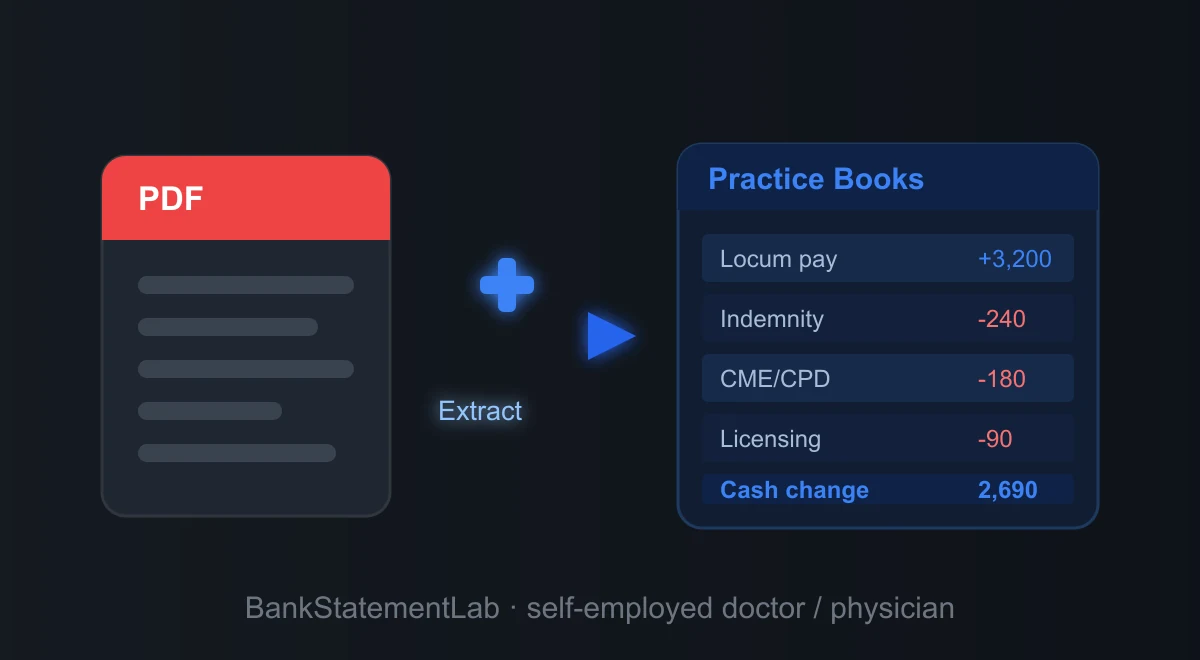
Theory is easier to trust when you see it applied. Below is a single month from a self-employed doctor’s account, converted from PDF and tagged with a Category column. The labels are generic on purpose — this is an illustrative working table after extraction and manual review, not a guaranteed export layout. Amounts are shown without a currency symbol so the example reads the same whether you bill in dollars or pounds.
| Date | Description | Amount | Category |
|---|---|---|---|
| Apr 03 | Locum session payment | +3,200.00 | Income |
| Apr 06 | Fuel | -72.40 | Vehicle / mileage |
| Apr 10 | Medical defence subscription | -240.00 | Indemnity & insurance |
| Apr 13 | CME conference registration | -180.00 | CME / CPD |
| Apr 17 | Private consultation payout | +560.00 | Income |
| Apr 19 | Transfer to personal savings | -800.00 | Personal (exclude) |
| Apr 24 | Board / registration renewal | -90.00 | Licensing & registration |
| Apr 28 | Parking — home visit | -16.00 | Vehicle / mileage |
In this illustrative ledger, the categories show income of 3,760.00 and candidate business costs of 598.40. The 800.00 transfer to personal savings is an internal transfer, so it stays outside the income-and-cost subtotal. The arithmetic difference is 3,161.60 before tax adjustments; the current rules still need to determine the treatment of travel, education, cover, and registration items.
Common mistakes and traps to avoid
Even careful doctors trip on the same few things.
- Treating manual entry as self-validating. A typed locum payment is a second copy that still needs comparison with the source statement.
- Mixing personal and business. If personal spending sits next to an indemnity premium, every category needs more review. A separate account or dedicated card reduces that ambiguity. See how to separate personal and business expenses.
- Forgetting private and card-app income. Deposits are the easy part; make sure private consultation payments through card readers or payment apps are captured too. Undeclared income is what audits are built to find.
- Guessing at deductions. Claim what you can substantiate, and keep the statement that proves it. When unsure whether something qualifies — an exam fee, a share of your phone bill, a conference trip — check the current rules or ask your accountant rather than inventing a rule.
- Letting an insurer reference drift onto the next row. Sample an EFT, private receipt, amount sign, and closing balance against the source before building payer totals.
- Overlooking retention of physician financial data. Review source and result deletion controls before uploading statements that reveal contracts, insurers, and private-payment activity.
Going further: build a system, not a scramble
Reconcile physician receipts when each contract or remittance cycle closes, before several similar payer deposits accumulate.
- Close each payer period. Convert the statement, link EFT deposits to ERA or contract evidence, and carry only genuinely unmatched amounts into the next review.
- Append reviewed months to a payer workbook. Preserve the account, source statement, contract, and remittance fields when using the multi-PDF batching method.
- Watch cash flow. A running total tells a locum whether the gap between contracts is survivable, and flags months where spending crept up.
- Estimate taxes as you go. With categorized income visible month by month, setting aside the right amount for quarterly estimates or your Self Assessment bill stops being guesswork.
- Surface overlooked physician cost questions. Use the statement review checklist to find licence, cover, training, and equipment candidates, then apply current rules rather than assuming they qualify.
Where a doctor receives session payments without issuing invoices, statement rows can start the receipt schedule, but contracts, remittance advice, cash receipts, and reimbursements can still sit outside the bank feed. The bank-statement-only bookkeeping guide explains how to record those missing-source flags rather than presenting the export as complete books.
Three ways to convert a statement, compared
Compare extraction routes on the records that matter for the physician example: an agency or insurer reference, its signed amount, and a balance that reconciles to the source PDF.
| Route | Physician-payment workflow | Clinical-practice control | Result |
|---|---|---|---|
| Manual entry | Type every bank row | Recheck payer references, amounts, and balances | A custom workbook with a second-entry risk |
| General table extraction | Recover visible tables, then rebuild columns | Inspect wrapped EFT references and split debit/credit fields | A table that may require reshaping |
| Bank-statement extraction | Extract rows and review the structured file | Match an EFT to its ERA or contract and reconcile the balance | CSV, XLSX, or JSON; no direct accounting connection |
Whichever route you choose, compare the export with the statement before trusting totals. For a doctor receiving insurer payments, validate the closing balance and sample deposits against the corresponding EFT and ERA references, not only against the amount shown by the bank.
The bottom line
Your statements show the payment layer of locum and private work; contracts, invoices, and remittance advice explain it. Convert the PDFs, reconcile by payer, and send the reviewed CSV or XLSX with those records for the final tax treatment.
You trained to look after patients, not to fight with PDFs. Let the software do the data entry.
Compare bank movements with your books
BankStatementLab can compare processed bank statements with your accounting export, propose matches for approval and export Excel, CSV or PDF. The medical insurance payment workflow explains how to prepare net receipt records first. Keep claim-level adjudication and underpayment review in your practice-management records.
Frequently Asked Questions
How long do I need to keep my bank statements as a self-employed doctor?
Retention periods depend on the country, return, payer contract, and any clinical or professional record rules that apply. Check the current official guidance for the relevant year and keep the original statement, reviewed export, invoices, and remittance records together until every applicable period has expired.
Do I legally need a separate bank account for my locum or private income?
It depends on your legal form, jurisdiction and the bank’s account terms. A separate account can simplify records, but do not assume a personal account permits business use. If the activity is already mixed, flag personal rows, document mixed-use allocations and reconcile the business rows to invoices, remittance records and receipts.
Can I claim my indemnity or malpractice cover as an expense?
Record medical-defence, professional-indemnity, or malpractice payments as separate review candidates, not automatic deductions. The result can depend on jurisdiction, engagement, policyholder, employer reimbursement, and the cover supplied by a practice. Keep the policy, covered period, invoice, and bank row, then apply the current rule for that arrangement.
Are CME, CPD, board fees, and GMC registration deductible?
Separate licence or registration renewals, professional memberships, exams, journals, CME, and CPD in the ledger. Their treatment can differ by country, tax year, engagement, reimbursement, and whether education maintains an existing practice or creates a new qualification. Keep the renewal or course evidence and check the current official guidance for each item.
Do I have to report money private patients pay me by card reader or app?
Do not exclude a private-patient receipt because it arrived through a card reader, app, transfer, or cash. Reconcile processor reports to deposits, keep cash records, and preserve gross, fee, adjustment, and net fields from the source report. Apply the reporting rules for the relevant jurisdiction and practice structure to the reconciled schedule.
My statements come from two different banks — can I still build one clean file?
Yes. Extract and review every statement and table separately, then map differing source columns into your working table. Preserve bank, account, currency and source-file fields before combining rows. Keep internal transfers for each account’s reconciliation and exclude them from consolidated operating totals.
Related articles
- Reconcile Insurance Payments Against a Doctor’s Bank Statements
- Prepare Bank Evidence for an Accountant
- Organize Multiple Statement PDFs in One Spreadsheet
- Separate Private-Practice Receipts From Personal Activity
Extract physician statement rows to XLSX, CSV, or JSON with BankStatementLab
Save hours every week
Go from PDF to an Excel file ready to use, with no manual data entry.