Try with your file
Drop your bank statement (PDF)
1 file · 100 pages max · Free preview of 2 pages
1 file selected
Save hours every week
Turn your bank statements (PDF) into Excel, CSV or OFX, without manual retyping.
Drop a PDF statement and watch the extraction happen live. Instant preview, no signup required.
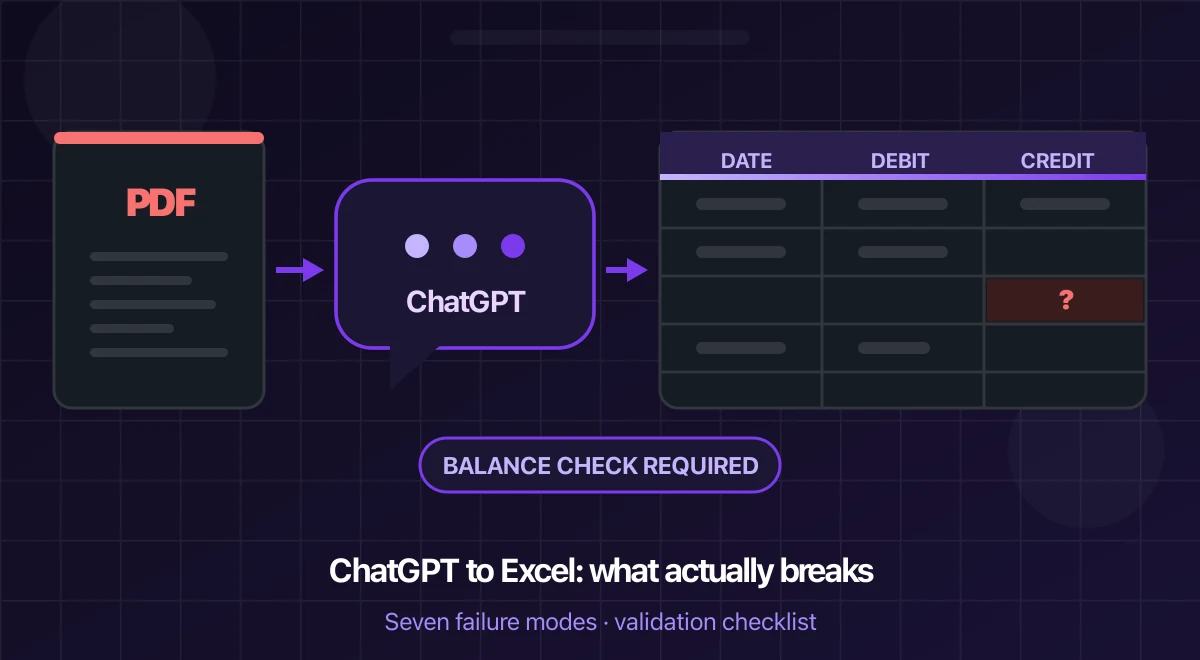
Yes: ChatGPT can turn transactions it reads from a bank-statement PDF into a table that you can download as CSV and open in Excel. It is not, however, a guaranteed bank-statement parser. OpenAI’s current data-analysis guidance explicitly recommends a spreadsheet or text-based file when exact values matter. That warning matters here: one dropped row or reversed sign can make a bank import or reconciliation wrong.
Use ChatGPT for a one-off extraction only when you are prepared to compare the result with the original. Prefer the bank’s own CSV or OFX export when it exists. For a scanned, long, multi-currency or recurring workload, use a document-specific workflow and apply the same validation checks.
ChatGPT vs BankStatementLab: the short answer
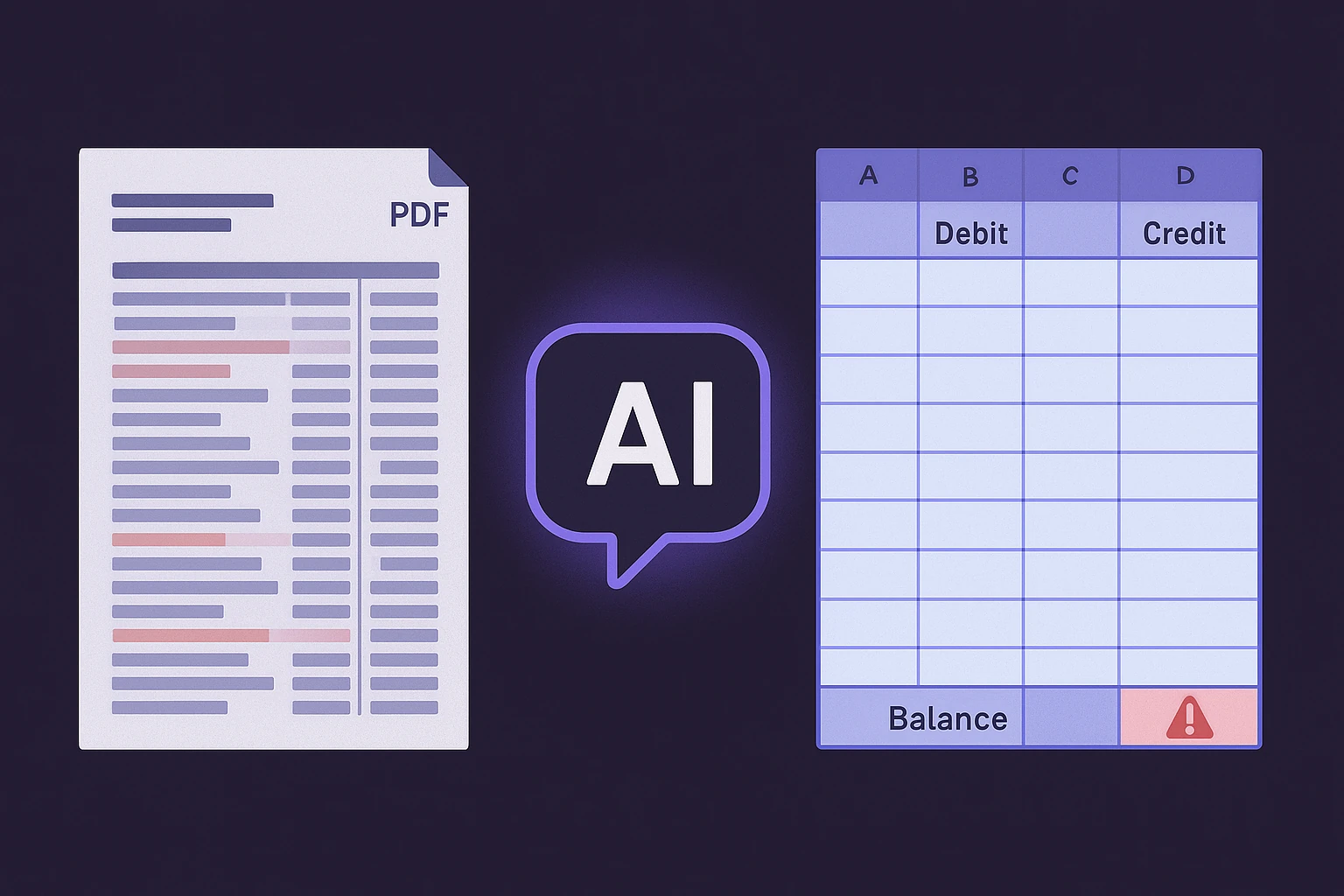
ChatGPT is the more flexible assistant: it can explain a statement, answer follow-up questions and reshape a table through natural-language instructions. BankStatementLab is the more specialized workflow: upload the source, review extracted transaction tables and export them without designing a new prompt for every file.
| Choose ChatGPT when… | Choose BankStatementLab when… |
|---|---|
| The PDF is short, digital and easy to check line by line | The source may be scanned, multi-page or structurally irregular |
| You need a one-off analysis or explanation after extraction | You convert statements repeatedly or process several files |
| You are comfortable defining the schema and checking the generated file | You want a repeatable review-and-export flow built around statement tables |
| A conversational answer matters more than a reusable extraction process | XLSX, CSV, JSON or supported OFX output feeds the next accounting step |
This is a workflow comparison, not a published accuracy contest. BankStatementLab develops one of the products discussed here, and no completed head-to-head benchmark currently proves that it reads every statement more accurately. The transparent protocol below explains what evidence would be required for that claim.
What ChatGPT can read from a bank-statement PDF
The answer depends on the plan and on how the PDF was created. OpenAI’s current File Uploads FAQ says that non-Enterprise document retrieval extracts digital text and discards images embedded in PDFs. A scanned statement is made of page images, so that text-only route has no transaction text to extract. OpenAI documents visual PDF retrieval for ChatGPT Enterprise, where both text and visual elements can be interpreted.
This distinction is more useful than a page-count rule:
| Processing path | What it can read | Main limitation or next step |
|---|---|---|
| Digital, selectable text | Text retrieval can read characters, but row and column relationships may still be misinterpreted | Wrapped descriptions, separate debit/credit columns, subtotals |
| Scanned PDF on a text-only plan | There may be no usable transaction text | Use a bank export, OCR first, or a supported visual-document workflow |
| PDF processed with visual retrieval | The model can interpret page layout and images | Exact digits and complete row coverage still require verification |
File availability and limits change by model, plan and workspace setting. Check the official upload page before using the workflow rather than relying on a fixed limit copied from an older guide.
A safer ChatGPT-to-Excel workflow
- Check the source first. If your bank offers CSV, OFX or QIF for the period, download that instead of asking any AI to reconstruct rows from a PDF.
- Test whether the PDF has selectable text. If not, confirm that your ChatGPT plan supports visual PDF retrieval; otherwise do not expect the scan to be read.
- Make a separate review copy and remove sensitive fields you do not need. Keep the complete original and every transaction page needed for reconciliation. Do not upload another person’s statement unless you have authority and an appropriate data-processing basis.
- Ask for a strict schema and source labels. Keep accounts and currencies separate, and request source filename/page references where recoverable. Request one row per transaction with
date,description,debit,credit,currencyandrunning_balance, and tell ChatGPT not to infer unreadable values. - Ask for CSV, not prose. OpenAI documents downloadable CSV tables in ChatGPT data analysis.
- Verify before import. Keep the original PDF open beside the exported table and run the checks below.
A useful prompt is:
Extract only transaction rows from this statement. Return a downloadable CSV with date, full description, debit, credit, currency and running balance. Preserve the source date text in a separate column. Do not infer an unreadable value: leave it blank and add
needs_review = true. Exclude headers, opening balances, carried-forward lines and subtotals.
Seven failure modes to check
These failure modes can occur with any PDF extraction workflow. Chat output can look orderly even when the source-to-row mapping is incomplete.
| Failure mode | What you get | Why it happens |
|---|---|---|
| Scanned or photographed statement | Plausible rows with wrong digits, or an empty result | No text layer, so every figure is read from pixels; compression makes small type ambiguous |
| Long, dense statement | A table that stops early, repeats a page, or omits rows between repeated headers | Page segmentation, repeated headers, upload limits and table reconstruction can break the one-source-row-to-one-output-row mapping |
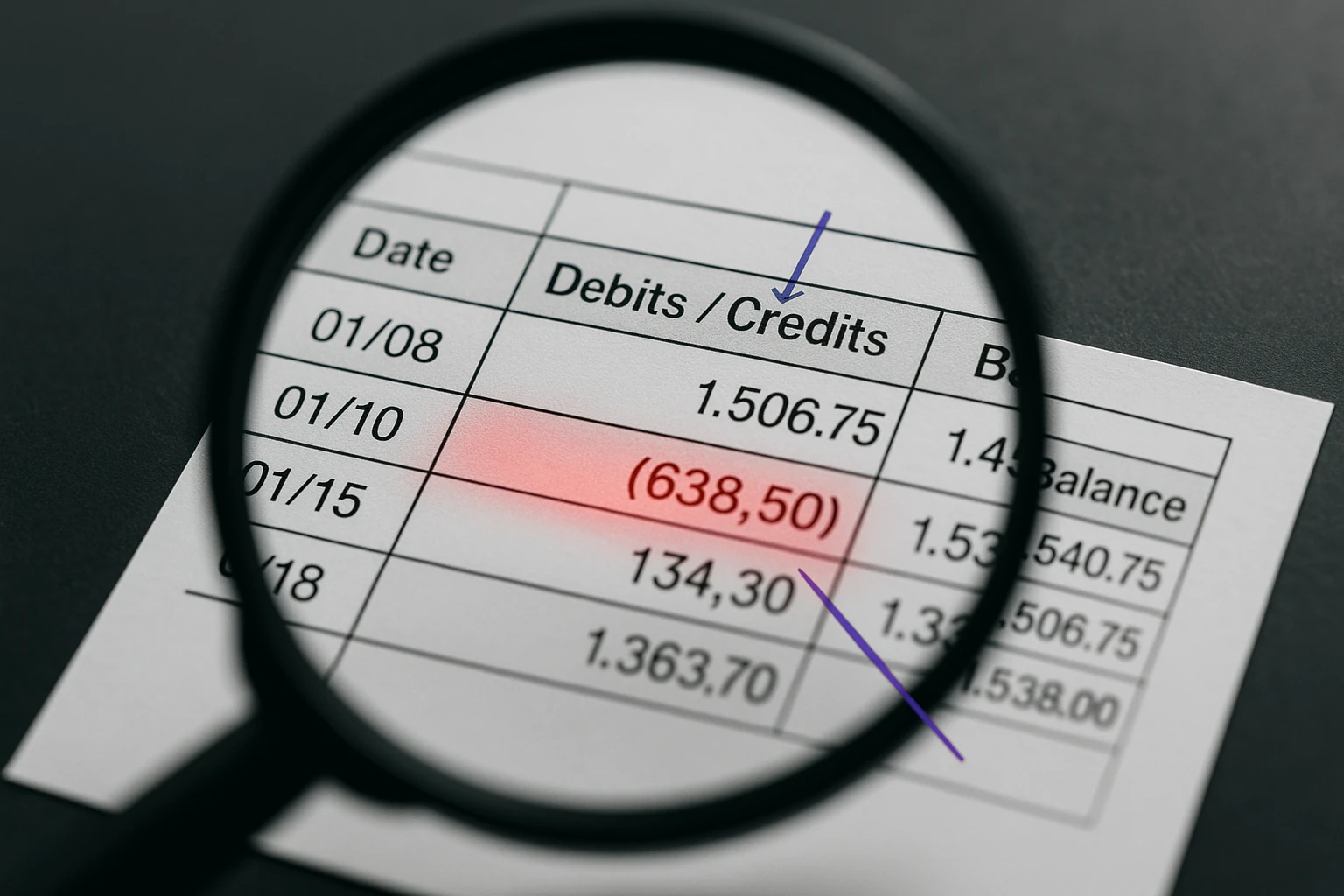
| Debit and credit merged into one column, or negatives in parentheses | Every amount positive; totals inflated; balance check fails | The sign lives in the layout or in typography (parentheses, trailing minus, red ink), not in the digits |
| Ambiguous dates such as 03/04 | Dates reinterpreted; transactions land in the wrong month | Day-first versus month-first is a property of the issuing bank, invisible in the digits; only days up to 12 are ambiguous, so errors scatter |
| Running balance lines, subtotals, carried-forward rows | Extra transactions; totals double-counted | A balance brought forward has a date and an amount, so it looks like a transaction |
| Descriptions spread over two or three lines | Two transactions merged into one, or one split into two with a zero amount | Row boundaries are inferred from vertical spacing, and wrapped merchant names break that inference |
| Multi-currency statement | One amount column mixing units, conversions invented or dropped | Currency is a per-row attribute in the source but a per-column assumption in the export |
Parenthesised negatives deserve special attention: a withdrawal printed as (1,234.56) can become a positive number or remain text that SUM ignores. Also check page boundaries, because repeated headers and “balance carried forward” lines can be mistaken for transactions.
Why a correct total does not prove a correct extraction
For data-analysis tasks, ChatGPT can run Python over the extracted table. That makes the arithmetic reproducible, but it does not validate the inputs against the PDF. A misread amount can be summed perfectly. Only a comparison with values printed on the original statement tests the extraction.
How to verify the extracted spreadsheet
Assume headers in row 1 and data from row 2 to row 400, with dates in A, descriptions in B, debits in C and credits in D. Adjust the ranges and separators for your workbook.
-
Type the reference numbers from the PDF first. Put the opening balance in cell H1 and the closing balance in H2, read off the statement, never copied from the AI output, and count the transaction lines page by page.
-
Run the balance check where the statement supports it. For a single-currency statement whose opening and closing balances cover all posted rows, enter
=ROUND(SUM(D2:D400)-SUM(C2:C400)-(H2-H1),2); with a single signed column, use=ROUND(SUM(E2:E400)-(H2-H1),2). Match the statement’s own sign convention and rounding. A non-zero result is an exception to investigate; a zero result is useful evidence but can hide offsetting errors. -
Check row counts and date types. Compare the actual populated transaction rows with your manual source count.
=COUNT(A2:A400)counts numeric cells, not necessarily valid dates;=COUNTA(B2:B400)counts nonempty descriptions, including formulas returning empty text. A difference can indicate text dates, missing fields or formulas and needs investigation. Import dates with the issuing bank’s explicit locale and verify they fall in the correct statement period. -
Verify the first and the last transaction. Compare row 2 and the final populated row with the PDF: date, description, amount, sign. The first row catches headers swallowed as transactions, the last catches truncation.
-
Review ambiguous dates. Enter
=SUMPRODUCT((A2:A400<>"")*(DAY(A2:A400)<=12))to count rows where day and month could have been swapped without producing an impossible date, then check those dates against the PDF. The formula needs validated Excel date values and an error-free range, so run step 3 first. Confirm the range with=MIN(A2:A400)and=MAX(A2:A400). -
Compare the totals with the printed ones. Enter
=SUM(C2:C400)and=SUM(D2:D400)and compare with the total debits and credits printed on the statement. This catches errors that cancelled out in step 2. -
Hunt duplicates and text amounts. Highlight matching account + currency + date + description + debit + credit values for review; legitimate repeated payments must not be deleted automatically. Check
=SUMPRODUCT(--ISTEXT(C2:C400))+SUMPRODUCT(--ISTEXT(D2:D400)). Inspect zero amounts rather than assuming they are always invalid.
A balance check that returns 0 is strong evidence, not proof—two offsetting errors can cancel out, which is why steps 3 to 7 exist. A non-zero result can reflect an extraction problem, the wrong sign convention, omitted statement sections or a statement-specific adjustment; resolve it before relying on the table.
The benchmark we would publish
A credible comparison cannot be built from one hand-picked statement. Before naming a winner, we would freeze a synthetic corpus covering English, French, German, Italian and Spanish statements across eight scenarios: a simple digital PDF, a multi-page table, separate debit and credit columns, wrapped descriptions, a dense page, a clean scan, a degraded scan and locale-specific amounts or dates.
Each PDF would be generated from a known transaction ledger, then processed three times by each tool without manual correction. The published evidence would include the exact ChatGPT plan and model, the prompt, the BankStatementLab production version, raw exports and per-file differences. The primary pass rule would be strict: no missing or invented transaction, correct dates, correct amounts and signs, and a movement that reconciles with the source balances where the statement supports that check.
Until those runs exist, the defensible comparison is about observable workflow rather than an invented score:
| Observable criterion | ChatGPT | BankStatementLab |
|---|---|---|
| Primary purpose | General analysis and file transformation | Bank-statement and tabular-document extraction workflow |
| Input interaction | Prompt and follow-up conversation | Upload, extraction, table review and export |
| Digital PDFs | Supported; table reconstruction still needs checking | Positioned-text or visual route selected according to the document |
| Scanned PDFs | PDF visual retrieval depends on the ChatGPT plan and upload route | PDF and image inputs can be routed through visual analysis |
| Multiple tables | Structure depends on the generated response | Distinct structures can remain in separate reviewable blocks |
| Batch work | Depends on plan, context and manual instructions | Authenticated batch upload supports multiple files within current limits |
| Output | Generated table or downloadable file, depending on the tool used | XLSX, CSV and OFX at block level; JSON and multi-block exports where supported |
| Relative accuracy | Not measured in a public common benchmark | Not measured in a public common benchmark |
The synthetic corpus matters: masking a name and IBAN does not necessarily anonymize a real statement when employers, merchants and payment narratives remain visible.
Privacy before upload: check your ChatGPT plan and settings
A statement can expose account identifiers, balances, salary, creditors and spending patterns. Uploading it is a data-handling decision before it is a spreadsheet task.
| ChatGPT context | Current OpenAI documentation |
|---|---|
| Personal workspace (entry tier, Plus or Pro) | Check the model-improvement setting; turn off Improve the model for everyone before a new upload if that is your choice |
| Temporary Chat | Not used for training; OpenAI may keep a copy for up to 30 days for safety. Saving it makes it a regular chat with different retention |
| Business, Enterprise, Edu and API | Inputs and outputs are not used for training by default |
| Files saved to Library | Managed separately from chats; deleting a chat does not delete a Library file |
These rules come from OpenAI’s current training-control instructions, Data Controls FAQ and file-retention documentation. Policies and product behaviour can change, so re-check them before handling client material. Turning training off affects model improvement; it does not make the upload local or erase it automatically.
If the statement belongs to a client, confirm that you have authority to use the service and that its terms, retention and subprocessors fit your professional obligations. Removing an account number does not anonymise a statement that still contains names, employers and payment narratives.
When a purpose-built converter makes more sense
A dedicated workflow is useful when you have multiple files, scans or repeated monthly work. BankStatementLab accepts unlocked PDF, JPEG, PNG and WebP files and provides reviewable XLSX, CSV and supported OFX exports, with JSON available for complete structured results. Authenticated uploads allow up to 100 files and 100 pages in total, with a 50 MB limit per file and a 500 MB request limit. Consult the current pricing page for credits and plan allowances.
The value is not a magic “AI accuracy” label. It is the productized sequence around the model: document admission, text-or-vision routing, page grouping, preservation of distinct table structures, an editable review surface and export formats built for downstream work. That removes much of the prompt design and file-shaping work from the user while keeping verification visible.
| Workflow question | General ChatGPT upload | BankStatementLab |
|---|---|---|
| Output | A generated table or downloadable file, depending on the tool used | XLSX, CSV and supported OFX per table; JSON for structured results |
| Multiple statements | Depends on plan and upload caps | Batch upload and merged or separate exports |
| Locked PDF | Plan-dependent handling | Rejected; unlock locally first |
| Source-file retention | Depends on ChatGPT mode, Library and workspace policy | Successful sources can remain for up to 7 days depending on workflow; failed jobs can remain for up to 14 days |
| Extracted-data retention | Chat/file policy for the selected workspace | User-controlled deletion; authenticated auto-deletion can be set from 1 to 30 days, with 14 days as the configured default when enabled |
A document-specific pipeline is not infallible. A blurred photo, an unusual multi-currency layout or a poor scan still needs human review. Review every extracted table against every original page, including separate sheets or outputs; the largest table is selected first and may not represent every block. Two accounts with the same visible headings can also require extra scrutiny. The workflow offers reviewable exports and batch handling, without a promise of perfect accuracy.
For the wider workflow, see the bank-statement PDF-to-Excel guide, the batch-conversion guide and the security checklist for online statement converters. Then convert an authorized statement and run the checks yourself.
Key takeaways
- ChatGPT can generate a downloadable transaction table, but OpenAI recommends structured or text-based input when exact values matter.
- Non-Enterprise PDF retrieval is currently text-only according to OpenAI; scanned PDFs require a visual-document path.
- Missing rows, flipped signs, ambiguous dates and carried-forward balances are the checks that matter most.
- Where the statement’s structure supports it, credits minus debits should explain the movement from opening to closing balance; investigate any difference and still check for offsetting errors.
- A total computed by ChatGPT proves nothing, because it runs on values the model read first; compare against a figure printed on the original statement.
- In personal ChatGPT workspaces, turn off model-improvement sharing before a new upload if desired; Business, Enterprise, Edu and API data are excluded from training by default.
Frequently Asked Questions
Can ChatGPT convert a bank statement PDF to Excel?
ChatGPT can extract a table and provide a downloadable CSV that Excel can open, but completeness is not guaranteed and PDF behavior varies by plan. Compare the result with the source, including rows, dates, signs, totals and page boundaries.
Can ChatGPT read a scanned bank statement?
Only if the selected plan and upload flow processes PDF visuals. OpenAI currently documents visual PDF retrieval for Enterprise; other document-upload plans use text retrieval and discard embedded images, so an image-only scan has no digital transaction text to read.
Why does ChatGPT miss transactions in the middle of a long statement?
Long, dense tables can break the one-source-row-to-one-output-row mapping across page segmentation, repeated headers and upload limits. Do not infer completeness from the first and last rows; count transactions and compare statement totals.
How do I check whether an AI extraction of my bank statement is correct?
Where the statement supports it, compare credits minus debits with the movement from opening to closing balance using the source sign convention. Also count rows, inspect page boundaries, verify dates and signs and compare printed totals; a zero balance difference can still hide offsetting errors.
Does ChatGPT get amounts wrong even when the total looks right?
Yes. Python can sum the extracted values reproducibly, but that arithmetic does not prove the values were read correctly. Compare amounts and totals with figures printed on the original statement.
Is it safe to upload a bank statement to ChatGPT?
It depends on the plan, settings, retention mode and your authority to upload the data. Personal workspaces—including the entry tier, Plus and Pro—allow model-improvement sharing and document how to turn it off; Business, Enterprise, Edu and API inputs are not used for training by default. Review file and Library retention separately.
What is the difference between ChatGPT and a dedicated bank statement converter?
A dedicated converter provides a review and batch workflow with CSV, XLSX or JSON exports. Extracted columns can still depend on the source and may need mapping. ChatGPT is a general analysis assistant whose PDF behavior varies by plan. Neither removes the need to validate extracted rows against the source.
Is BankStatementLab more accurate than ChatGPT for bank statements?
No published head-to-head measurement establishes that claim. Compare the workflows on representative statements and validate the result from either tool against the PDF.
Does BankStatementLab keep my bank statement PDF?
Source-file deletion depends on the workflow; successful sources can remain for up to 7 days. A failed source may be retained for troubleshooting or retry for up to 14 days. Extracted data remains until deletion unless optional automatic deletion is enabled from 1 to 30 days, with 14 days as the configured default.
Save hours every week
Go from PDF to an Excel file ready to use, with no manual data entry.