हर सप्ताह घंटे बचाएं
अपने बैंक स्टेटमेंट (PDF) को Excel, CSV या OFX में बदलें, बिना डेटा दोबारा हाथ से दर्ज किए।
बैंक स्टेटमेंट से खर्चों की कैटेगरी बनाने के लिए पहले पैसे के आने-जाने का प्रकार, फिर खर्च का उद्देश्य पहचानें। UPI या NEFT भुगतान का माध्यम है; किराना, किराया या यात्रा खर्च का उद्देश्य है। अपने खातों के बीच ट्रांसफर को खरीद मानने या कार्ड की खरीद और उसके बिल का भुगतान दोनों जोड़ने से बजट गलत हो जाता है।
इस गाइड में आप मूल डेटा सुरक्षित रखने, संदिग्ध लेनदेन अलग करने और Excel में जाँचा हुआ मासिक खर्च निकालने की प्रक्रिया देखेंगे। यह घरेलू बजट या कारोबार की प्रारंभिक समीक्षा के लिए है; कैटेगरी अपने आप कर कटौती या सही लेखांकन सिद्ध नहीं करती।

UPI, NEFT और खर्च की कैटेगरी अलग रखें
NPCI के अनुसार UPI भुगतान और पैसा भेजने की प्रणाली है। उसी माध्यम से किराना खरीदा जा सकता है, अपने दूसरे खाते में पैसा भेजा जा सकता है या किसी परिचित को रकम दी जा सकती है। इसलिए narration में UPI देखकर उसे एक खर्च कैटेगरी में डालना उद्देश्य नहीं बताता। यही सावधानी NEFT, IMPS, RTGS और कार्ड भुगतान पर लागू होती है।
अपनी कार्यशीट में ये अलग कॉलम रखें:
| कॉलम | उदाहरण | क्यों ज़रूरी है |
|---|---|---|
| तारीख, मूल विवरण, खाता | बैंक की मूल प्रविष्टि | वापस स्रोत तक पहुँचने के लिए |
| डेबिट, क्रेडिट, बैलेंस | बैंक के अनुसार रकम | चिह्न और कुल मिलाने के लिए |
| भुगतान माध्यम | UPI, NEFT, कार्ड | लेनदेन का रास्ता पहचानने के लिए |
| प्रवाह का प्रकार | आय, खर्च, ट्रांसफर, रिफंड, ऋण | बजट से असंबंधित आवागमन अलग रखने के लिए |
| उद्देश्य की कैटेगरी | किराना, आवास, परिवहन | खर्च की तुलना के लिए |
| स्थिति और प्रमाण | समीक्षा बाकी / जाँचा; रसीद का नाम | अनुमान को अंतिम वर्गीकरण बनने से रोकने के लिए |
कारोबार और निजी लेनदेन साथ हों तो व्यवसायिक / निजी / मिश्रित / अस्पष्ट का अलग कॉलम जोड़ें। मिश्रित भुगतान की बाँट प्रमाण और उपयोग के आधार पर करें, नाम देखकर पूरा व्यवसायिक खर्च न मानें।
किन लेनदेन से खर्च का कुल बिगड़ता है?
अपने खातों के बीच ट्रांसफर
यदि दोनों खाते आपके हैं और रिपोर्ट में शामिल हैं, तो एक का डेबिट दूसरे का क्रेडिट है। दोनों को जोड़कर नई आय या खर्च न बनाएँ। तारीख, रकम और उपलब्ध संदर्भ से जोड़ी जाँचें; केवल समान रकम पर्याप्त नहीं। संबंधित बैंक शुल्क अलग खर्च हो सकता है।
परिवार के सदस्य को दिया पैसा अपने खाते का ट्रांसफर नहीं है। वह मदद, उपहार, उधार, खरीद या साझा खर्च की वापसी हो सकता है। उद्देश्य पता चलने तक समीक्षा बाकी रखें।
क्रेडिट कार्ड का बिल
यदि कार्ड की अलग-अलग खरीद पहले ही खर्च रिपोर्ट में शामिल है, तो बैंक से कार्ड बिल का भुगतान दोबारा खर्च न जोड़ें। दोनों स्रोतों को जोड़ने वाली भुगतान प्रविष्टि के रूप में पहचानें। केवल बैंक स्टेटमेंट हो तो बिल भुगतान को कार्ड बिल — विवरण बाकी रखें; उससे खरीद की पूरी कैटेगरी या खरीद का महीना पता नहीं चलता।
ATM निकासी
ATM से निकाला पैसा नकद में बदलता है; निकासी से यह पता नहीं चलता कि खर्च कहाँ हुआ। नकद खाते या अलग cash log में निकासी और बाद की खरीद दर्ज करें। निकासी तथा उसी नकद से की गई खरीद दोनों को खर्च मानने से दोहरी गिनती होगी। बिना रसीद या विवरण की नकद राशि को किसी कैटेगरी में मनमाने ढंग से न बाँटें।
रिफंड, ऋण और निवेश
रिफंड को मूल खरीद से जोड़कर उसी कैटेगरी में कमी दिखाएँ। दूसरे महीने का रिफंड हो तो बैंक की तारीख बनाए रखें और मूल खरीद का संदर्भ जोड़ें, ताकि महीने की तुलना समझ आए।
लोन से मिला पैसा सामान्य कमाई नहीं है। EMI का पूरा भुगतान नकदी बजट में दायित्व है, लेकिन लेखांकन में मूलधन और ब्याज का स्वरूप अलग होता है; बाँटने के लिए ऋण विवरण चाहिए। बचत या निवेश में भेजी रकम को भी रोज़मर्रा के उपभोग खर्च से अलग देखें।
उदाहरण: ₹15,000 डेबिट का मतलब ₹15,000 खर्च नहीं
नीचे के लेनदेन पूरी तरह काल्पनिक हैं। मान लें कि बैंक, नकद और अपने दूसरे खाते की पहचान उपलब्ध है।
| बैंक प्रविष्टि | डेबिट | क्रेडिट | वर्गीकरण |
|---|---|---|---|
| किराना भुगतान | ₹2,000 | — | किराना खर्च |
| अपने दूसरे खाते में ट्रांसफर | ₹5,000 | — | आंतरिक ट्रांसफर |
| ATM से नकद | ₹3,000 | — | बैंक से नकद में स्थानांतरण |
| मकान का किराया | ₹5,000 | — | आवास खर्च |
| किराना खरीद का आंशिक रिफंड | — | ₹500 | किराना खर्च में कमी |
| कुल | ₹15,000 | ₹500 | बैंक से शुद्ध निकासी ₹14,500 |
इन प्रविष्टियों से पहचाना गया शुद्ध खर्च ₹2,000 + ₹5,000 − ₹500 = ₹6,500 है। बाकी ₹8,000 दूसरे खाते और नकद में गया है। बाद में नकद से हुई खरीद की जानकारी मिले तो उसे नकद रिकॉर्ड में जोड़ेंगे; अभी उसे अनुमान से खर्च नहीं माना गया है।
यदि शुरुआती बैंक बैलेंस ₹25,000 था और कोई अन्य प्रविष्टि नहीं है, तो अंतिम बैंक बैलेंस ₹25,000 + ₹500 − ₹15,000 = ₹10,500 होना चाहिए। बैंक बैलेंस की गति और खर्च का कुल अलग सवालों के उत्तर हैं।
Excel में कैटेगरी बनाने की चरणबद्ध विधि
1. स्रोत और अवधि तय करें
कौन-से बैंक खाते, कार्ड और नकद रिकॉर्ड शामिल हैं, पहले लिखें। अलग मुद्राओं को बिना विनिमय नीति के न जोड़ें। बैंक XLSX या CSV देता हो तो उपलब्ध मूल डेटा लें। केवल PDF होने पर स्टेटमेंट को Excel में बदलने की प्रक्रिया अपनाएँ।
मूल फ़ाइल अलग रखें। हर पंक्ति में स्रोत फ़ाइल और खाते का नाम जोड़ें। अवधि के ओवरलैप से बने संभावित duplicates को जाँचें; समान तारीख और रकम वाली दो वास्तविक खरीद भी हो सकती हैं।
2. तारीख और रकम को सही डेटा प्रकार दें
CSV खोलते समय Excel के आयात विकल्पों में तारीख का क्रम, दशमलव, encoding और कॉलम प्रकार जाँचें। रकम संख्या होनी चाहिए, टेक्स्ट नहीं। खाता और transaction ID जैसे पहचानकर्ता टेक्स्ट रखें ताकि शुरुआती शून्य न मिटें।
मूल विवरण की कॉपी रखकर अलग साफ़ विवरण बनाएँ। नाम छोटा करने या शब्द हटाने से जरूरी reference खो सकता है। कुल पंक्तियों, डेबिट, क्रेडिट और उपलब्ध opening/closing balance का स्रोत से मिलान करें।
3. कैटेगरी के नियम बनाएँ और अपवाद रोकें
हर पहचाने हुए व्यापारी के लिए नियम बनाया जा सकता है, लेकिन नियम में कैटेगरी के साथ कारण और बदलाव की तारीख भी रखें। एक ही शब्द कई उद्देश्यों में आ सकता है। खाली keyword, एक से अधिक मेल, refund या transfer वाली पंक्ति को अपने आप मंज़ूर न करें।
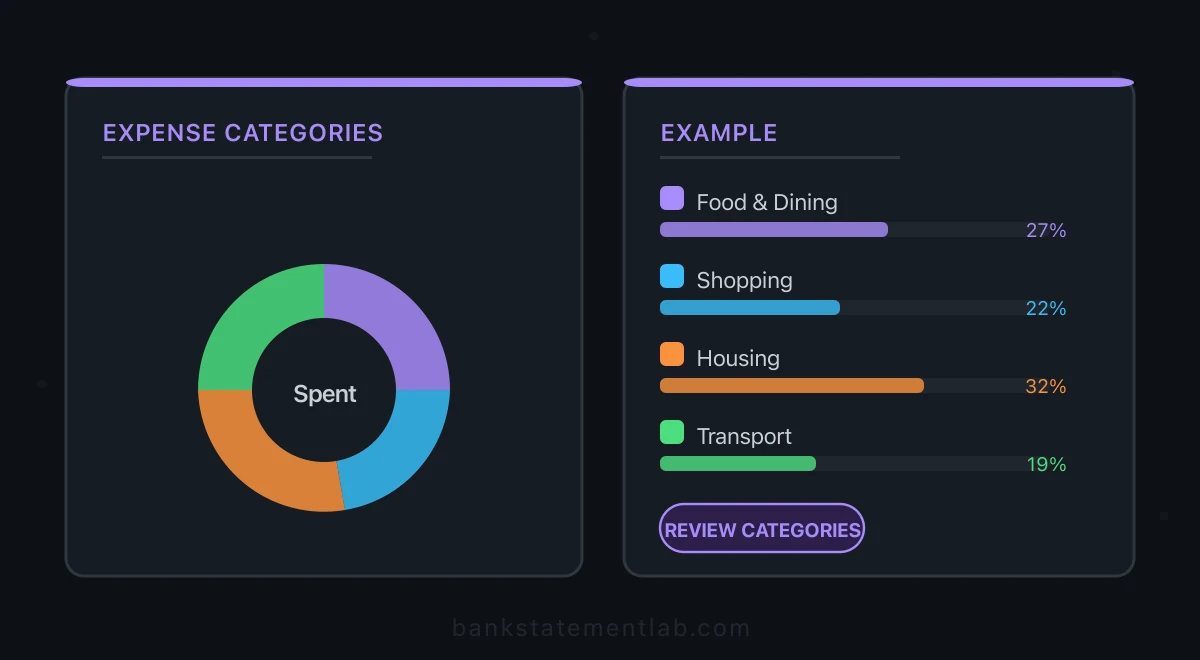
कैटेगरी की संख्या आपकी जरूरत पर निर्भर है। शुरुआत में आवास, किराना, बाहर खाना, परिवहन, स्वास्थ्य, शिक्षा और अन्य समीक्षा योग्य खर्च जैसे उद्देश्य उपयोगी हो सकते हैं। समीक्षा बाकी को अन्य खर्च में छिपाने के बजाय अलग रखें।
4. जाँचे हुए खर्च की PivotTable बनाएँ
डेटा को शीर्षकों वाली Excel Table में रखें। Microsoft की PivotTable प्रक्रिया के अनुसार तालिका चुनकर PivotTable बनाएँ। इस बजट उदाहरण में:
- Rows में उद्देश्य की कैटेगरी रखें।
- Columns में तारीख को वर्ष और महीने के अनुसार समूहित करें।
- Values में अलग बनाया
शुद्ध खर्चकॉलम रखें: खर्च धनात्मक, उससे जुड़ा रिफंड ऋणात्मक, बाकी प्रवाह शून्य। - Filter में केवल जाँची गई प्रविष्टियाँ चुनें। समीक्षा बाकी की रकम अलग सारांश में दिखाएँ।
- Values की गणना Sum है, Count नहीं, यह जाँचें। नई पंक्तियाँ जोड़ने पर PivotTable refresh करें।
एक नाम वाले महीनों को अलग वर्षों से न मिला दें। अंतिम कुल को जाँची हुई कार्यशीट से मिलाएँ। Refund के कारण किसी महीने की कैटेगरी ऋणात्मक हो सकती है; उसे मिटाने के बजाय कारण दिखाएँ।
ऑटोमैटिक कैटेगरी का उपयोग कहाँ करें?
BankStatementLab बैंक स्टेटमेंट PDF और समर्थित छवियों से डेटा निकालकर XLSX, CSV या JSON देता है। Pro और Business में व्यापक कैटेगरी सुझाव उपलब्ध हैं। ये सुझाव आपके घरेलू बजट, भारतीय लेखांकन खातों या कर नियमों की अंतिम सूची नहीं हैं। जरूरत के अनुसार ऊपर के उद्देश्य, प्रवाह और समीक्षा कॉलम Excel में जोड़ें।
पहले एक प्रतिनिधि फ़ाइल पर पंक्तियाँ, तारीख, रकम और सुझावों की जाँच करें। गलत या अस्पष्ट परिणाम सही करें और उसी स्रोत को बार-बार आयात करने से बचें। उत्पाद की भूमिका डेटा तैयार करने में है; पूरा बजट, बैंक से सीधा sync या अपने आप कर निर्धारण मानकर न चलें। स्टेटमेंट से काम करने योग्य डेटा निकालें →
मासिक समीक्षा में क्या देखें?
बराबर अवधि, समान खातों और एक जैसी कैटेगरी पर तुलना करें। वार्षिक बीमा, यात्रा, रिफंड या किसी खाते के जुड़ने से मासिक अंतर बदल सकता है। उसे खर्च की आदत में बदलाव कहने से पहले कारण देखें।
कारोबार में बिक्री का बैंक जमा, भुगतान gateway की settlement और वास्तविक बिक्री अलग हो सकती हैं। छोटे व्यवसाय के UPI लेनदेन मिलाने की विधि इस हिस्से में मदद करती है। बहीखाते में डेटा भेजना हो तो TallyPrime आयात की तैयारी देखें और समर्थित स्वरूप की पुष्टि करें।
बजट में प्रयोग की गई कैटेगरी को अपने आप ITR या GST के लिए मान्य खर्च न मानें। बैंक रिकॉर्ड के साथ चालान, रसीद, व्यवसायिक उद्देश्य और लागू नियमों की अलग जाँच ज़रूरी हो सकती है।
बैंक के लेनदेन को books से मिलाएँ
Category तय करने के बाद books में वही payment है या नहीं, यह भी जाँचें। BankStatementLab की बैंक मिलान रिपोर्ट processed statements और accounting export से proposals बनाती है; review और approval के बाद Excel, CSV या PDF export करें। UPI मिलान workflow समझाता है कि matching और GST decision अलग क्यों हैं।
अक्सर पूछे जाने वाले सवाल
क्या UPI को खर्च की एक कैटेगरी रख सकते हैं?
UPI भुगतान का माध्यम है। खर्च समझने के लिए किराना, किराया या यात्रा जैसे उद्देश्य का अलग कॉलम रखें और ट्रांसफर या रिफंड को खरीद से अलग पहचानें।
अपने दूसरे खाते में भेजा पैसा खर्च है?
दोनों खाते आपके हों तो पैसा स्थानांतरित हुआ है, नई खरीद नहीं हुई। संबंधित प्रविष्टियाँ मिलाएँ और बैंक शुल्क हो तो अलग रखें। परिवार के सदस्य को भेजी रकम का वास्तविक उद्देश्य जाँचना पड़ेगा।
कार्ड बिल और कार्ड की खरीद दोनों जोड़नी चाहिए?
यदि खरीद पहले ही खर्च में शामिल है, तो उसी बिल का बैंक भुगतान दोबारा खर्च न जोड़ें। केवल बिल भुगतान उपलब्ध हो तो खरीद की कैटेगरी तय करने के लिए कार्ड विवरण की जरूरत होगी।
ऑटोमैटिक कैटेगरी से टैक्स रिकॉर्ड तैयार हो जाता है?
नहीं। सुझावों को मूल लेनदेन और प्रमाण से जाँचें। बजट की कैटेगरी अपने आप कर कटौती, सही खाता या पूरी टैक्स रिपोर्ट सिद्ध नहीं करती।
हर सप्ताह घंटे बचाएं
अपने बैंक स्टेटमेंट (PDF) को Excel, CSV या OFX में बदलें, बिना डेटा दोबारा हाथ से दर्ज किए।